Setting Turntable Anchor Points
Автор: edelkrone Academy
Загружено: 2025-05-01
Просмотров: 639
Описание:
In motion control workflows involving a Turntable, establishing anchor points is essential for reliable tracking, especially after moving your tripod or changing your setup.
⸻
What Are Turntable Anchor Points?
Anchor points tell the system where the center of the turntable is in relation to your camera and body device (e.g., slider, jib, dolly).
Once calibrated, the system can maintain tracking across both turntable rotation and body motion.
⸻
Step-by-Step Setup
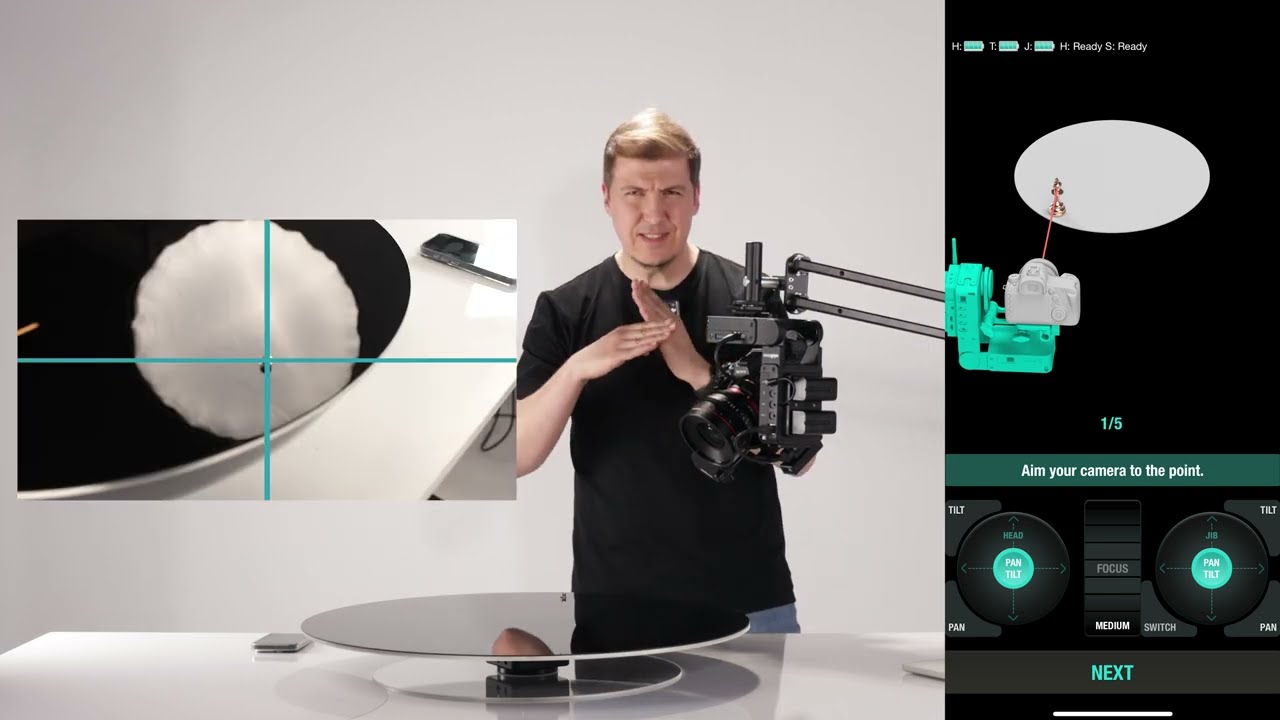
1. Select a Point on the Closer Half of the Turntable:
• The point should be near you, not on the far side.
2. Teach the Point from Two Angles:
• Aim your camera so the point is at the dead center of your frame.
• Press the physical button on HeadPLUS once.
• Move the camera to a second angle and press the button again.
3. Rotate the Turntable:
• Change the turntable’s position.
• Teach the same point again from two more angles (one, then the other).
✅ The anchor point setup is now complete.
⸻
Tracking With Anchor Points
• Now you can place a subject on the turntable and teach a point on the subject using the same two-angle method.
• When tracking is active, the system keeps that point locked using both the turntable’s and body device’s motion.
⸻
Repositioning After Moving the Tripod
If you move your tripod:
1. Press the Reposition button in the app.
2. Re-teach the same anchor point using the same order and angles.
3. Once completed, all previously taught points will realign and tracking will resume smoothly.
✅ This allows uninterrupted work without resetting every point from scratch.
Повторяем попытку...
Доступные форматы для скачивания:
Скачать видео
-
Информация по загрузке: