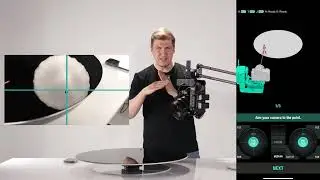
Focus/Zoom Module v3 User Manual
Автор: edelkrone Academy
Загружено: 2025-05-01
Просмотров: 876
Описание:
The Focus/Zoom Module v3 enables precise and smooth focus and zoom control through lens mapping, motorized automation, and app integration.
Here’s your complete guide to setting it up and using it effectively.
⸻
1. Lens Compatibility Requirements
• For Focus Control:
Lens must have distance markings on its focus ring.
• For Zoom Control:
Lens must have focal length markings on its zoom ring.
• Gear Requirement:
Your lens must have built-in gears.
If not, use the included lens gear provided with the Focus/Zoom Module.
⸻
2. Mounting the Module
1. Insert the rod into the slot beneath the HeadPLUS camera plate and tighten it.
2. Slide the Focus/Zoom Module onto the rod.
3. Align the gear teeth and press the module against the lens.
4. Tighten the knob to secure.
5. Plug in the module’s connection cable.
6. Ensure all components are tight and secure to prevent slippage.
⸻
3. Lens Mapping (Focus Mode)
• After attaching the module, you’ll see the lens loading screen.
• If the module is on the focus ring:
• Select your lens from the list.
• If it’s not listed:
• Search the Lens Community, or
• Tap “Add New Lens” to start mapping.
Mapping Steps:
1. Confirm macro position.
2. Rotate to infinity and press Done.
3. Enter each marked distance from the lens into the app as you rotate the focus ring.
4. For infinity, enter “99”.
5. Name your lens and complete the mapping.
✅ Your new lens activates immediately and is ready to use.
You may also upload the mapping to the Lens Community for future use.
⸻
4. Focus Control Modes
Keypose Mode (Ideal When Stationary)
• Save a focus position along with other axis data.
• Seamlessly move from one keypose to another.
• Best results when HeadPLUS is fixed.
Point Mode (Best When in Motion)
• Enables autofocus pulling.
• The system actively tracks subject distance in real time.
• Switching between points also adjusts focus smoothly.
⸻
5. Autofocus Troubleshooting
If tracking performance isn’t sharp enough:
• Use focus shifting: manually adjust using the dial while the point is active.
• Reteach the point.
• Reload the lens using “Change Lens”.
• Recalibrate Point Mode from device settings.
• Remap your lens if needed.
• Stop down the aperture to increase depth of field.
✅ Applying these methods significantly improves focus reliability.
⸻
6. Zoom Control Setup
If you’re using the module on the zoom ring:
• Select Zoom Control on the lens loading screen.
• The module will detect zoom limits and ask you to input the current zoom level.
• Zoom positions are saved differently in each mode:
• Keypose Mode: Zoom is saved with each pose.
• Point Mode: Zoom level is saved to each point and recalled automatically.
⸻
7. Sensitivity Settings
• In the edelkrone app, tap Slow, Medium, or Fast on the focus wheel to adjust control sensitivity based on your needs.
⸻
8. Switching Lenses
• Tap Change Lens to return to the lens screen.
• Select a new lens or remap a new one for focus/zoom control.
⸻
9. Additional Resources
• For video tutorials and advanced use cases, visit the Help section of the edelkrone website or within the app.
Повторяем попытку...

Доступные форматы для скачивания:
Скачать видео
-
Информация по загрузке: