HeadPLUS v3 User Manual
Автор: edelkrone Academy
Загружено: 2025-05-01
Просмотров: 3929
Описание:
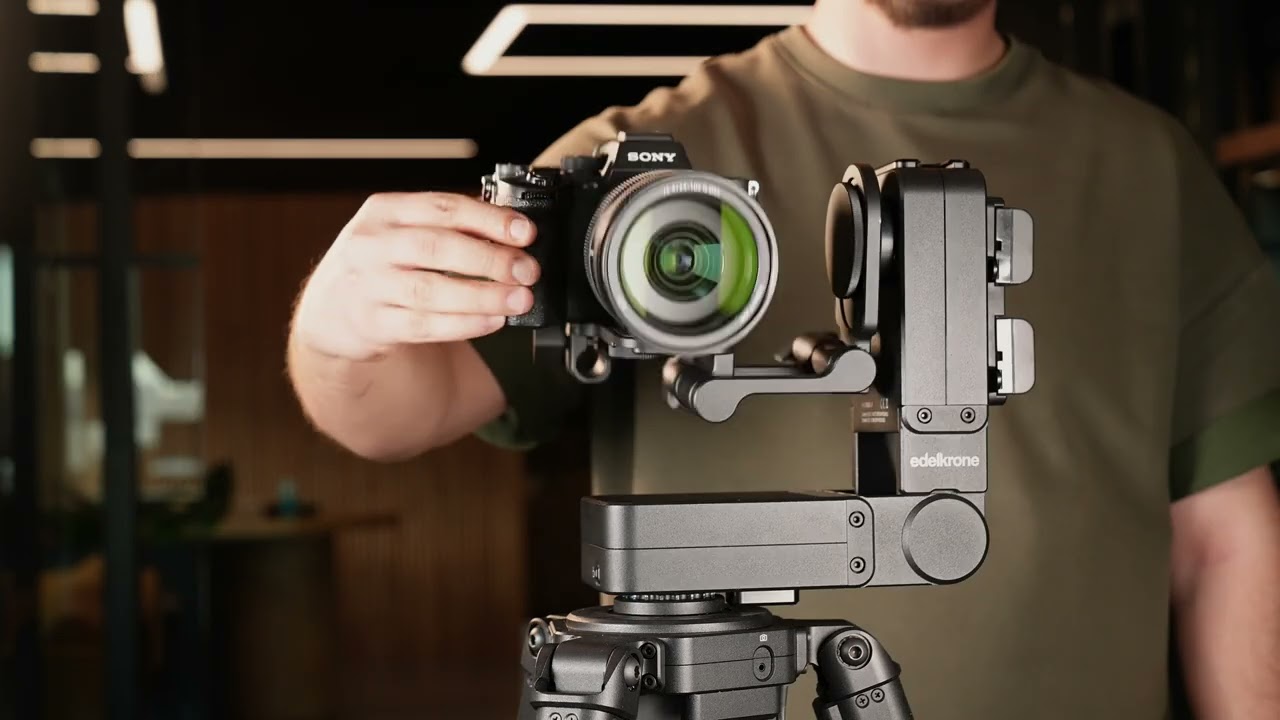
HeadPLUS v3 is a professional-grade pan & tilt head offering precise motion control, automated tracking, and modular expansion. Here’s your step-by-step guide to setup, balancing, connections, and advanced use.
⸻
1. Powering HeadPLUS v3
You can power HeadPLUS by:
• Attaching a battery
• Inserting a DC input cable
• Or pressing the power button (if already connected to power)
⸻
2. Port Overview
• Laser Module Port: Speeds up point teaching by projecting laser to target.
• Vision Module Port: Enables mobile monitoring and face tracking.
• Link Port: Used for wired signal hub or direct controller connection.
• Trigger Port: Syncs with camera for time-lapse photo triggering.
• DC Input: Power via battery bracket, AC/DC adapter, or shared power module.
• Focus/Zoom Module Port: Connect Focus/Zoom Module v3 to control manual lenses.
⸻
3. Mounting HeadPLUS to Equipment
Automated Mounting:
1. Place HeadPLUS on the screw.
2. Disengage the lock.
3. Double press the power button.
4. HeadPLUS will auto-rotate and screw itself onto the bolt.
5. Engage the lock and hand-tighten.
Automated Removal:
1. Engage the lock, loosen manually.
2. Disengage the lock, press the power button three times.
3. HeadPLUS will auto-unscrew itself.
4. To cancel at any time, press the button once.
⸻
4. Mounting the Camera
1. Align the bracket’s channel with HeadPLUS’s lip.
2. Screw the bracket in place.
3. Mount the camera on the bracket and secure it by tightening from the bottom screw.
⸻
5. Balancing the Camera
• If the camera tilts forward or backward:
• Loosen the mounting screw, adjust position, and re-tighten.
• If the camera cannot stay upright vertically:
• Loosen the vertical connection on HeadPLUS.
• Adjust until balanced, then re-tighten.
• For cameras with large lens diameters:
• Use the Riser Piece to elevate and balance the camera properly.
⸻
6. Vertical Video & Upside-Down Setup
• Rotate your camera for vertical videos by loosening the two L-bracket screws, repositioning, then retightening.
• To mount upside down on a jib:
• Pan the head all the way back.
• Then tilt the camera all the way back as well.
⸻
7. Joint & App Connection Tips
• If the folding joint becomes loose:
• Tighten the center screw of the folding mechanism.
• When HeadPLUS is powered:
• It becomes instantly visible in the Edelkrone app for easy wireless connection.
⸻
8. Learn More
• For advanced usage tutorials, visit the User Manual Videos section on edelkrone.com.
• For technical support, contact [email protected].
Повторяем попытку...
Доступные форматы для скачивания:
Скачать видео
-
Информация по загрузке:


