CATIA V5 for Beginners: Quick Trim, Edge Fillet & Pocket - 3
Автор: Home CAD-CAE-CAM
Загружено: 2026-03-03
Просмотров: 11
Описание:
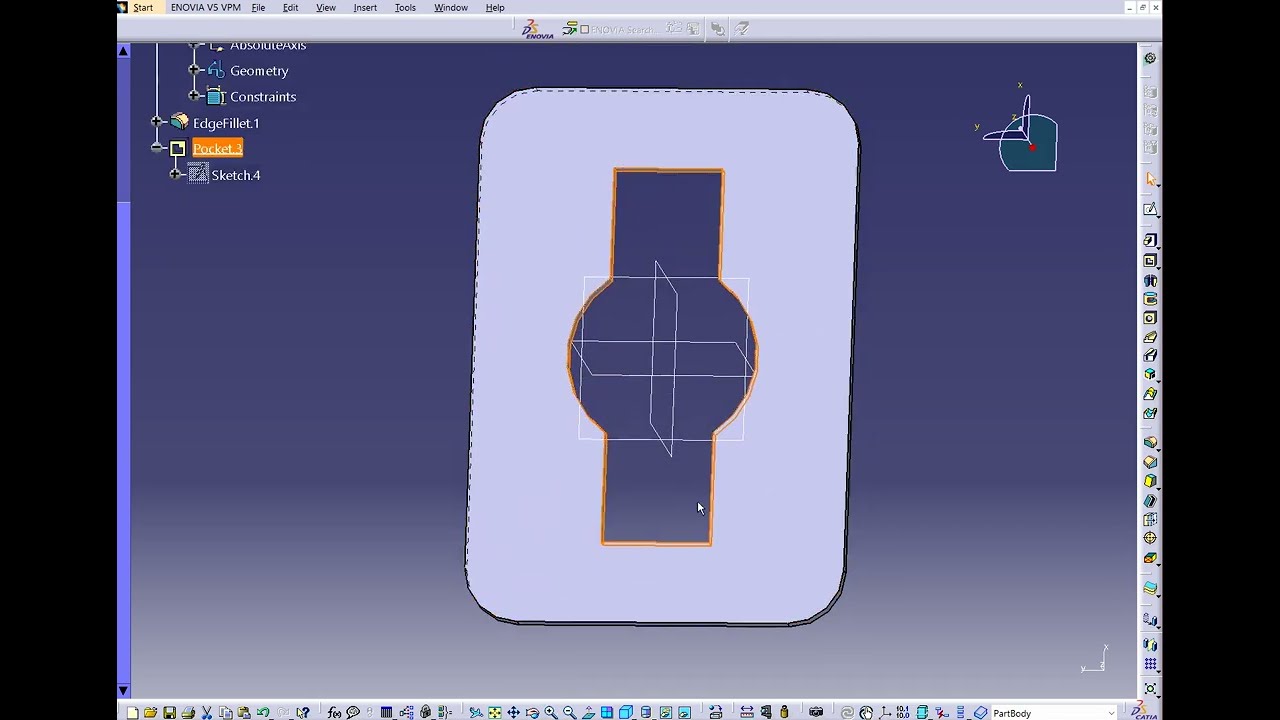
Welcome to Tutorial 3 of our CATIA V5 beginner course! Today we are designing a custom mechanical plate and focusing heavily on some essential Sketcher tools.
While the 3D features are simple, the real trick is creating a clean 2D profile. You will learn how to:
• Combine circles and rectangles in the Sketcher.
• Clean up intersecting lines using the Quick Trim tool (the eraser) to create a single, continuous profile.
• Smooth the outer corners with the Edge Fillet tool.
• Remove the material using the Pocket command.
👇 Question for the comments: Do you prefer using Quick Trim (double-clicking it to keep it active) or the standard Trim tool for intersecting lines? Let me know!
👍 If you found this CAD exercise helpful, please LIKE and SUBSCRIBE to follow along with the rest of the series!
#catiav5 #catiatutorials #partdesign #3dmodeling #cad #shortsfeed #mechanicalengineering #engineeringstudents
Повторяем попытку...
Доступные форматы для скачивания:
Скачать видео
-
Информация по загрузке: