Tutorial: Integrate FinishLynx with Chronotrack RFID Lap-time Data
Автор: FinishLynx
Загружено: 2015-09-23
Просмотров: 2779
Описание:
Configure FinishLynx and the LapTime plugin so you can receive lap-time data from Chronotrack RFID systems. That includes configuring the LapTime plugin and SimpleClient settings for sharing real-time RFID data. More on the FinishLynx RFID integration here: www.finishlynx.com/packages/chip-timing-cameras/
00:00 - Integrate FinishLynx with Chronotrack RFID Lap-time Data
00:14 - Step 1: Configure FinishLynx LapTime Options
00:27 - Create a NEW LapTime object and set the Device: to Lynx
00:40 - Serial Port = Network (listen) and enter the Port to use
00:48 - Sync Source = None
00:53 - Results Key = ID
00:59 - Exit & restart FinishLynx
01:08 - Confirm new LapTime device is Running
01:17 - Step 3: Configure SimpleClient
01:21 - Click Direct Socket Out & select an available connection
01:25 - Activate connection
01:35 - Step 4: Connect to Chronotrack controller and play data stream
01:58 - All data received by the Chronotrack controller will now be sent to FinishLynx
02:07 - Set the number of laps for the race and create a start signal
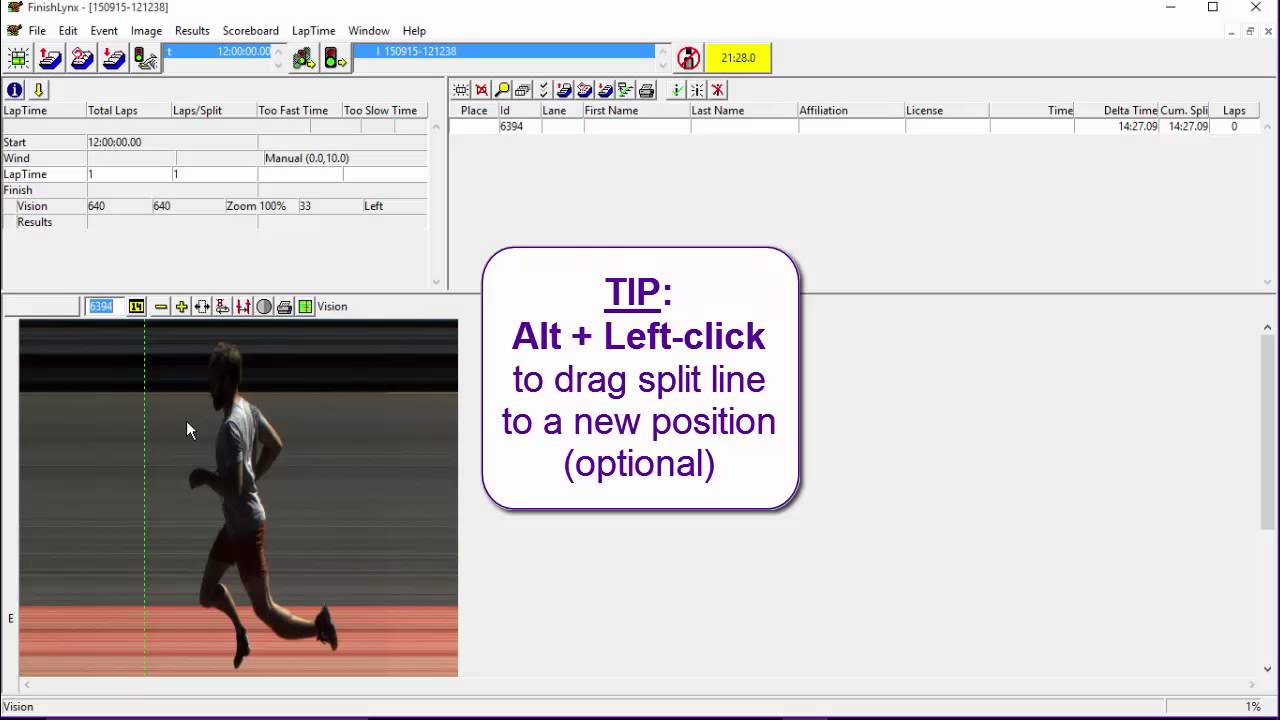
02:38 - Tip: Show split lines and add result fields to maximize all features
02:50 - Add lines to show chip times on the image
02:57 - Add lines to show the photo-finish times
03:07 - Add split info
03:28 - Tip: Alt+Left-Click to drag split line to new position (optional)
03:43 - Evaluate image as usual to fill the Place and Time fields
03:59 - Set number of laps
04:04 - Modify LapTime | FillinTime hidden setting
05:03 - Add line labels to help identify participants
05:26 - To correct a time, evaluate as usual
Повторяем попытку...
Доступные форматы для скачивания:
Скачать видео
-
Информация по загрузке: