ycliper

Популярное

Музыка Кино и Анимация Автомобили Животные Спорт Путешествия Игры Юмор

Интересные видео

2025 Сериалы Трейлеры Новости Как сделать Видеоуроки Diy своими руками

Топ запросов

смотреть а4 schoolboy runaway турецкий сериал смотреть мультфильмы эдисон
Скачать

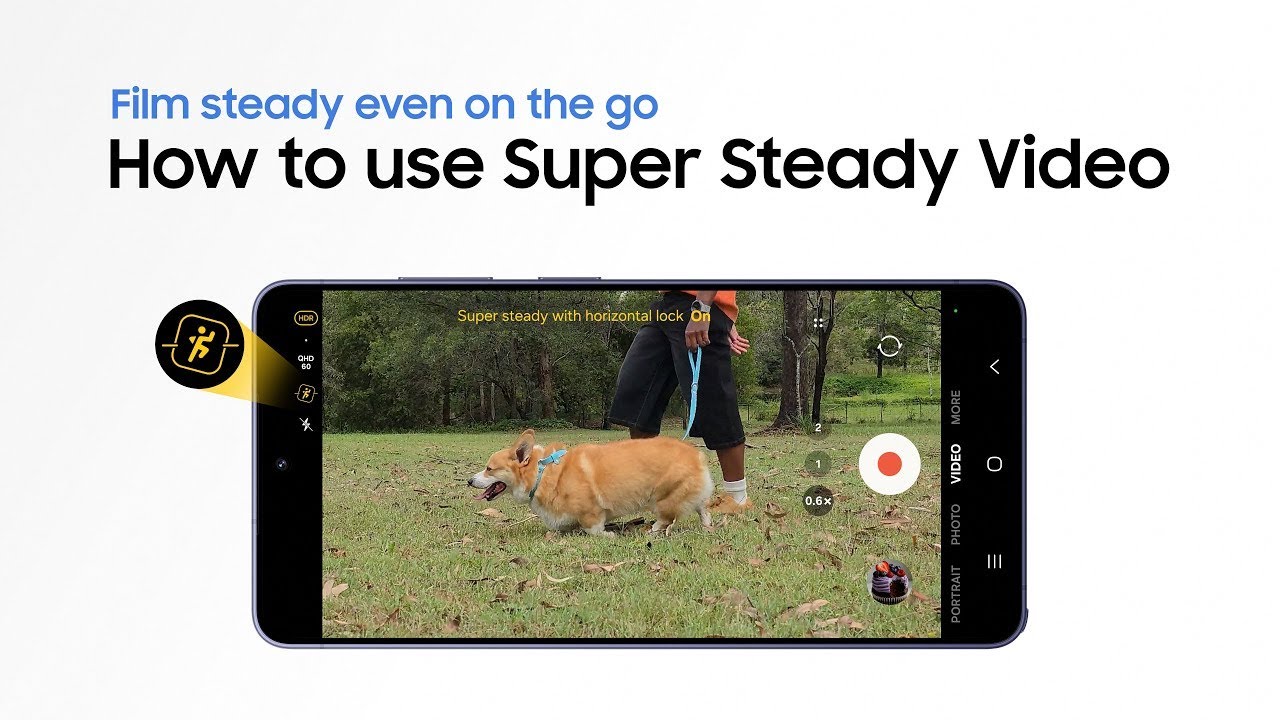
How to use Super Steady Video | Galaxy S26 Series | Samsung

Автор: Samsung Malaysia

Загружено: 2026-03-04

Просмотров: 143

Описание: This is the official video guide on how to use Super Steady Video on Galaxy S26 Series. Ever filmed a special moment, only to realize it turned out shaky? 😱 Meet Super Steady Video, helping you capture smooth, shake-free videos in any situation―from uneven ground, to shooting on the go. With the new Super steady with horizontal lock feature, your shots stay level, even when your smartphone tilts. Perfect for capturing your best shot anytime, anywhere―tilt-free, shake-free, and of course, worry-free 😉

00:00 Intro
00:08 Activate Super Steady Video
00:53 Get smooth results with Super Steady Video
01:03 See the difference at a glance

Follow these simple steps to use ‘Super steady with horizontal lock’ on Galaxy S26 Series:
Step 1: Tap 'Camera' and switch to video mode.
Step 2: Find and tap the Super Steady Video icon, then tap 'Super steady with horizontal lock'.
Step 3: Film naturally and capture smooth footage that stays level.

Q: How does ‘Super steady with horizontal lock’ keep my shots level?
A: ‘Super steady with horizontal lock’ uses expanded optical angles with gyro and acceleration sensors to recognize the direction of gravity to keep your shots level.
Q: What is the difference between Super Steady Video and ‘Super steady with horizontal lock’?
A: Super Steady Video helps you get shake-free videos, while ‘Super steady with horizontal lock’ keeps the horizon level even―even if you rotate a full 360°.

Pre-order the Galaxy S26 series and enjoy deals worth up to RM1,200: http://spr.ly/MY_S26_Super-Steady-Vid...

Promo ends 10 March, 2026. T&Cs apply.

#GalaxyAI #GalaxyS26Ultra #GalaxyS26 #Samsung

Не удается загрузить Youtube-плеер. Проверьте блокировку Youtube в вашей сети.
Повторяем попытку...
How to use Super Steady Video | Galaxy S26 Series | Samsung

Поделиться в:

Доступные форматы для скачивания:

Скачать видео

  • Информация по загрузке:

Скачать аудио

Похожие видео

Introducing Galaxy S26 Ultra | Galaxy AI | Samsung

Introducing Galaxy S26 Ultra | Galaxy AI | Samsung

Cases and charging accessories of Galaxy S26 Series | Samsung

Cases and charging accessories of Galaxy S26 Series | Samsung

Unboxing Galaxy S26 Series | Samsung

Unboxing Galaxy S26 Series | Samsung

How to use Privacy Display | Galaxy S26 Ultra | Samsung

How to use Privacy Display | Galaxy S26 Ultra | Samsung

#SamsungLiveShop : [LIVE] Feel the Galaxy S26 Vibe

#SamsungLiveShop : [LIVE] Feel the Galaxy S26 Vibe

Official Highlights | Galaxy Unpacked February 2026 | Samsung

Official Highlights | Galaxy Unpacked February 2026 | Samsung

How to use Photo Assist | Galaxy AI | Galaxy S26 Series | Samsung

How to use Photo Assist | Galaxy AI | Galaxy S26 Series | Samsung

#SamsungLiveShop : [LIVE] Camera King? Test the Galaxy S26 LIVE!

#SamsungLiveShop : [LIVE] Camera King? Test the Galaxy S26 LIVE!

How to control effortlessly | Galaxy Buds4 Series | Samsung

How to control effortlessly | Galaxy Buds4 Series | Samsung

How to easily connect and use | Galaxy Buds4 Series | Samsung

How to easily connect and use | Galaxy Buds4 Series | Samsung

Powering Your Miracle Moments

Powering Your Miracle Moments

Introducing ScreenShield | Samsung

Introducing ScreenShield | Samsung

How to get the most from your Hi-Fi sound | Galaxy Buds4 Pro | Samsung

How to get the most from your Hi-Fi sound | Galaxy Buds4 Pro | Samsung

Unboxing Galaxy Buds4 and Buds4 Pro | Samsung

Unboxing Galaxy Buds4 and Buds4 Pro | Samsung

Innovations That Feels Like Magic

Innovations That Feels Like Magic

Introducing NightVision | Samsung

Introducing NightVision | Samsung

Introducing CreatorLab | Samsung

Introducing CreatorLab | Samsung

© 2025 ycliper. Все права защищены.


  • Контакты
  • О нас
  • Политика конфиденциальности


Контакты для правообладателей: [email protected]