How to use Photo Assist | Galaxy AI | Galaxy S26 Series | Samsung
Автор: Samsung Malaysia
Загружено: 2026-03-04
Просмотров: 117
Описание:
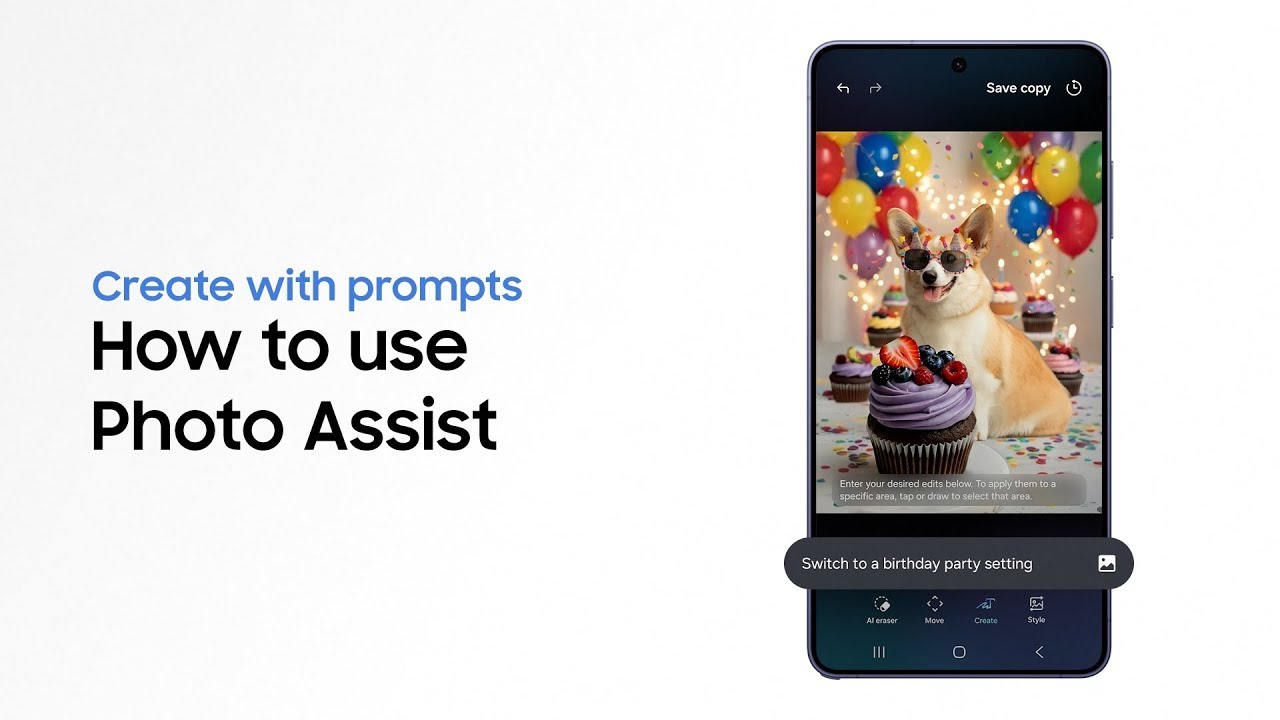
This is the official video guide on how to use Photo Assist on Galaxy S26 Series with Galaxy AI. Want to add a magical touch to your photos? It’s a piece of cake 🍰 With Photo Assist on Galaxy S26 Series, you can edit photos using simple words―from adding elements and changing backgrounds, to switching styles for a fresh new vibe. Ideal if you’re looking to create stunning photos that feel original, unique, and truly yours 👀
00:00 Intro
00:17 Create with prompts
01:01 Create with Keep editing
02:03 Edit with Style
Follow these simple steps to use Photo Assist on Galaxy S26 Series:
Step 1: To edit with prompts, tap ‘Gallery’ and select a photo to edit. Tap ‘Galaxy AI’, hit ‘Create’, and then tap the prompt bar. Type in how you’d like to change the photo and tap ‘Generate’ to effortlessly touch up your photos.
Step 2: Tap ‘Keep editing' and then 'Add from image'. Select a photo to use and tap ‘Done’. Tap the prompt bar then enter your prompt and hit ‘Generate’ to easily edit using your gallery image.
Step 3: To change the background, tap ‘Keep editing’, then the prompt bar. Type in a short sentence on how to change the background. Tap ‘Generate’ to bring in the perfect background in a snap.
Step 4: To edit with ‘Style’, tap ‘Galaxy AI’, and then ‘Style’. Tap ‘More’ to see all the fascinating styles. Choose the style you like and select it. Tap ‘Generate’ to restyle your photo effortlessly. To compare the result with the original photo and see the added flair at a glance, simply long press ‘Show previous’.
Q: Does it take a well-phrased prompt to refine my photos?
A: You can easily touch up your photos using simple and short prompts, or even by just listing short words.
Q: When editing with ‘Style’, what are the style options?
A: Photo Assist provides various styles to make your photos pop, including 3D toon, Retro anime, Pop art, Watercolor, Oil painting, Anime, Crayon, Comic, and Sci-fi.
Pre-order the Galaxy S26 series and enjoy deals worth up to RM1,200: http://spr.ly/MY_S26_Photo-Assist_How...
Promo ends 10 March, 2026. T&Cs apply.
#GalaxyAI #GalaxyS26Ultra #GalaxyS26 #PhotoAssist #Samsung
Повторяем попытку...
Доступные форматы для скачивания:
Скачать видео
-
Информация по загрузке: