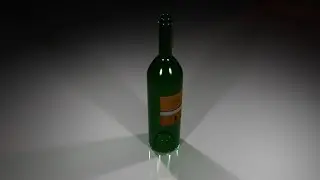
Mari Tutorial: Beginner Walkthrough from Mari to Maya Part 2 with Timestamps
Автор: Raycast
Загружено: 2020-05-01
Просмотров: 843
Описание:
1:30 - Colour correct an ambient occlusion pass
8:00 - Adding a mask to procedural mud to blend into the shadows
13:00 - Brush settings for painting
13:50 - Manually painting a mask (when the texture is imported from online)
14:50 - Baking our paint strokes, breif explaination
16:30 - Erasing our mask/ painting mask continued
18:40 - Camera view hot keys (1,2,3,4,5)
19:20 - Projecting leaks/ grime onto our model. Dripping effect
28:30 - Projecting dust texture for our glass
37:00 - Transfering your textures to your Roughness channel (begining of roughness map work)
38:15 - Node graph, brief look
39:50 - Creating your roughness map
44:30 - Adjusting the roughness for the cork area
46:20 - Adjusting roughness map for the glass area/ explaination
48:29 - Copying textures into the specular channel
48:55 - EDIT - ADDED IN AFTER - Animating the environment light
50:25 - EDIT - FIXING THE SHADER VIEW IN MARI
52:15 - Specular map alterations begin
53:42 - Creating a Transmission Map (Opacity) for glass & non transparent objects
56:30 - Copying dust for our Transmission map
1:00:00 - Adding textures into the bump channel
1:03:00 - Adding glass colour in mari/explanation
1:04:40 - EDIT - MARI WAS NOT DISPLAYING THE SHADER/CHANNELS CORRECTLY, SEE ABOVE EDIT TIME STAMP FOR FIX
1:05:29 - Exporting textures - I FORGOT TO RECORD THE EXPORT OF TEXTURES. GO TO "FILE" - "EXPORT" - "EXPORT EVERY CHANNEL FLATTENED" -
I EXPORTED .EXRS AT 16BIT (You need 32bit to have an alpha. 8bit is also fine)
1:06:50 - Adding your textures to a shader in maya
1:08:25 - **Alternative way to connect textures in maya IF YOU DO NOT HAVE A 32BIT FILE/ ALPHA **
1:12:45 - Test rendering the shader with textures
1:13:40 - Fixing texture connections (16bit images do not have an alpha)
1:18:25 - Using a second shader with your textures (for metalic objects in this example, otherwise we would have needed another map)
1:20:36 - Gold ring with new shader, test render
1:22:00 - Changing settings on the object for glass rendering (Opaque button & Transmission Colour)
1:26:00 - Rendering/ Adjusting the Transmission (opacity) shading
1:27:20 - Object settings for rendering displacement
1:28:00 - Adding displacement to an object (this is for demonstrative purposes and does not work with this asset)
1:36:00 - Removing displacement from an object
1:43:40 - Pro's and Con's of using mesh maps (ambient occlusion / curvature)
1:45:10 - Improving texture projection quality (explanation/ demo)
1:51:10 - Final render for this demo
Like & Subscribe if you found the video useful!
/ @raycast
To request tutorials and get further tuition go to: / raycast
This was recorded whilst live streaming to students studying Visual Effects and uploaded shortly after so edited is limited.
The videos on this channel are created by a professional Visual Effects Generalist with experience across Films, TV & Commercials.
The channel provides a variety of tutorials based on Visual Effects Techniques such as Modelling, Tracking, Texturing, Lighting, Rendering, Animation & Compositing.
Software that will be covered includes: Autodesk Maya (with Arnold Renderer), Substance Painter, Mari, Houdini (with Mantra), PFTrack, 3DEqualizer, Nuke, Zbrush & Photoshop.
Повторяем попытку...

Доступные форматы для скачивания:
Скачать видео
-
Информация по загрузке: