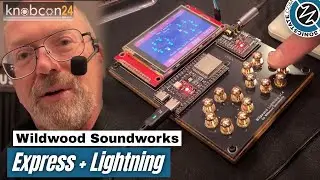
Lightning v2 Touch Display
Автор: Wildwood Soundworks
Загружено: 2025-03-11
Просмотров: 906
Описание:
This video shows you how to use the touch display on Lightning version 2:
1. Header, Content and Footer
2. Softkey Categories and Actions
3. Views, Menus and Menu Items
4. Navigating the File System and Opening a Song File
5. Using the Transport Softkeys to Play a Song
6. Closing the Softkeys
Wildwood Lightning is a handmade digital sampler, sequencer and synthesizer designed and produced by Wildwood Soundworks in Penn Valley, California. It provides the following features:
Sampler - record your own samples or use standard WAVE files.
Sequencer - compose on up to 16 channels with channel mute and solo.
Synthesizer - produce polyphonic audio with a sample based synthesizer.
Touch Pads - play notes, select chord and drum patterns and strum with touch sensitive pads.
Display - view notes and channels or navigate menus to select from numerous features.
Multiple Views - create and update your songs using piano roll, song or step views.
Multiple Menus - discover features and create or edit your song with 14 menus.
Touch Display - softkeys organize functions into categories and actions.
Note Wheel - strum chords across octaves by moving finger around touch sensors.
MIDI Network - Create multiple connectionless networks to play and record across collections of devices.
MIDI Files - read and write to internal flash, or external USB flash drives and Micro SD cards.
USB MIDI In - connect a MIDI keyboard to the device to use it as a sequencer and synthesizer.
USB MIDI Out - connect the device to a computer to use it as a touch input device or sequencer.
USB Audio - Record and play USB UAC 1.0 audio streams (e.g. USB audio headset).
Playlists - create lists of songs or parts of songs to shuffle or play in sequence.
Profiles - organize settings into profiles in flash memory for easy setup of new songs.
Firmware Updates - install firmware updates over the internet for new features and bug fixes.
Browser Interface - view a large version of the device screen on your favorite browser.
Pattern Generator - play drum grooves and fills as well as chord arpeggios and strums.
Reverb Filter - simulate acoustic characteristics of different types of spaces.
Demo Songs - get started with over 65 Creative Commons CC0 licensed (Public Domain) MIDI files.
Metronome - configure the sound, volume and rate of the builtin metronome.
Articulation Menu - control the amplitude, pitch and timbre to produce more expressive sounds.
Sample Management - Set loop points, clip samples, assign to touch sensors.
Key Signature - Set the key of the song and forget about sharps and flats.
Tablature View - Displays chords and lyrics to make it easier to play your favorite songs.
For more information, visit https://wildwoodsoundworks.com
Повторяем попытку...

Доступные форматы для скачивания:
Скачать видео
-
Информация по загрузке:



![[4K FULL HD] Relaxing Water Background | 1 HOUR | Calm Water Wallpaper (No Sound)](https://image.4k-video.ru/id-video/y9PTNTSpGJs)


