How to fix thermistor error in FOKOOS Odin5 F3
Автор: 3D Printing Doctor
Загружено: 2022-01-30
Просмотров: 5116
Описание:
How to fix thermistor error in FOKOOS Odin5 F3
Its been a while since my fokoos failed and now I find some time to go fix it. Everything started with thermistor error! It appeared on my screen as 'err4'. I was trying to figure out what is it and after some google search I realized that something is off with my thermistor.
Before following this video and do it step by step you should try to debug your printer. There are couple reasons why you can get a thermistor error.
How do you debug it? ▬▬▬▬▬▬▬▬▬▬ ▬▬▬▬▬▬▬▬▬▬
1) Check the cable going into the extruder head. Look at the shiny pins. Anything burned? any external dust or parts interfering? If so clean and re attach the cable and see if it fixes your problem or not.
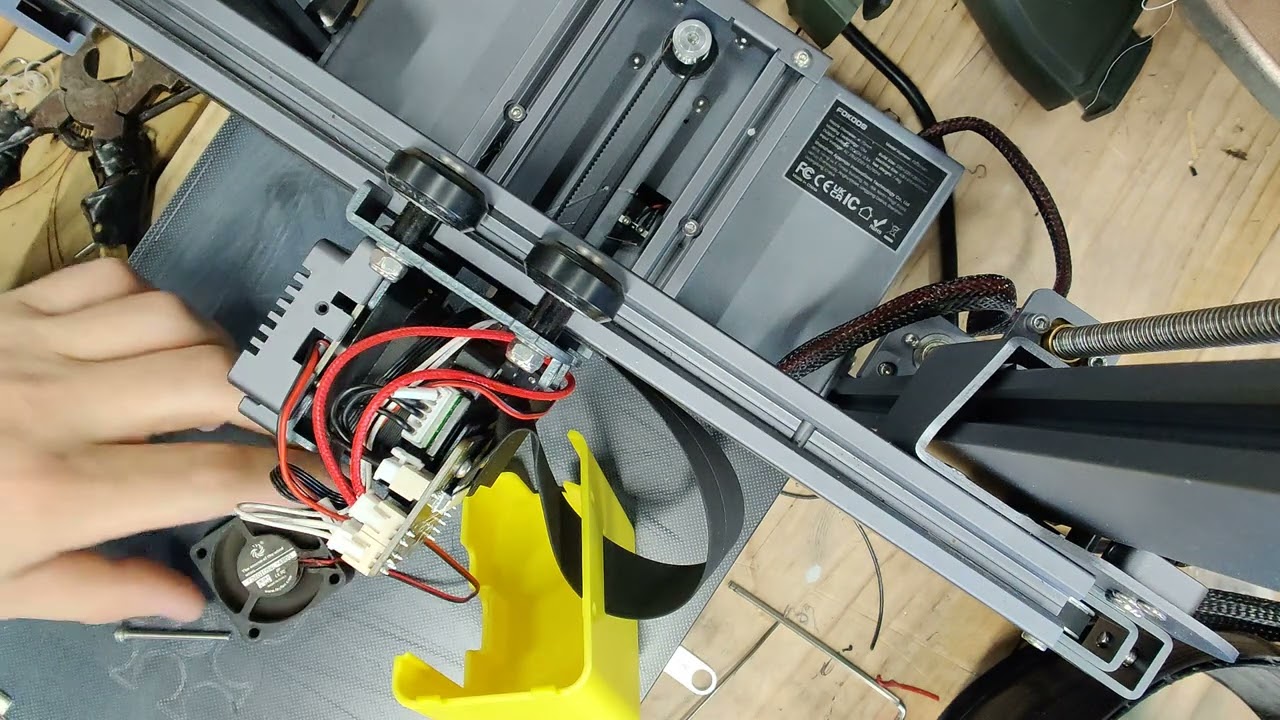
2) Check the thermistor head in the nozzle. Remove the silicone heat block cover and see if anything is detached or disconnected. If so fix it and see the problem is solved or not. If the problem persists now you need to watch this video! Because you probably have a bad socket on the extruder circuit board. Yes there is a small circuit board in the extruder assembly
3) Follow this video and strip the extruder assembly. Then take out the circuit board. Look at the sockets! Anything coming apart when you pull? Well here is your potential problem. Follow my video and desolder the pins and put new socket heads in / or glue the old ones properly back. I do suggest changing them. After this step test it again. Is your problem solved? perfect! if not? ask this question: Did you also change the thermistor in your assembly? In this video I did.
4) if bullet 3 did not solve your problem now you need to replace your old thermistor as well. After that your printer should be back to the game! and working properly. If you follow this video and read this guide and complete all these steps, and still have the issue, please comment down below and lets talk to see what might be another reason of failure. However, I am pretty confident that after following these 4 bullets, your printer will be fixed!
Video Contents ▬▬▬▬▬▬▬▬▬▬ ▬▬▬▬▬▬▬▬▬▬
00:00 introduction
01:00 extruder disassembly
02:30 the circuit explained
04:55 extruder disassembly continued
06:00 investigate the data cable
06:17 heater block assembly replaced
08:22 screw magnet
08:28 assembling back started
10:28 fixing the socket connections on the circuit
13:59 putting the circuit back together
15:30 assembling back continued
16:40 testing
18:20 putting the cover back
18:50 conclusion
Tools I used ▬▬▬▬▬▬▬▬▬▬ ▬▬▬▬▬▬▬▬▬▬
Fokoos accessories kit: https://amzn.to/32Kn5Bj
Socket kit: https://amzn.to/3rbtDSU
Screw magnet tray: https://amzn.to/3KWxJWD
Soldering iron: https://amzn.to/32KnfIV
de-solder pump: https://amzn.to/3rdLmcp
Fume extractor: https://amzn.to/3g8cIdJ
Allen keys: https://amzn.to/34liqpM
Here are my other Fokoos related videos and upcoming ones! ▬▬▬▬▬▬▬
Unboxing: • Fokoos ODIN 5 F3 First Print, Leveling, As...
How to fix the thermistor: • How to fix thermistor error in FOKOOS Odin...
Firmware update: coming soon
Cura settings video: • CURA settings for ODIN 5 F3 3D Printer
Full Review video: coming soon
Link for the firmware update: ▬▬▬▬▬▬▬▬▬▬ ▬▬▬▬▬▬▬▬▬▬
https://drive.google.com/drive/folder...
Don't forget to follow your 3D Printing Doctor on Instagram for my prints and short videos: / 3dprintingdoctor
Here is the website of Fokoos Tech: https://fokoos.com/
Here is FB support group for this printer: / 4240701792613897
Here is FB page for fokoos / fokoostech
Let's discuss in the comments down below for more! Feel free to comment!
Here all my important links summarized: https://linktr.ee/3DPrintingDoctor
Last but not least, DON'T FORGET TO SUBSCRIBE :D
Thanks for watching!
#fokoos #odin5F3 #thermistor
Повторяем попытку...

Доступные форматы для скачивания:
Скачать видео
-
Информация по загрузке: