Remove background in VSDC Video Editor
Автор: EduTecPro
Загружено: 2023-10-05
Просмотров: 436
Описание:
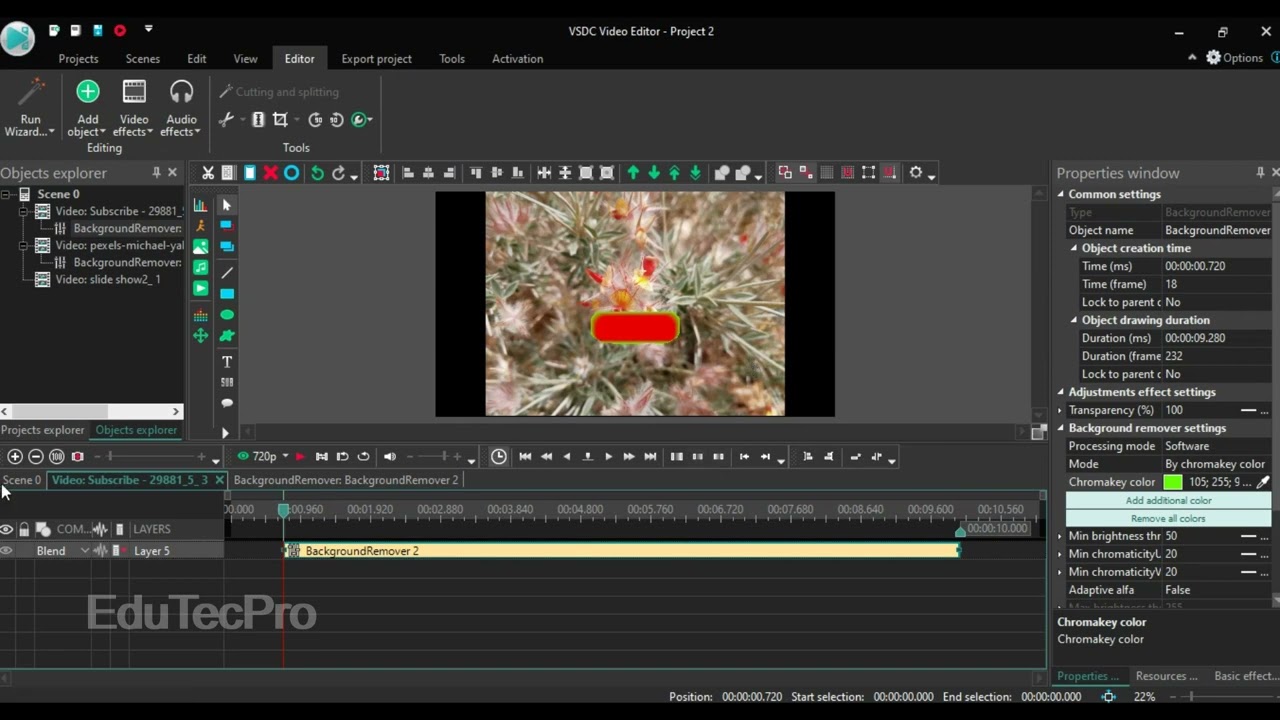
Do you film using a green screen and need a reliable, free way to remove it? In this complete tutorial, you will learn exactly how to remove the background from your video in VSDC Video Editor using the powerful Chroma Key tool. This technique is essential for vlogging, creating professional presentations, and replacing backgrounds easily!
Stop dealing with residual green fringing! We break down the customization process step-by-step to get a clean, sharp key:
Step 1: Applying the Chroma Key Effect: Learn how to find the Chroma Key tool within VSDC’s video effects menu.
Step 2: Selecting the Key Color: How to use the eyedropper tool to accurately select the green screen color for the best result.
Step 3: Adjusting Parameters (Threshold & Smoothness): The key to a clean removal! We show you how to fine-tune the threshold and smoothness settings to eliminate shadows and noisy edges.
Step 4: Replacing the Background: A quick guide on how to add a new image or video layer behind your keyed footage.
Mastering Chroma Key in VSDC is simple and will instantly professionalize your videos. Hit the Like button and subscribe for more free VSDC Video Editor tips!
#edutecpro #VSDC #GreenScreen #RemoveBackground
Повторяем попытку...
Доступные форматы для скачивания:
Скачать видео
-
Информация по загрузке: