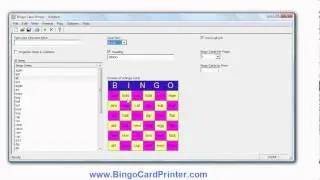
Canada Day Bingo Cards - how to create with the Bingo Card Maker by BingoCardPrinter.com
Автор: SoftwareDemo
Загружено: 2012-06-15
Просмотров: 57
Описание:
This video shows how to create Canada Day bingo cards using software from http://www.bingocardprinter.com/ - a bingo card maker program known as Bingo Card Printer. If you visit the website you can download a free trial version of the software and try it for yourself.
The steps to create a Canada Day bingo card using this bingo card maker software are:-
1. Start Bingo Card Printer
2. Click the large button labelled "Create New Bingo Card Project..." (or click "New..." on the "File" menu).
3. A dialog box should appear. Click on the "Holidays" tab.
4. Scroll down and select the Canada Day template - "Canada Day", then click OK (or simply double click on "Canada Day").
5. You are now ready to print your Canada Day bingo cards, or, if you wish, you can customize them by adding/deleting items, changing colors and fonts, choosing a different bingo card size, etc.
6. Enter the number of bingo cards you need to print in the space provided, then click "Print..." on the "File" menu to begin printing.
The Canada Day template provided will initially contain the following items (all relating to Canada, Canada Day or the history of Canada), however you can of course customize the list of items if you wish to:
1867
1982
Barbecues
British North America Act
Canada
Carnivals
Citizenship Ceremonies
Concerts
Constitution Act
Dominion
Festivals
Fireworks
Flags
Fête du Canada
Holiday
Maple Leaf
New Brunswick
Nova Scotia
Ontario
Ottawa
Parades
Parliament Hill
Province of Canada
Quebec
To find out more about the software, or download a free trial version of Bingo Card Printer, please go to http://www.bingocardprinter.com/
You can download a PDF example of Canada Day bingo cards created using the software at
http://www.bingocardprinter.com/bingo...
Повторяем попытку...

Доступные форматы для скачивания:
Скачать видео
-
Информация по загрузке: