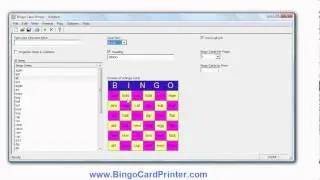
Easter Bingo Cards - how to make with BingoCardPrinter.com
Автор: SoftwareDemo
Загружено: 2013-03-11
Просмотров: 212
Описание:
How to make and print custom Easter bingo cards using software from http://www.bingocardprinter.com/ - a bingo card creator program known as Bingo Card Printer. If you visit the website you can download a free trial version of the software and try it for yourself. The program is compatible with all recent versions on the PC (desktop or laptop) including Windows XP, Windows 7, and Windows 8.
The steps to make a new set of Easter bingo cards using our bingo card creator software are:-
1. Start the Bingo Card Printer program.
2. Click the large button labelled "Create New Bingo Card Project..." (or click "New..." on the "File" menu).
3. A dialog box will appear. Go to the "Holidays" tab by clicking it.
4. A list of holiday bingo templates is displayed in the main area of the dialog box. Scroll down the list and select the Easter bingo template, then click OK (or simply double click on "Easter").
5. You now have prepared a set of Easter bingo cards which you can print immediately. Alternatively, you can customize the bingo cards adding or deleting your own words or phrases, or by changing the colors, fonts, choosing different bingo card size, enabling or disabling the heading (or changing the heading text), enabling or disabling the free space square (or changing the free space text), etc.
6. When you are happy with your customizations, simply enter the number of bingo cards you need to print in the space provided, then click "Print..." on the "File" menu to begin printing.
To find out more about the software, or download a free trial version of Bingo Card Printer software, please go to http://www.bingocardprinter.com/
Повторяем попытку...

Доступные форматы для скачивания:
Скачать видео
-
Информация по загрузке: