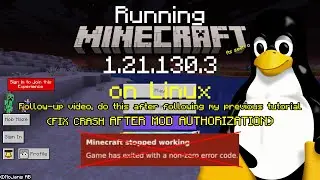
[OUTDATED READ DESCRIPTION] Run Minecraft Bedrock 1.21.130.3 on Linux with Unofficial Linux Launcher
Автор: Exploration 4z
Загружено: 2025-12-23
Просмотров: 1564
Описание:
Follow-up update video: • Run MC Bedrock 1.21.130 on Linux (Follow-u...
IMPORTANT Notes: This tutorial is no longer necessary starting with version 1.6.0 of the launcher (now available on most distribution channels). To play these new versions after updating the launcher, you will have to clear existing mods in mods folder (see video) to prevent duplicate/conflicting mods situation. After updating, just run the launcher normally, and you will see a blue banner for installing the mod for supporting newer versions with just a click. If the blue banner doesn't show up, install the mcpelauncher-updates mod manually via the Mods tab at the left side of the launcher window. Don't forget to remove the "-d" argument if you're running the launcher through a desktop shortcut/launcher/non-Steam game shortcut after updating. Do not enable ChromeOS mode or Trial mode, as it isn't compatible yet. For users in version 1.5.5, it is recommended to upgrade to the latest launcher version, or wait it to be available after reading the notes above.
Original notes:
According to the developers, future versions of the launcher revamps the way mods are placed, so you may clear old mods if that's causing issues after upgrading.
1.21.131.1 is currently not working on x86_64 (Intel/AMD) devices, so we'll have to use 1.21.130.3 instead, which is compatible to each other.
Version code for copy-pasting: 982113003
Music attribution:
George Street Shuffle by Kevin MacLeod is licensed under a Creative Commons Attribution 4.0 license. https://creativecommons.org/licenses/by/4.0/
Source: http://incompetech.com/music/royalty-free/...
Artist: http://incompetech.com/
Повторяем попытку...
![[OUTDATED READ DESCRIPTION] Run Minecraft Bedrock 1.21.130.3 on Linux with Unofficial Linux Launcher](https://imager.clipsaver.ru/e2q5TMjrbeQ/max.jpg)
Доступные форматы для скачивания:
Скачать видео
-
Информация по загрузке: