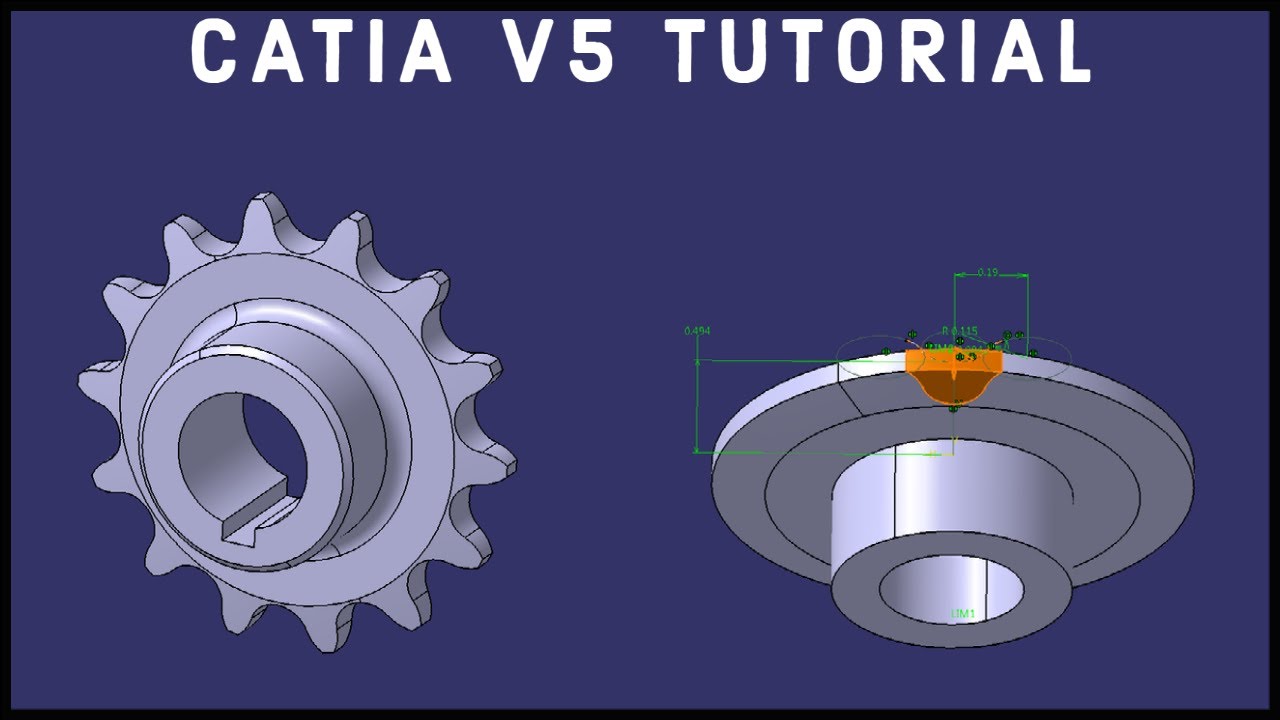
CATIA V5 Tutorial #34 | Chain Sprocket | Beginner
Автор: 2D3D Technologies
Загружено: 2021-10-07
Просмотров: 3672
Описание:
A CATIA V5 beginner tutorial on how to model a chain sprocket (with keyway). In this tutorial, we will be using the Part Design and Sketcher Workbenches to create the 3D CAD model. The version of CATIA used in this video is CATIA V5 R21; unless otherwise specified, all dimensions are in inches. The left click rings are red and the right click rings are yellow.
Feel free to leave a comment or ask for tutorial requests, thanks for watching!
► Timestamps:
00:00:00 Start From Part Design & Create a Sketch
00:00:26 Sketch & Shaft the Profile for the Sprocket
00:04:45 Create a Sketch for one Sprocket Tooth
00:07:40 Exit the Sketch & Create a Pocket (Reverse Side)
00:08:11 Circular Pattern is a Powerful Command
00:08:49 Finally, Create a Sketch for the Shaft Keyway
00:10:00 Pocket the Keyway, Finish up With an Edge Fillet & Chamfer
► Part Volume:
Chain Sprocket = 0.151703 in3
► Playlist for CATIA V5 Beginner Tutorials:
• CATIA V5 Beginner Tutorials
► Playlist for CATIA V5 Advanced Tutorials:
• CATIA V5 Advanced Tutorials
► Playlist for Mechanisms:
• Mechanisms
#catia #catiav5 #catiav5tutorials
Повторяем попытку...
Доступные форматы для скачивания:
Скачать видео
-
Информация по загрузке: