PowerShell - SSH From windows
Автор: Mr Automation
Загружено: 2022-02-03
Просмотров: 1149
Описание:
(How to run a command on Linux/Unix/network device via ssh from windows)
In this video I demonstrate how you can connect to a SSH based device from a windows box and execute command remotely on them.
The script is very simple, though quite powerful.
I added the use of a simple input file in csv format, so you can run it against multiple systems if you like.
*powershell
*learn powershell
*automation
*learn automation
*state.show_sls
*windows
*linux
*windows powershell
Code :
#$PSVersionTable
#find-module posh-ssh
#install-module Posh-SSH
#get-module Posh-SSH #| select ExportedCommands
$p = "MyPass01"
$secpass = $p | ConvertTo-SecureString -AsPlainText -Force
$clientCreds = New-Object -Typename System.Management.Automation.PSCredential -ArgumentList "root", $secpass
$SSHsession = New-SSHSession -ComputerName l01.home.local -acceptkey -credential $clientCreds -ConnectionTimeout 30
$o = Invoke-SSHCommand -SSHSession $SSHsession -Command "ls /"
$o
$o.Output #this is the output property you get back
Remove-SSHSession -SSHSession $SSHsession | Out-Null
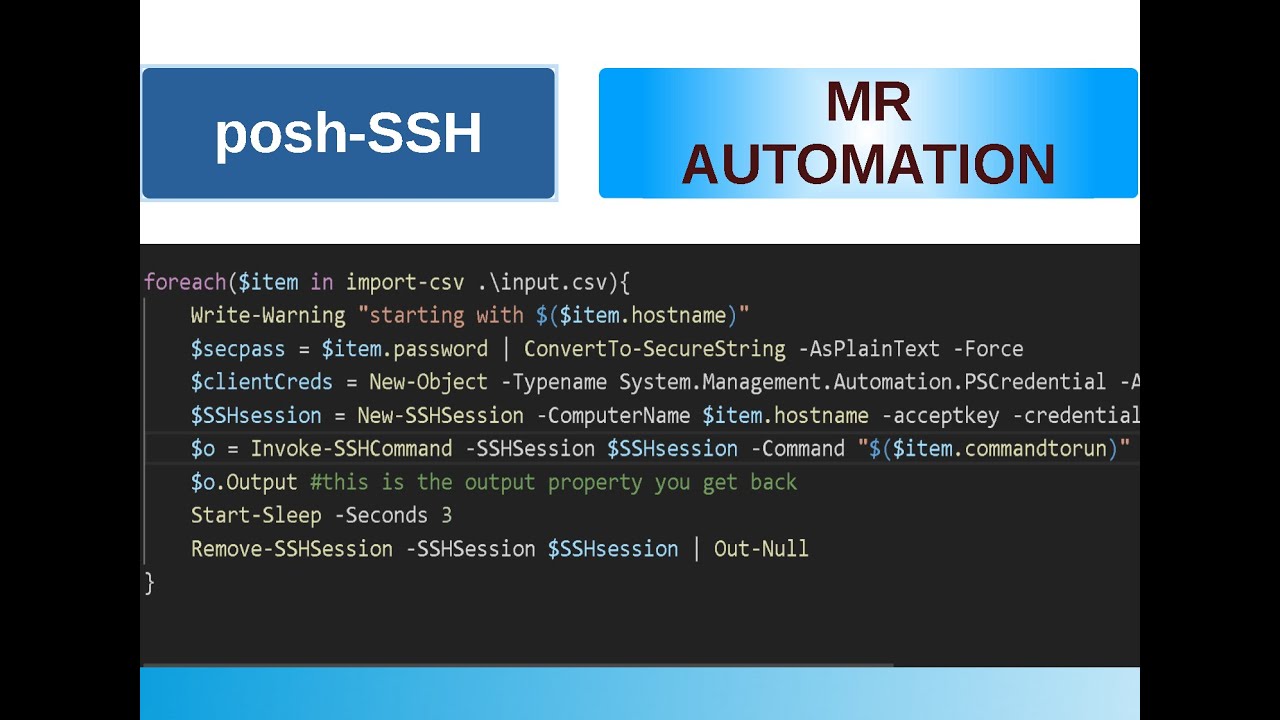
foreach($item in import-csv .\input.csv){
Write-Warning "starting with $($item.hostname)"
$secpass = $item.password | ConvertTo-SecureString -AsPlainText -Force
$clientCreds = New-Object -Typename System.Management.Automation.PSCredential -ArgumentList $item.username, $secpass
$SSHsession = New-SSHSession -ComputerName $item.hostname -acceptkey -credential $clientCreds -ConnectionTimeout 30
$o = Invoke-SSHCommand -SSHSession $SSHsession -Command "$($item.commandtorun)"
$o.Output #this is the output property you get back
Start-Sleep -Seconds 3
Remove-SSHSession -SSHSession $SSHsession | Out-Null
}
Повторяем попытку...
Доступные форматы для скачивания:
Скачать видео
-
Информация по загрузке: