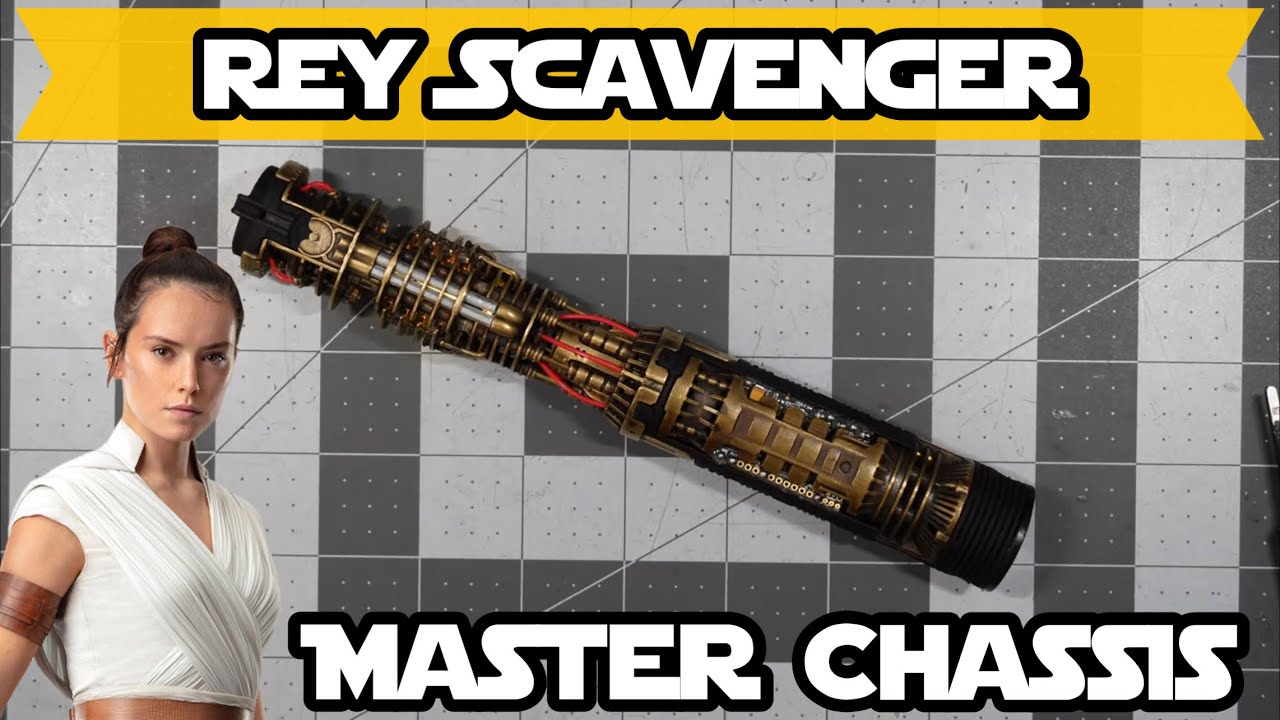
Rey Scavenger Master Chassis | Sale Showcase
Автор: Avery Castillo
Загружено: 2025-03-28
Просмотров: 1097
Описание:
My website: https://averycastillo.com
Have lightsaber or business inquiries? Hit me up on Instagram or Email me from my website. In the meantime, check out my social medias!
Instagram:
/ official.averycastillo
TikTok:
/ averycastillo
Cheaper saber options if you can’t afford a commission:
https://www.imperialworkshop.com/?ref...
Use Discount Code: AVERY for $5 off your order
~~~~~~~~~~~~~~~~~~~~~~~~~~~~~~~~~~~~~~~~~~~
— TIMESTAMPS —
00:00 - Intro
01:34 - Emitter Petal Warnings
02:26 - Remove/Insert The Chassis
03:31 - Additional Hilt Items
04:21 - Accessing The SD Card
05:23 - The Chassis
08:16 - How To Operate
14:19 - Chassis Disconnect
14:39 - Turning Off The Red Glow
14:58 - Final Words
— THINGS TO REMEMBER —
Follow all instructions and tips from this video.
DON’T duel with this saber, because the emitter mechanism and petals are fragile. It is meant to be a show piece, and limit to light blade hits to be safe.
Be careful when putting in or removing the blade, keeping the petals in mind.
Keep track of the emitter petal mechanism screws, and make sure to tighten them relatively frequently as they get loosened. Use a small screwdriver or sharp tweezers to tighten.
If removing the entire emitter assembly to tighten all the petal screws (as per what is shown in KRSaber’s tips and tricks video) don’t over tighten the screws. That stops the mechanism from functioning smoothly. Tighten until you barely feel resistance, adjust as necessary.
To put in and take out the chassis, align the two screws at the bottom of the handle with the guide channels on the chassis. Always do it smoothly and gently.
To access the SD card, remove battery and soundboard cover, then use tweezers or fingers. The card clicks to lock in or take it out.
SD card is where all the fonts and customization settings are stored, you can access it by just pressing down the card until you hear it click, and then pulling it out of the SD Card slot on the board.
Make sure to use a 90 degree Micro USB.
Battery orientation: negative towards the speaker and positive towards the crystal.
The motor speed can be adjusting using color channel 4. In the colors file.
The accent sequence can be found in the “PIXIES” folder.
Everything else to keep in mind is in the video, or you can contact me with any questions you have.
— CUSTOMIZATION RESOURCES —
Plecterlabs Website:
https://www.plecterlabs.com
CrystalFocus Customization Website:
https://crystalfocus.net
CFX Single Button Quick Interaction Guide (Controls and Such):
https://www.plecterlabs.com/Media/Doc...
CFX Manuals:
https://www.plecterlabs.com/shop/arti...
Firmware Updates:
https://www.plecterlabs.com/shop/arti...
GraFX Tutorial: (You’ll need to adapt it to PIXIES)
• Crystal focus 10 (CFX) lightsaber GraFx tu...
~~~~~~~~~~~~~~~~~~~~~~~~~~~~~~~~~~~~~~~~~~~
Music in this video is used with the permission of Closed On Sunday:
/ closedonsunday
Повторяем попытку...
Доступные форматы для скачивания:
Скачать видео
-
Информация по загрузке:




![Мы получили 2,5 млн рублей чтобы сделать экзоскелет, и это наконец закончилось [2/2]](https://image.4k-video.ru/id-video/X3uZq2joiW8)
![Самые ОГРОМНЫЕ СУЩЕСТВА в Звёздных Войнах [РЕЙТИНГ]](https://image.4k-video.ru/id-video/POP_qawOsSk)