NovaStar LED Display Academy 03 | LCT Performance Settings & Receiving Card Config
Автор: LEDSCREENPARTS
Загружено: 2020-11-18
Просмотров: 13169
Описание:
🎯 Learn How to Perfect LED Display Performance Settings and Manage RCFG Files with NovaLCT
Is your LED screen not achieving the desired grayscale or refresh rate? Are you tired of repeating the same configuration steps for each new setup? In this NovaStar tutorial, we walk you through how to fine-tune performance settings and efficiently manage receiving card configuration files (RCFG) in NovaLCT, the essential control software for NovaStar systems.
Whether you are configuring LED cabinets for outdoor, indoor, or rental use cases, understanding how to adjust shift clock, grayscale, refresh rate, and PWM chip parameters will help you maximize visual quality and system stability.
📘 What You’ll Learn in This Video:
🔧 Part 1: Adjusting LED Display Performance Parameters
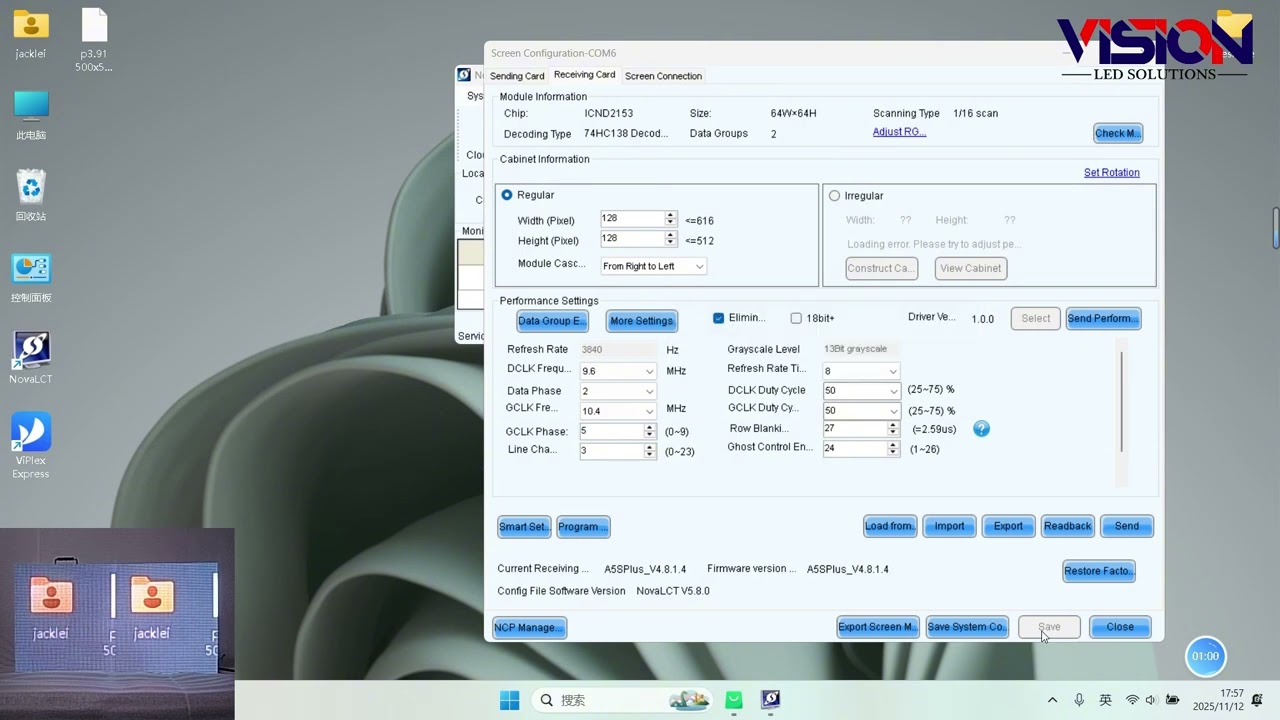
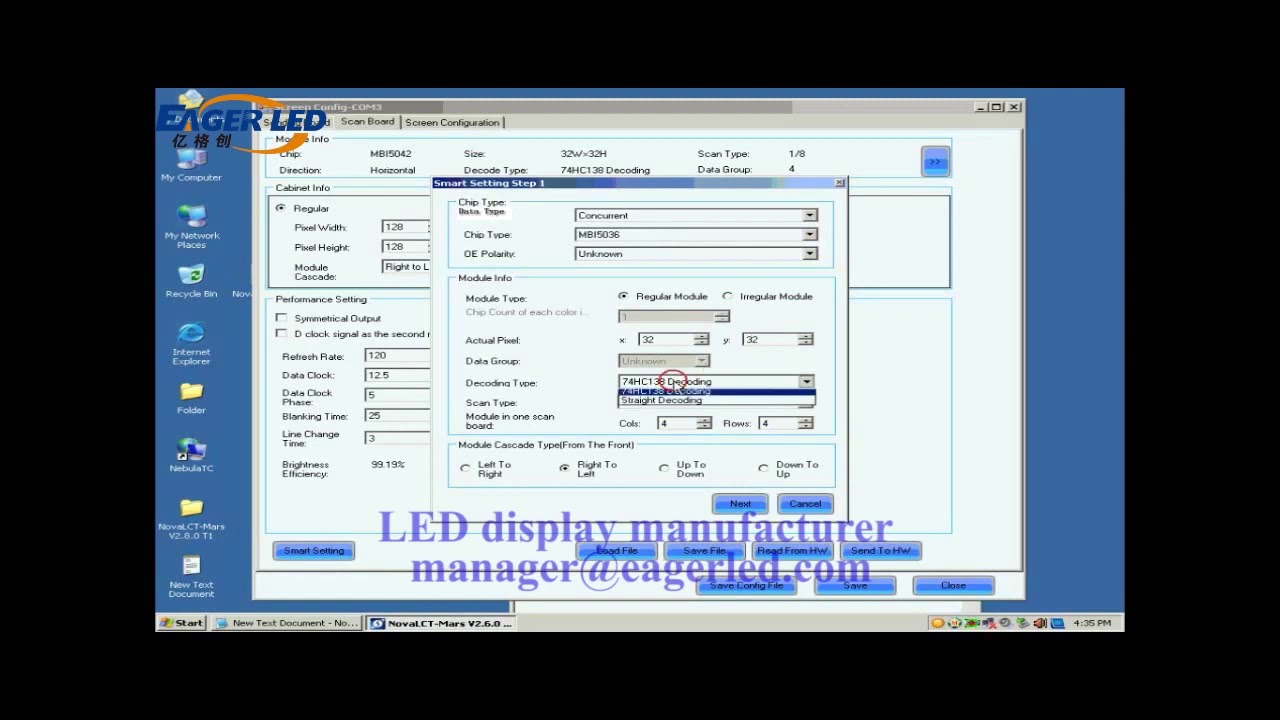
This section explains the step-by-step procedure to access and optimize LED screen performance values via the Performance Settings tab in NovaLCT. The tutorial covers:
How to log into Advanced Synchronous System User mode in NovaLCT.
Differences between common driver chips and PWM driver chips (e.g., MBI5252).
The influence of Shift Clock Frequency on refresh rate, grayscale, and loading capacity.
Recommended settings for:
Outdoor LED screens (Brightness First)
Indoor screens (Refresh Rate First)
Rental/stage setups (Grayscale First)
Balanced applications
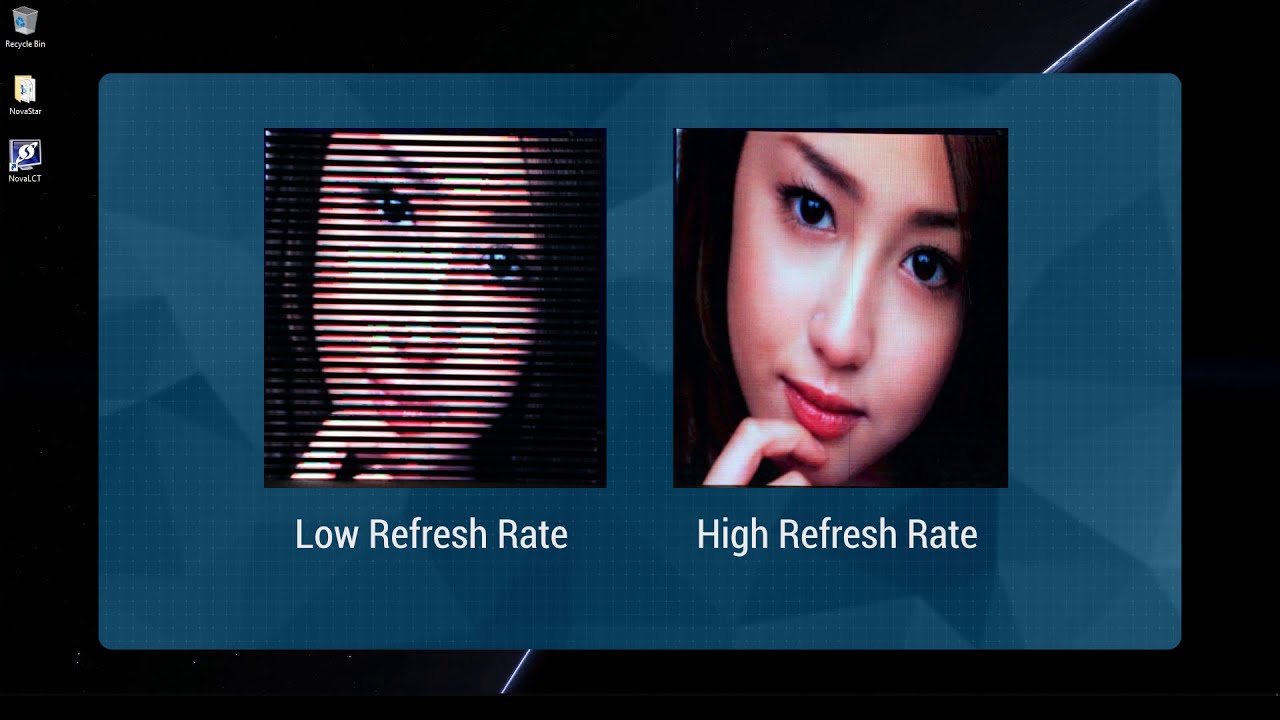
You will also learn how to set refresh rate multipliers (e.g., 8, 16, 32), determine grayscale levels (e.g., 14-bit, 15-bit), and handle overloading by tuning shift clock or adjusting parameters.
Important Notes:
Parameters like Row Blanking Time, Ghost Control Ending Time, and Low Grayscale Compensation help eliminate screen ghosting and image mismatches.
Lower shift clock frequencies provide better system stability, as long as other settings remain balanced.
🔄 Part 2: Configuring PWM Chip Parameters (MBI5252)
This segment dives into configuring G Clock and D Clock when working with PWM chips, particularly MBI5252. Key steps include:
Matching loading capacity slightly above cabinet resolution.
Maximizing refresh rate multiplier.
Fine-tuning G Clock to align grayscale and refresh rate to customer requirements.
⚠️ Warning: G Clock or Shift Clock values exceeding 20.8 MHz may cause display issues.
💾 Part 3: Using RCFG/RCFGX Files for Configuration Management
NovaLCT allows engineers to save and reuse settings efficiently via Receiving Card Configuration Files. Here's how:
Save to File: Create and store a .rcfg or .rcfgx file containing current settings.
Load from File: Apply saved configurations across multiple screens or projects.
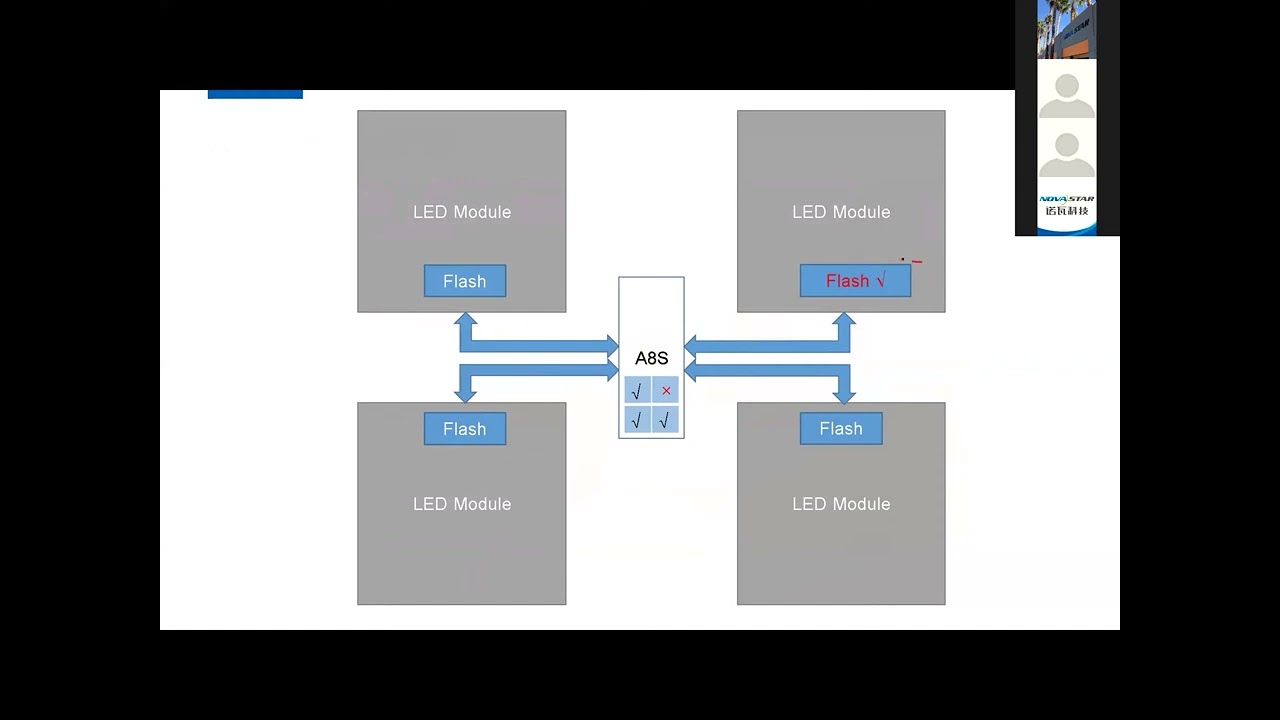
Read from Receiving Card: Retrieve parameters from a specific card and display them in NovaLCT.
Save to Receiving Card: Permanently store parameters to prevent data loss during power outages.
This functionality is critical for mass deployment, system replication, and disaster recovery in professional LED display environments.
NovaLCT software, performance tuning, shift clock frequency, PWM driver chip, MBI5252, grayscale level, refresh rate optimization, receiving card configuration, RCFG files, LED cabinet setup, LED control software tutorial.
👨💻 Who Is This Video For?
LED Display Engineers
System Integrators
AV Technicians
Digital Signage Solution Providers
NovaStar Product Users
Whether you're new to NovaLCT or looking to improve your calibration workflow, this guide gives you the expert knowledge to configure LED screens efficiently and correctly.
This NovaLCT tutorial teaches you how to optimize LED performance parameters such as grayscale, refresh rate, and loading capacity — plus how to manage receiving card configuration files (RCFG). Perfect for NovaStar users and LED engineers.
Ensure your LED screens deliver vibrant, stable, and flicker-free performance every time.
Mastering NovaLCT's performance tuning and RCFG file usage will save time, reduce errors, and impress your clients.
💬 Have questions about NovaStar setup or LED calibration tools? We’re here to help.
📧 Contact us today for a quote or expert consultation:
🌐 Website: www.ledscreenparts.com
✉️ Email: [email protected]
📲 WhatsApp: +86 13316541431
Повторяем попытку...
Доступные форматы для скачивания:
Скачать видео
-
Информация по загрузке: