VR - Underground Basilica of St Pius X - Lourdes 360
Автор: Sacred Spaces in VR
Загружено: 2023-08-03
Просмотров: 149
Описание:
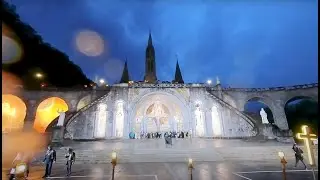
The Basilica of St. Pius X, known as the "Underground Basilica", is a modern, concrete building almost entirely underground. It is an awe-inspiring place accommodating over 25,000 worshippers and well over 150 priests from around the world participating in this international Mass.
The Basilica of Saint Pius X was completed in 1958 in anticipation of the enormous crowds expected in Lourdes for the centennial of the apparitions…the Basilica was designed by the architect Pierre Vago. The nave is oval, 191 metres (627 ft) long and 61 metres (200 ft) wide, and slopes gently upwards from the centre, where the sanctuary is situated on a raised platform. The ceiling is low, at only 10 metres (33 ft) high, and is supported by 58 pre-stressed concrete pillars which meet 29 concrete beams which cross the ceiling, giving it the impression of an upturned ship. This design creates a very large open space, of 12,000 square metres (130,000 sq ft), for maximum visibility from any part of the nave. (source: Wikipedia)
It has often been said that international travel is a powerful tool for peace. Barriers to peace and understanding are often shattered when people of different cultures and languages come together and gain a greater understanding of each other. This must be even more true when people come together for prayer and worship. No matter the language spoken, devout Catholics always know where they are at in the Mass. The languages may be different, but the Mass is always the same. At Catholic churches around the world, they all have the same Old Testament, New Testament, and Gospel readings proclaimed on the same day.
-------------------------------------------
INSTRUCTIONS FOR VR VIEWING:
1. Use any computer, tablet, or smartphone
2. For computer/tablet: Navigate the VR using the circular pad with the 4 arrows in the upper left-hand corner of the video
3. For smartphones: be sure to click the “Play in app” to get the best experience possible. This will allow you to use your phone to navigate while viewing
4. You can Zoom in or out, stop and go, at your pace
5. If you lose your bearing, look for the person with the camera (usually wearing a bright hat) to re-center the VR
6. Be patient. It takes a couple of minutes to get used to navigating thru the VR
7. If you’re using VR glasses, please be sure you are seated. Put the headset on and move your head around throughout the VR.
Повторяем попытку...

Доступные форматы для скачивания:
Скачать видео
-
Информация по загрузке: