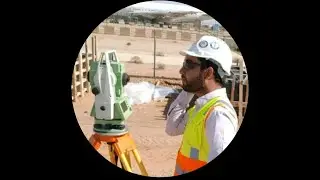
Back_side Resection method leica 405 total station or Set up leica builder 405.
Автор: Daily Survey gets
Загружено: 2020-01-13
Просмотров: 5233
Описание:
The Leica Builder 405 total station resection method is explained in this
Resection of Leica builder 405,402 & 502
In this guide, we’ll walk through using the Resection Back-site Method on the Leica Builder 405 Total Station, a useful technique when a known station isn’t available.
Read full article
https://dailysurveygets.blogspot.com/...
1. Preparing Your Machine
Turn on the machine, and ensure correct leveling (bubbling) and centering.
Familiarize yourself with the interface. You’ll see three main pages:
APP (for layout, as-built tasks)
Measure
Setup
2. Setting Up the Resection Method
In the Setup menu, select Coordinate.
Choose Anywhere (Resection Method) from the options.
The machine will prompt for instrument height and rod height (reflector height).
3. Selecting Reference Points
The machine will ask for your first reference point. Target the prism, then click Measure.
Repeat with a second reference point. After measuring the second point, the machine will calculate and provide you with options: No, Next Point, or Yes.
4. Adding a Third Point (Optional)
To increase accuracy, select a third point and repeat the measuring process.
After measuring the third point, the machine will show the calculated results.
5. Finalizing the Setup
Review the points and click Yes if satisfied.
The main screen will confirm that the station and orientation are set, indicating the machine is ready for work.
Your Leica Builder 405 is now calibrated with the resection method and ready to accurately assist with measurements in the field.
vedio.#asmr
Повторяем попытку...

Доступные форматы для скачивания:
Скачать видео
-
Информация по загрузке: