Isometric projection Problem No 2 Engineering drawing, Isometric Computer Aided engineering drawing
Автор: Srinivas A
Загружено: 2021-04-11
Просмотров: 15491
Описание:
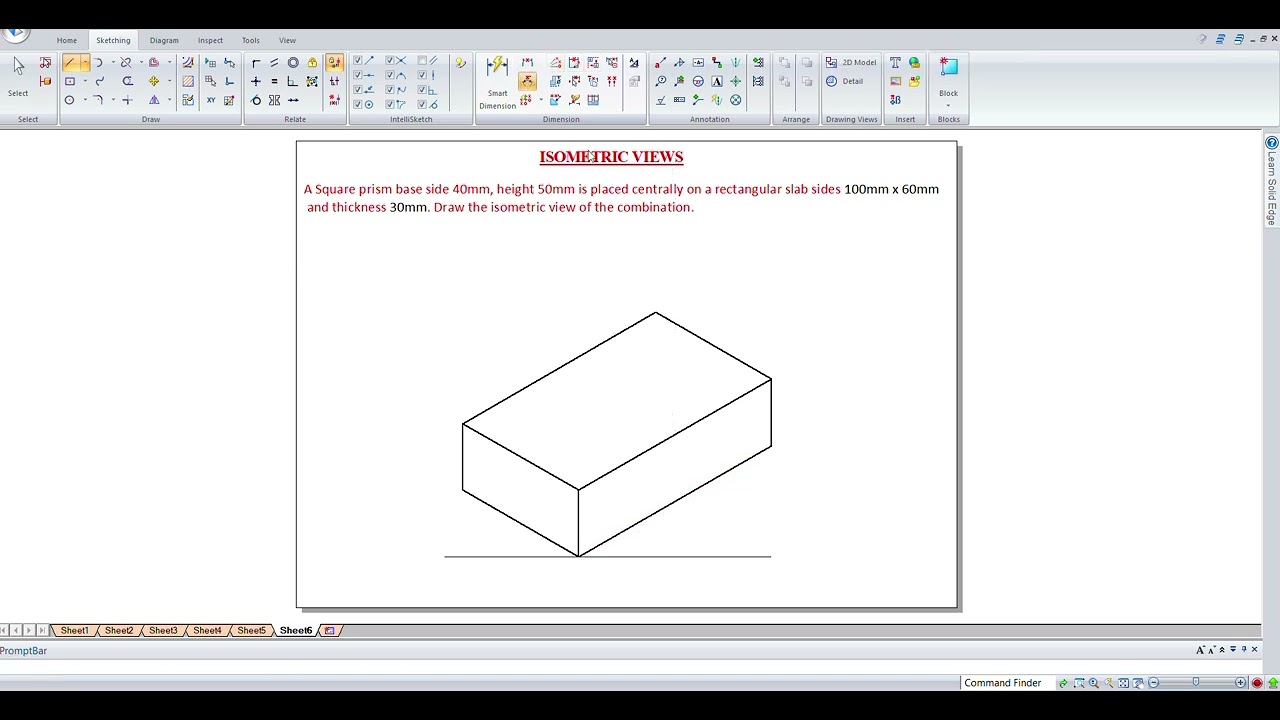
This video explains the isometric projection problem of engineering drawing, Isometric projection engineering graphics.
A hemisphere of 40 mm diameter is supported co-axially on the vertex of a cone of base dia 60 mm and axis length 50 mm. the flat circular face of the hemisphere is facing upside. draw the isometric projection of the combination of solids
Semester:I/II CIE Marks’ : 40
Course Code : 18EGDL15/25 SEE Marks — : 60
Teaching Hours/week (L:T:P) —: 2:0:2 Exam Hours : 03 Credits : 03
Course Learning Objectives:
This course will enable students to
CLO1-To expose the students to standards and conventions followed in preparation of engineering drawings.
CLO2-To make them understand the concepts of orthographic and isometric projections.
CLO3-Develop the ability of conveying the engineering information through drawings.
CLO4-To make them understand the relevance of engineering drawing to different engineering domains.
CLO5-To develop the ability of producing engineering drawings using drawing instruments.
CLO6-To enable them to use computer aided drafting packages for the generation of drawings.
MODULE-I
Introduction to Computer Aided Sketching:
Introduction, Drawing Instruments and their uses, relevant BIS conventions and standards.
Lettering, line conventions, dimensioning, material conventions, and free hand practicing.
Computer screen, layout of the software, standard tool bar / menu and description of most commonly used tool bars, and navigational tools.
Co-ordinate system and reference planes HP, VP, RPP & LPP of 2D/3D environment. Selection of drawing sheet size and scale.
Commands and creation of Lines, coordinate points, axes, poly-lines, square, rectangle, polygons, splines, circles, ellipse, text, move, copy, off-set, mirror, rotate, trim, extend, break, chamfer, fillet, curves, constraints viz., tangency, parallelism, inclination and perpendicularity.
MODULE-II
Orthographic projections of points, straight lines and planes:
Introduction, Definitions - Planes of projection, reference line and conventions employed. First angle and Third angle projection.
Projections of points in all the four quadrants. Projections of straight lines (located in first quadrant/first angle only), true and apparent lengths, true and apparent inclinations to reference planes (No application problems and midpoint problems).
Projections of regular plane surfaces - triangle, square, rectangle, pentagon, hexagon and circle-in simple positions inclined to both the planes; planes in different positions by change of position method only. (No problems on punched plates and composite plates).
MODULE - III
Projections of solids: Introduction, definitions — projections of right regular tetrahedron, hexahedron (cube), prisms, pyramids, and cones with axis inclined to both the planes. (Solids resting on HP only and no problems on octahedrons, and freely suspended solids.)
MODULE IV
Development of Lateral Surfaces of Solids: Introduction to section planes and sectional views. Development of lateral surfaces of right regular prisms, cylinders, pyramids, and cones resting with base on HP only. Development of their frustums and truncations. (No problems on lateral surfaces of trays, tetrahedrons, spheres and transition pieces).
MODULE V
Isometric Projection (using isometric scale only) Introduction, Isometric scale, Isometric projection of simple plane figures, Isometric projection of hexahedron(cube), right regular prisms, pyramids, cylinders, cones, and spheres. Isometric projection of combination of two simple solids. Conversion of given isometric/ pictorial views to orthographic views of simple objects.
Course Outcomes:
Upon completion of this course, students will be able to
CO1 Prepare engineering drawings as per BIS conventions mentioned in the relevant codes.
CO2 Produce computer generated drawings using CAD software.
CO3 Use the knowledge of orthographic projections to represent engineering information / concepts and present the same in the form of drawings.
CO4 Develop isometric drawings of simple objects reading the orthographic projections of those objects.
CO5 Convert pictorial and isometric views of simple objects to orthographic views.
#CAED
#computer aided engineering drawing
#computer aided engineering graphics
Повторяем попытку...

Доступные форматы для скачивания:
Скачать видео
-
Информация по загрузке: