Cartography trick: how to remove coastlines in ArcGIS Pro
Автор: Esri Canada
Загружено: 2026-01-27
Просмотров: 143
Описание:
Hey GeoSnappers! Have you ever wanted to remove the stroke outline around the coastline, but keep internal borders on your map?
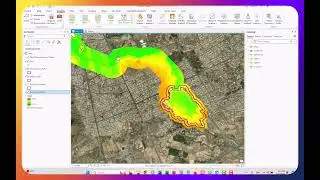
In this video, I show off a cartography trick that I learned from the 2025 Esri User Conference. By using a few tools in ArcGIS Pro, you can take a polygon feature class, select only the interior borders, and then make a new layer from your selection. It works especially well in places like Canada, where the coastline is long and often very detailed.
0:00 – Intro
0:28 – ArcGIS Pro Demo
1:56 – Outro
Check out the session from the Esri User Conference where this technique was shown by Ken Field: ArcGIS: Designing Thematic Maps
-----------------------------------------------------------------------------------------
About ArcGIS Pro
► Product Page
https://www.esri.com/en-us/arcgis/pro...
► Blogs
https://www.esri.com/arcgis-blog/prod...
► Esri Community
https://community.esri.com/t5/arcgis-...
-------------------------------------------------------------------------------
About GeoSnaps | Videos by Esri Canada
► A collection of bite-sized technical videos about all things in the ArcGIS universe.
► Have a suggestion for a GeoSnap? Email us at [email protected]
► Be sure to subscribe to our channel and hit the notification bell to stay up-to-date with the latest tutorials and technical inspiration:
/ esricanadatv
------------------------------------------------------------------------------
Want more from Esri Canada?
► Sign up for our email and select ‘Getting Technical’ under Esri Canada Blog Digests to receive the latest in your inbox: https://pages.esri.ca/Esri-Canada-Pre...
To learn more, contact us: https://esri.ca/contactus
Повторяем попытку...

Доступные форматы для скачивания:
Скачать видео
-
Информация по загрузке: