Interactive Smooth Offset in ArcGIS Pro — Bend Seismic Lines the Smart Way
Автор: Geomatics Engineer
Загружено: 2025-10-22
Просмотров: 85
Описание:
Description
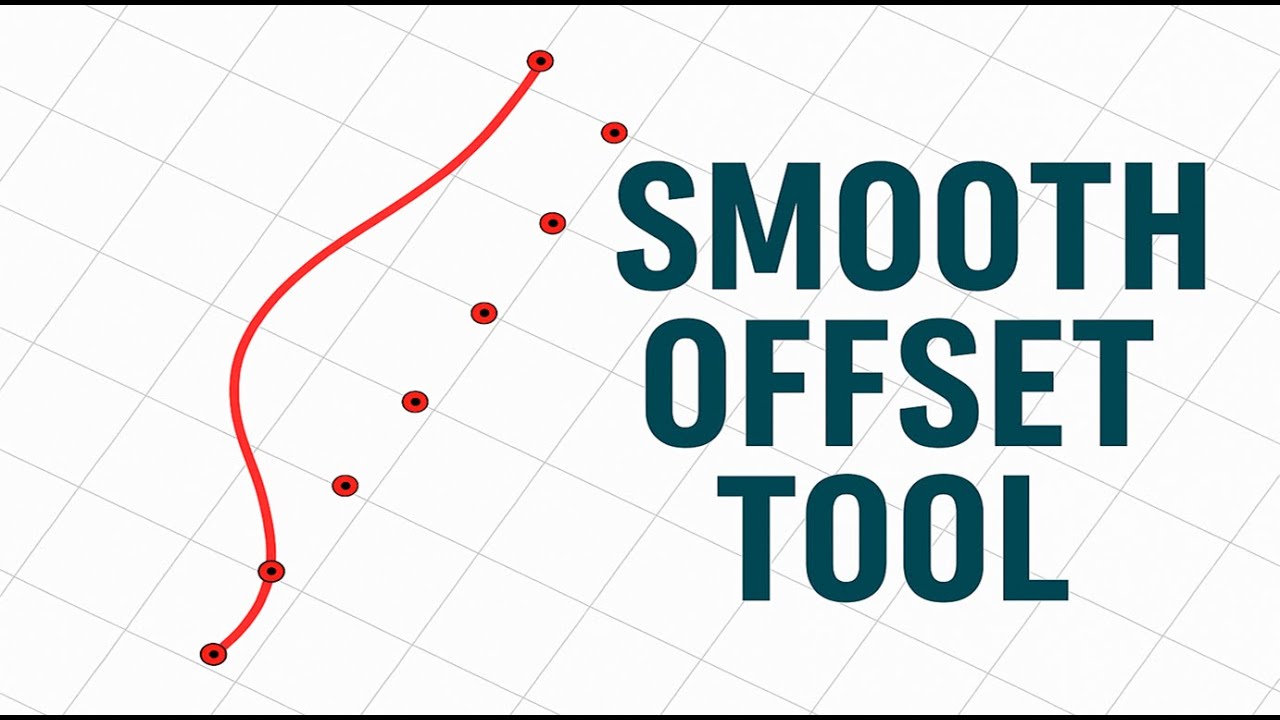
Give your seismic lines a clean, natural bend—without hand-nudging every point. In this video I demo the Interactive Smooth Offset tool for ArcGIS Pro. You’ll learn how to select a center point, apply a signed perpendicular offset, and smoothly taper movement to neighboring points using an influence radius. It supports joined fields, arbitrary OID names, and edits right inside your map.
What you’ll learn
How the center-point offset works (positive = right, negative = left, relative to line direction)
Choosing Line and Station/Order fields (works with joined fields)
Setting an Influence radius (R) for a smooth, natural bend (internally σ = R/3)
Limiting updates to the current selection for precise edits
Best practices for parameter tuning on real seismic datasets
Key Features
Perpendicular offset at a chosen center point
Gaussian falloff (clamped at R) for smooth taper
Works with joined fields and non-standard OID names (OBJECTID/FID/etc.)
Edits via EditOperation (Undo/Redo friendly)
Повторяем попытку...
Доступные форматы для скачивания:
Скачать видео
-
Информация по загрузке:




![[4K FULL HD] Relaxing Water Background | 1 HOUR | Calm Water Wallpaper (No Sound)](https://image.4k-video.ru/id-video/y9PTNTSpGJs)


