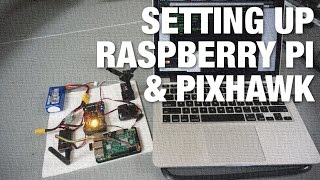
Extract IMU Data (roll, pitch, yaw) from Pixhawk 4 by C Code on Raspberry Pi 4 with Ubuntu 22.04 LTS
Автор: Xiaodi Tao
Загружено: 2023-10-18
Просмотров: 602
Описание:
Hope this video is helpful to you.
Reference:
Communication: • Communication of Pixhawk 4 and Raspberry P...
[Terminal on Linux]
sudo mavproxy.py --master=/dev/serial0 --baudrate 57600 --aircraft MyCopter
sudo chown -R $USER:$USER /home/xd/MyCopter
sudo apt install git
git clone https://github.com/mavlink/c_library_...
nano IMU_data.c
'<' represents 'left angle bracket' and '>' represents 'right angle bracket'.
-
#include <stdio.h> // '<' and '>'
#include <fcntl.h> // '<' and '>'
#include <termios.h> // '<' and '>'
#include <mavlink.h> // '<' and '>'
int main(void)
{
int fd = open("/dev/serial0", O_RDWR | O_NOCTTY);
if (fd == -1)
{
perror("Error opening serial port");
return -1;
}
struct termios config;
if (tcgetattr(fd, &config) < 0) // '<'
{
perror("Couldn't get terminal attributes");
return -1;
}
config.c_iflag &= ~(IGNBRK | BRKINT | ICRNL |
INLCR | PARMRK | INPCK | ISTRIP | IXON);
config.c_oflag = 0;
config.c_lflag &= ~(ECHO | ECHONL | ICANON | IEXTEN | ISIG);
config.c_cflag &= ~(CSIZE | PARENB);
config.c_cflag |= CS8;
config.c_cc[VMIN] = 1;
config.c_cc[VTIME] = 0;
if (cfsetispeed(&config, B57600) < 0 || cfsetospeed(&config, B57600) < 0) // 2'<'
{
perror("Could not set baud rate");
return -1;
}
if (tcsetattr(fd, TCSAFLUSH, &config) < 0) // '<'
{
perror("Couldn't set terminal attributes");
return -1;
}
mavlink_message_t msg;
mavlink_status_t status;
uint8_t buffer[MAVLINK_MAX_PACKET_LEN];
printf("Opened port, waiting for data...\n");
while (1)
{
int length = read(fd, buffer, MAVLINK_MAX_PACKET_LEN);
if (length > 0) // '>'
{
for (int i = 0; i < length; ++i) // '<'
{
if (mavlink_parse_char(MAVLINK_COMM_0, buffer[i], &msg, &status))
{
if (msg.msgid == MAVLINK_MSG_ID_ATTITUDE)
{
mavlink_attitude_t attitude;
mavlink_msg_attitude_decode(&msg, &attitude);
printf("Roll: %f, Pitch: %f, Yaw: %f\n", attitude.roll, attitude.pitch, attitude.yaw);
}
}
}
}
}
close(fd);
return 0;
}
-
gcc IMU_data.c -o IMU_data -I/home/xd/c_library_v2/all
sudo ./IMU_data
Повторяем попытку...

Доступные форматы для скачивания:
Скачать видео
-
Информация по загрузке: