How to work with Placeholders in WASP3D? | Learn WASP3D
Автор: WASP3D
Загружено: 2023-03-21
Просмотров: 575
Описание:
Welcome to the WASP3D’s tutorial of ‘The Placeholders’.
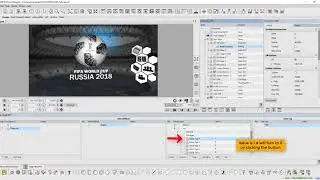
This tutorial will help you in understanding ‘how to work with placeholders.’ Placeholders are a wonderful way to change and update the inputs used in graphics and virtual scenes. You can have up to 8 placeholders which you can update with different content. You can easily switch the content in your virtual video wall and other graphics and streamline a user-friendly interface. With these tools, you can create dynamic and engaging virtual productions in no time.
Using this, you can add any video, image, text, or any other media directly from your computer to your placeholder in real-time. In this tutorial, you will learn about how to upload media; add images and texts into the placeholder. You can also delete a slide or the complete placeholder using clear buttons. In the engine tab, you can view all your 8 placeholder inputs including live inputs and video timelines.
Using all these tools and features described in the video, you can produce a professional and impactful virtual production with ease.
0:00 - Introduction
0:19 - Accessing Placeholders
0:45 - Creating Playlists
1:10 - Adding Videos
1:41 - Drag & Drop Content
2:01 - Assigning Media to Slides
2:23 - Adding Text
2:42 - Using NDI Sources
2:49 - Managing Slides
3:03 - Deleting Placeholders
3:09 - Viewing Placeholders
3:17 - Applying in Production
3:24 - Conclusion
EXPLORE : https://tinyurl.com/mwb8cj4c
👉Subscribe to / @wasp3dofficial for more such tutorials and updates!
🔔 Hit the bell icon to never miss an update!
📩 Have questions or need support? Drop them in the comments below or visit our website for more information.
Follow @WASP3DOfficial on its social handles for Quick Updates
➡️Linkedin- / wasp3d
➡️Facebook- / wasp3d
➡️ Instagram- / wasp3d_official
Повторяем попытку...
Доступные форматы для скачивания:
Скачать видео
-
Информация по загрузке: