2012 NISSAN Rogue - Audio System with Navigation
Автор: Nissan Owner Channel
Загружено: 2015-04-18
Просмотров: 43539
Описание:
Audio System with Navigation (if so equipped)
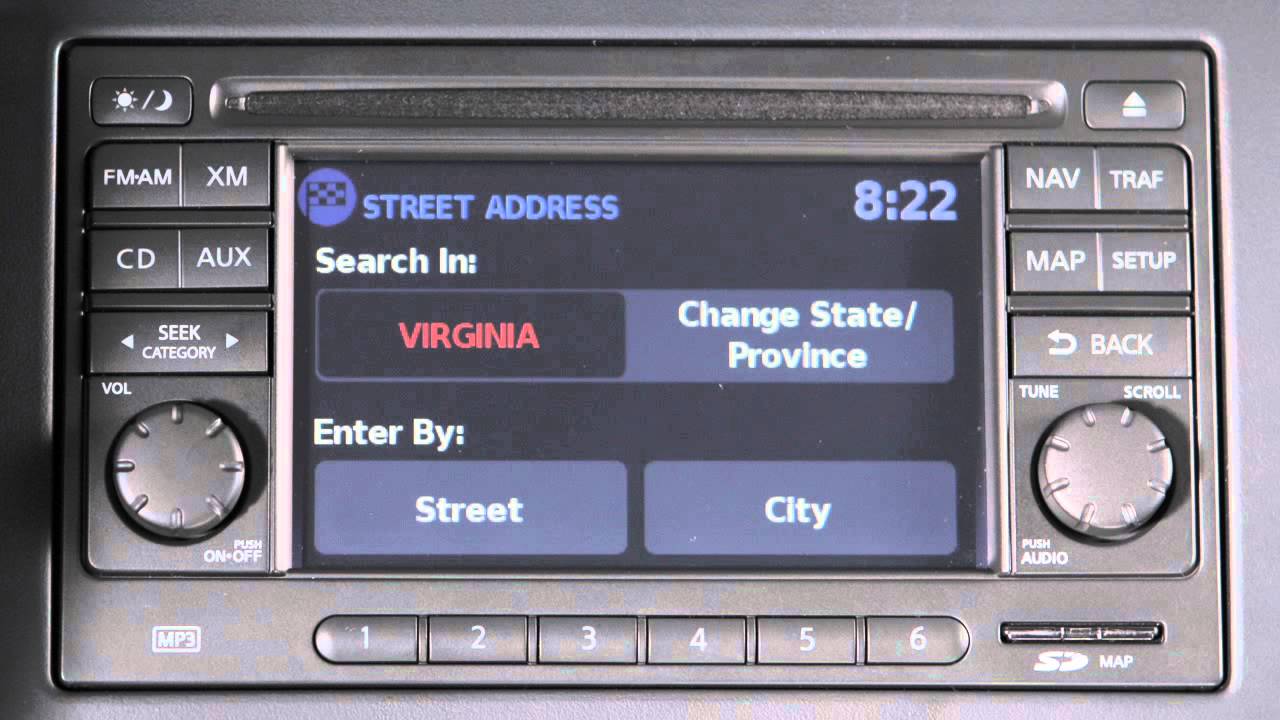
The audio system with Navigation includes an FM/AM radio, a CD player and XM® Satellite radio, if so equipped. This is the control panel. Audio functions will appear on the display monitor. Press the VOLUME/ON-OFF Control knob to turn your system ON or OFF. Turn the knob left or right to adjust the volume.
Your radio will play FM and AM stations, and if so equipped, will tune in XM® Satellite radio. Press the FM/AM button to change between FM1, FM2, and AM. Pressing the XM® button, will allow you to choose XM1, XM2 or XM3. For full details on XM® Satellite Radio, you can refer to your Owner's Manual or go to www.siriusxm.com.
To tune and stop at the next or previous broadcast station, while the AM or FM band is selected, press either end of the SEEK/CATEGORY button.
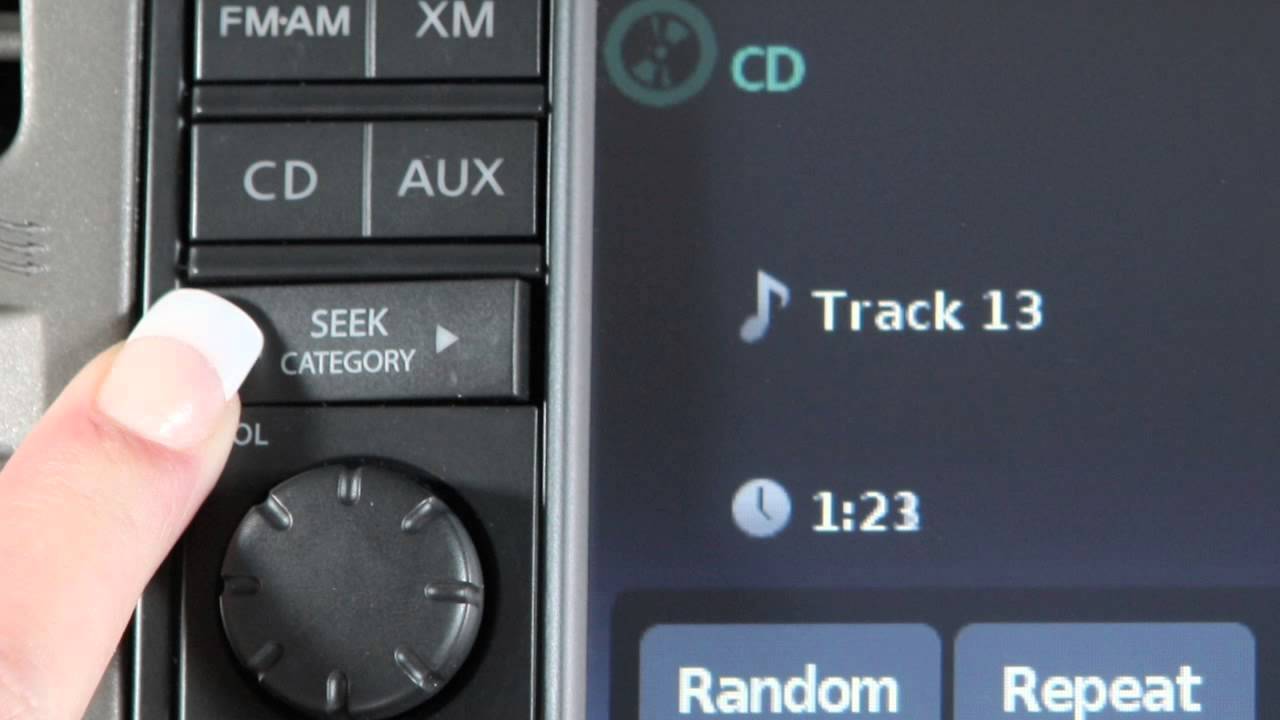
If playing a CD, press the right SEEK/CATEGORY arrow to advance to the next track. Press the left arrow and the current track will restart. Press the left arrow at the beginning of the current track and the previous track will play. Press either arrow several times to skip through multiple tracks. To fast-forward or rewind the CD, press and hold either end of the SEEK/CATEGORY button. The left arrow will rewind and the right arrow will fast-forward. When the button is released, it will resume normal play.
The TUNE/ SCROLL/ AUDIO Control knob manually tunes the radio. To move up or down through the stations, turn the knob.
Press the TUNE/ SCROLL/ AUDIO knob to adjust bass, treble, balance, fade, or Speed Sensitive Volume (SSV), and Auxiliary level. To adjust any of these features, select the corresponding adjustment key, or turn the TUNE/ SCROLL/ AUDIO knob left or right to the feature you wish to adjust. Press the knob, then turn the knob right or left to adjust the setting. Press the knob again to set. You can also adjust these audio features by pressing the SETUP button on the control panel and selecting "Audio". Once adjustments have been made, press the BACK button or any other button to exit and return to radio, CD mode, Auxiliary, USB/iPod® or Navigation.
You can set up to 6 AM, 12 FM stations, and if so equipped, 18 Satellite radio stations in memory. First, choose a radio band by pressing the FM/AM or XM® buttons. After selecting a radio band (AM, FM1, FM2, XM1, XM2 or XM3), tune to the desired station. Now, press and hold the desired station button, one through six, until a beep sounds, indicating the station is set in memory. To play a stored station, select the radio band where it was stored, then press the corresponding button, one through six.
The radio can also be tuned using your "Navigation" screen. In AM or FM mode, select the "Tune" key and this screen will appear. Next, select the desired station. To return to the previous radio display, select "OK."
While playing the radio, to change to CD mode, press the CD button. In CD mode these keys will appear on the screen. The "Random" or "Repeat" key changes the play pattern while listening to a CD. The "Browse" key displays the song titles or track numbers on the CD in list format. Select a song's title or track number to begin playing that song. If playing an MP3 CD, selecting the "Browse" key will also list the folders on the disc.
Press the EJECT button to eject the currently loaded disc.
Your vehicle is equipped with an auxiliary input jack. The jack accepts any standard analog input device such as a cassette tape player, CD player, MP3 player or laptop computer. After plugging in a device, press the AUXILIARY button to begin play.
Please refer to your Owner's Manual for further information and instructions regarding all audio systems.
Повторяем попытку...
Доступные форматы для скачивания:
Скачать видео
-
Информация по загрузке:





![Nissan Rogue [15-20] - This Radio Works with ALL Factory Features - Idoing](https://imager.clipsaver.ru/cpHXsMLogyA/max.jpg)