Exp19_Access_Ch2_Cap - Metropolitan Zoo 1.0 | Access Chapter 2 Capstone Assessment Metropolitan Zoo
Автор: Mylab Pearson Expert
Загружено: 2024-08-31
Просмотров: 42
Описание:
Exp19_Access_Ch2_Cap - Metropolitan Zoo 1.0 | Access Chapter 2 Capstone Assessment Metropolitan Zoo
#Exp19_Access_Ch2_Cap - Metropolitan Zoo 1.0#Access_Ch2_Cap - Metropolitan Zoo 1.0#Ch2_Cap - Metropolitan Zoo 1.0#Cap - Metropolitan Zoo 1.0#Metropolitan Zoo 1.0#Step_by_Step_Exp19_Access_Ch2_Cap - Metropolitan Zoo 1.0
Contact us:
WhatsApp : +92 3255374143
Email : [email protected]
WhatsApp Direct Link for Chat
https://t.ly/a7tqy
Exp19_Access_Ch2_Cap - Metropolitan Zoo 1.0
Project Description:
The Metropolitan Zoo tracks its animal data in Excel. The organization decides to use a database to organize the data about the animals, their trainers, and the animal exhibits. In this project, you will open an existing database and create a new table. You will import an Excel file containing information about the animals, and query the database to determine which animals need a checkup. You will also create a query to obtain a listing of the animals in each exhibit.
1 Start Access. Open the downloaded Access file named Exp19_Access_Ch2_Cap_Zoo.accdb. Grader has automatically added your last name to the beginning of the filename. Save the file to the location where you are storing your files.
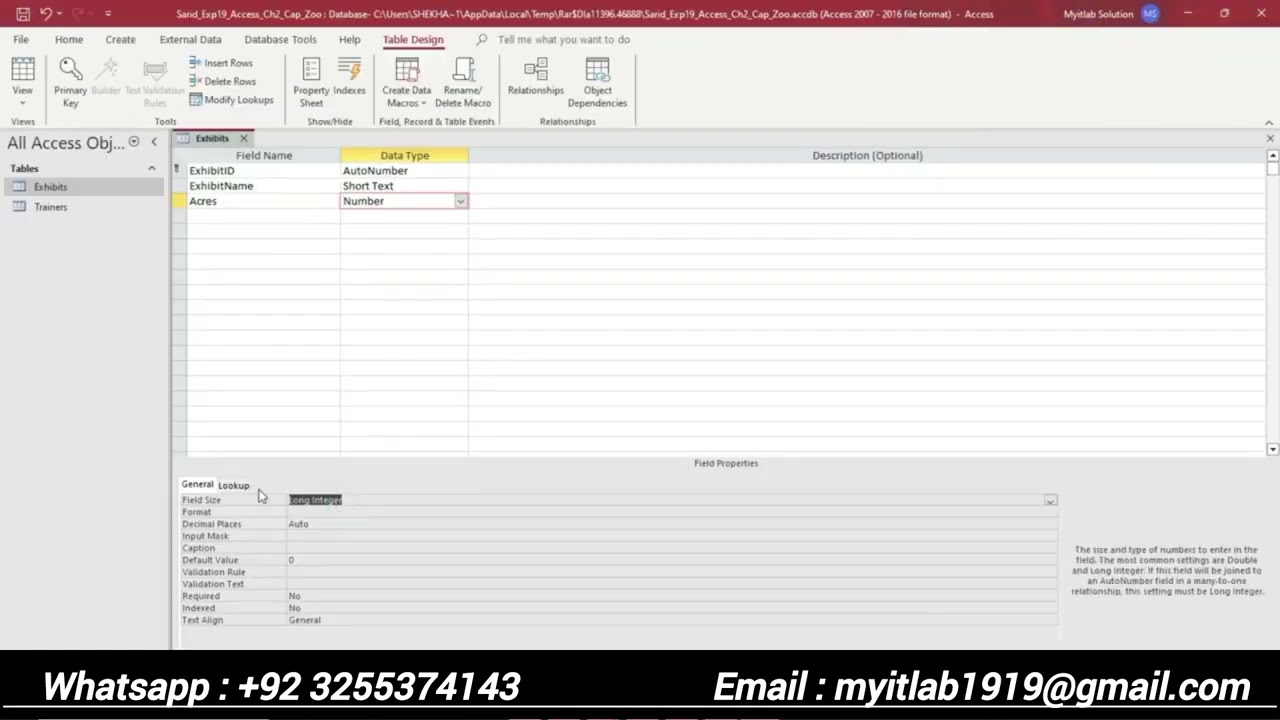
2 Create a new table in Design view. Add the field name ExhibitID with the AutoNumber Data Type. Add the caption Exhibit ID. Set the ExhibitID field as the primary key for the table. Save the table using the name Exhibits.
3 Add the following fields and set their field properties as shown:
Field Name Data Type Field Size Property Caption
ExhibitName Short Text 15 Exhibit Name
Acres Number Integer (none)
InitialCost Currency (no change) Initial Cost
YearlyCost Currency (no change) Yearly Cost
DateOpened Date/Time (no change) Date Opened
Show Yes/No (no change) (none)
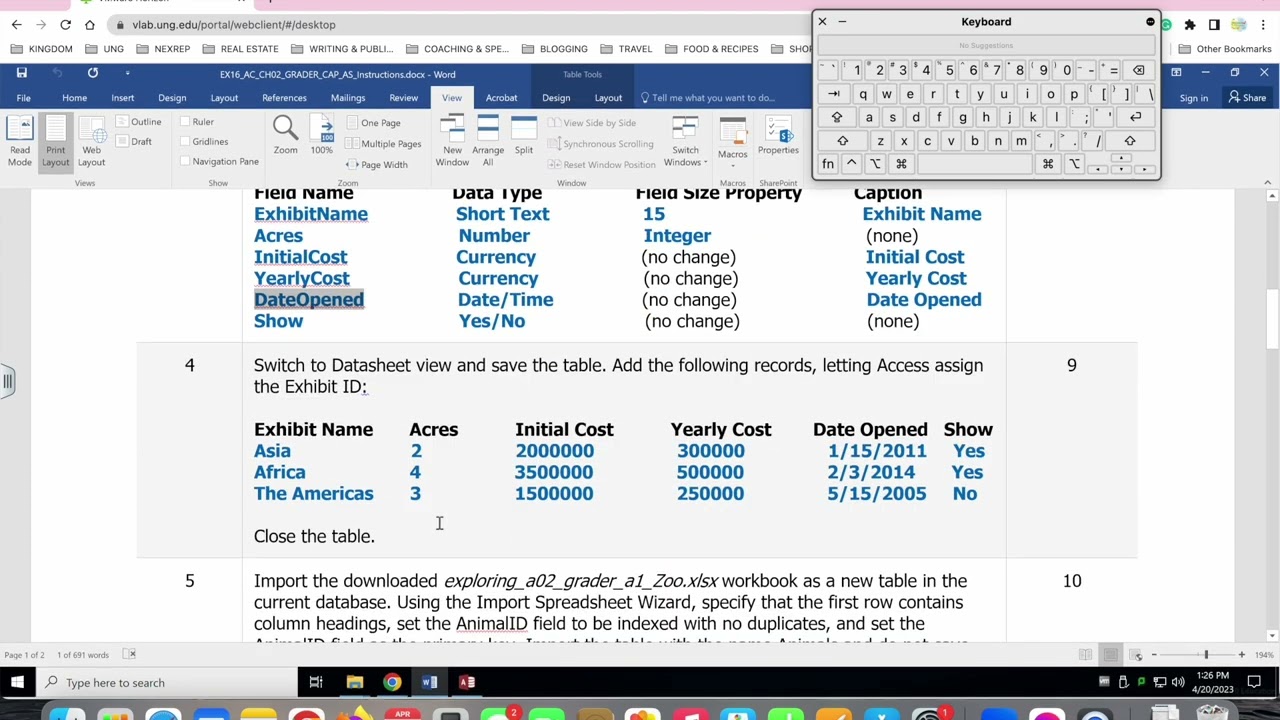
4 Switch to Datasheet view and save the table. Add the following records, letting Access assign the Exhibit ID:
Exhibit Name Acres Initial Cost Yearly Cost Date Opened Show
Asia 2 2000000 300000 1/15/2011 Yes
Africa 4 3500000 500000 2/3/2014 Yes
The Americas 3 1500000 250000 5/15/2005 No
Close the table.
5 Import the downloaded Zoo.xlsx workbook as a new table in the current database. Using the Import Spreadsheet Wizard, specify that the first row contains column headings, set the AnimalID field to be indexed with no duplicates, and set the AnimalID field as the primary key. Import the table with the name Animals and do not save the import steps.
6 View the Animals table in Design view, and change the field size for the AnimalID field to Long Integer. Change the field sizes for the ExhibitID and TrainerID fields to Long Integer. Save the table. Click Yes in the dialog box indicating that some data may be lost. Close the table.
7 Begin establishing relationships in the database by adding the Animals, Exhibits, and Trainers tables to the Relationships window. Close the Show Table dialog box. Resize the field lists so that all fields display. Create a one-to-many relationship between the ExhibitID field in the Exhibits table and the ExhibitID field in the Animals table, enforcing Referential Integrity. Select the option to cascade update the related fields.
8 Create a one-to-many relationship between the TrainerID field in the Trainers table and the TrainerID field in the Animals table, enforcing Referential Integrity. Select the option to cascade update the related fields. Save and close the Relationships window.
9 Create a query using the Simple Query Wizard. From the Animals table, add the AnimalID, AnimalType, and DateOfLastCheckup fields (in that order). Ensure the query is a Detail query. Name the query Checkup List and finish the wizard.
10 View the query in Design view, and then set the criteria for the DateOfLastCheckup field so that only animals whose last checkup was before 1/1/2022 are displayed.
11 Sort the query in ascending order by the DateOfLastCheckup field. Save the query. Run the query, and then close the query.
12 Create a new query in Design view. Add the Animals, Exhibits, and Trainers tables to the query design window. Add the following fields to the query (in this order):
AnimalType
Origin
ExhibitName
FirstName
LastName
Position
13 Set The Americas as the criteria for the ExhibitName field and sort the query in ascending order by Origin. Run the query, and save the query as Americas Exhibit. Close the query.
14 Copy the Americas Exhibit query in the Navigation Pane and paste it with the name Asian Exhibit. Modify the query in Design view to replace The Americas with Asia. Run the query, save the query, and close the query.
15 Close all database objects. Close the database and then exit Access. Submit the database as directed.
Повторяем попытку...
Доступные форматы для скачивания:
Скачать видео
-
Информация по загрузке: