Tutorial: Max-imize Your Morph, V1
Автор: Sensel
Загружено: 2020-05-14
Просмотров: 1603
Описание:
Max patches at https://github.com/sensel/C74-Max-Exa...
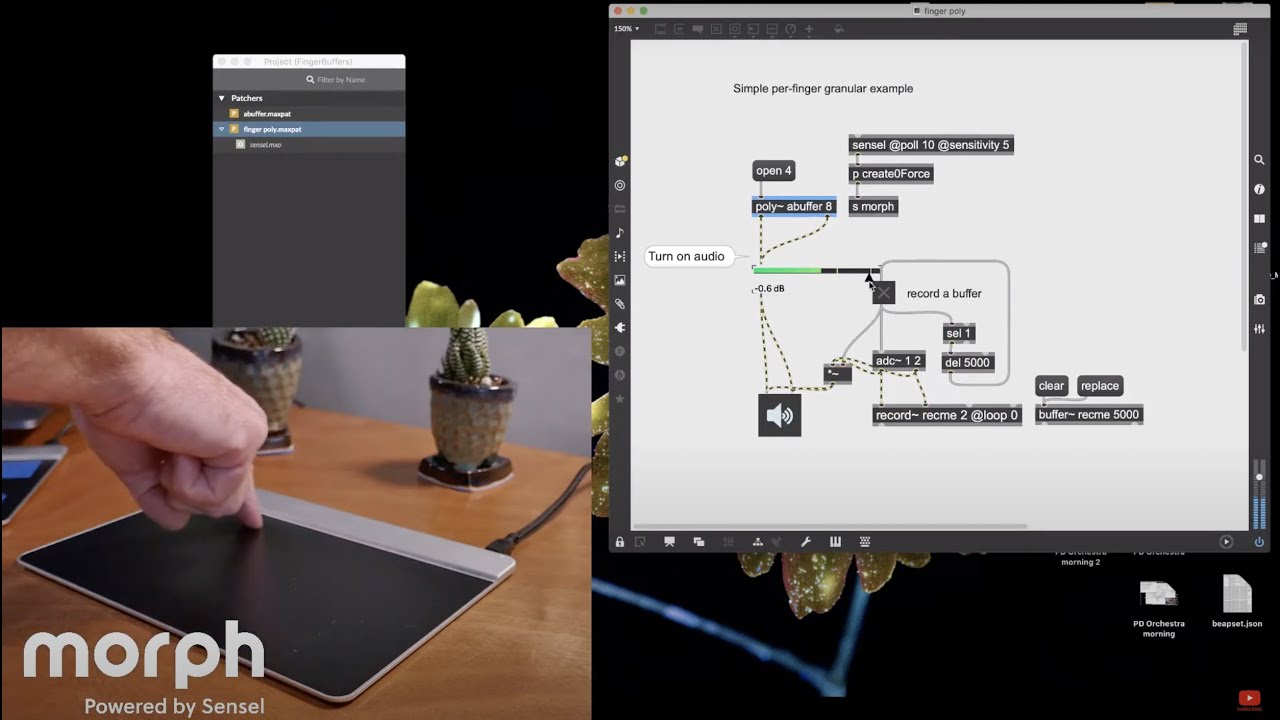
Cycling74's Max is a great fit for the Sensel Morph: there is no faster way than Max to turn touch into a MIDI note, video player, lighting control, tweet, 3D animator, or all those at once. So this week, we’ll explore some fundamental parts of all these things to get your creativity flowing. While there will be some advanced topics, we’ll be sure to explain the basics of what’s happening in our patches (and explain what a patch is!).
V 1 - Expression with the Morph in Max
Explore with BEAP
Start with some basics with monophonic expressions. Using the BEAP modules, we’ll build a patch that creates a compelling and unique sound design with only a few connections. It’s a great introduction on the basics of Max but relevant to any modular workflow and designing sound with pressure and location.
MIDI
Using the Temporal Conduit Oscillator patch, we’ll get into how to adapt an existing patch to a Morph Overlay. It’s pretty simple, thanks to Max 8’s MIDI Map feature, so it’s an easy way to get your Morph working with someone else’s work.
We’ll also check out a visual patch where we use MIDI and the innovator’s overlay to animate a 3D puppet.
Scaling
The Morph is all about feeling. Max is a great way to dial that in, or find something new. We’ll go through some different ways of tuning the data from the Morph so you can dial in how your gestures affect your art.
MPE and VST
Possibly the easiest way to get rich sound out of Max is to use plugins. This lets you focus on interaction, rather than coding DSP.
Q&A
Feel free to ask questions during the stream, but we’ll have a session for Q&A at the end.
Learn more at http://sensel.com/morph
★ FOLLOW US HERE ★
Instagram / senselinc
Twitter / senselinc
Facebook / senselinc
#SenselMorph #MIDIController #Synth
Повторяем попытку...
Доступные форматы для скачивания:
Скачать видео
-
Информация по загрузке: