ycliper

Популярное

Музыка Кино и Анимация Автомобили Животные Спорт Путешествия Игры Юмор

Интересные видео

2025 Сериалы Трейлеры Новости Как сделать Видеоуроки Diy своими руками

Топ запросов

смотреть а4 schoolboy runaway турецкий сериал смотреть мультфильмы эдисон
Скачать

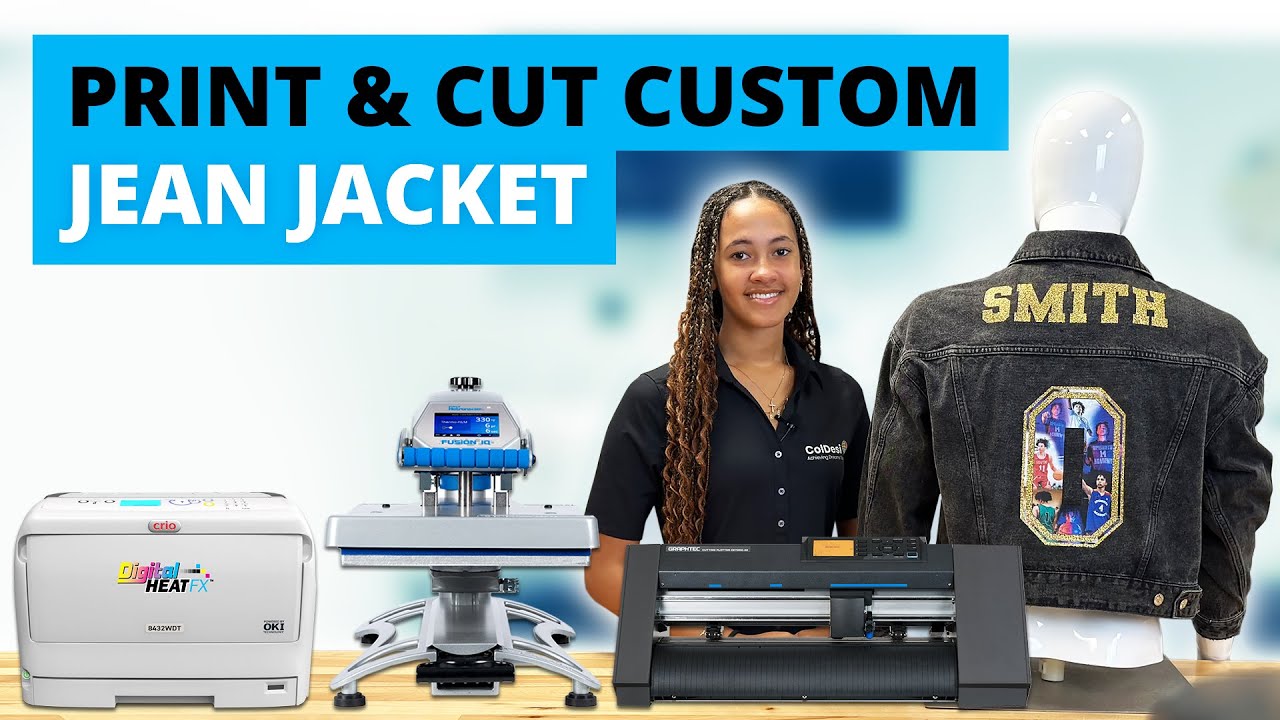
White Toner Transfers on Denim Jacket | DigitalHeat FX System

Автор: ColDesi Inc

Загружено: 2022-02-28

Просмотров: 2979

Описание: White Toner Transfers on Denim Jacket | DigitalHeat FX System

One of our favorite things about the DigitalHeat FX systems is that these transfers can be applied to almost any kind of fabric like cotton, polyester and even denim!

Custom denim items like jeans jackets are super trendy and popular, making them a hot selling item for your business. Plus, they’re easy to decorate!

For this project, we customized a high quality, Port Authority Denim Jacket. It’s a classic jean jacket with bronze buttons and a modern fit, offered in multiple sizes.

Here’s step by step instructions on how to use your DigitalHeat FX 8432 printer to create custom denim jackets.
You can also decorate denim with our other DigitalHeat FX models. To learn the difference between the different printer models we offer, watch this video:    • DigitalHeat FX System | i560, 8432 & 9541  

Step 1: Using the “A” sheet of the EZ Peel 2 Step Paper, print your design on your DigitalHeat FX white toner printer.

Step 2: With the “A” sheet laying transfer side up on the heat press, add the “B” adhesive sheet on top. Top both sheets off with a finishing sheet and press!

Note: You can find heat press settings and instructions for the EZ Peel 2 Step Paper here: https://colmanandcompany.com/blog/dig...

Step 3: Remove the finishing sheet and slowly peel the adhesive “B” sheet from the “A” sheet.

Step 4: Trim the borders around the printed transfer on the “A” sheet to remove any excess adhesive.

Step 5: With your heat press set, dress your press in the following order:

Heat Resistant Pad

Denim Jacket (make sure to line up the area of the jacket you are printing on to the heat resistant pad).

Printed Transfer

Standard Finishing Sheet

Now you’re ready to press!

Step 6: Remove the denim jacket from the heat press and let it cool.

Step 7: Once the transfer is cool, perform a cold peel.

Note: It’s important to make sure that this peel is done quickly, ripping the transfer off like a bandage.

Step 8: Place the denim jacket back on the heat press with a flexible finishing sheet on top and press for the final time! This will give the transfer a more “matte” finished look.

Note: we also like to finish out DigitalHeat FX transfers with the T-Seal Sheet. It works almost like a glue that molds your image into the fabric. It can help improve durability and washability. See how it works in this video:    • How To Use the T-Seal Finishing Sheet with...  

Very quickly and easily, you can use a DigitalHeat FX white toner printer to customize a ton of garments like denim jackets and offer your customer a unique product!

Не удается загрузить Youtube-плеер. Проверьте блокировку Youtube в вашей сети.
Повторяем попытку...
White Toner Transfers on Denim Jacket | DigitalHeat FX System

Поделиться в:

Доступные форматы для скачивания:

Скачать видео

  • Информация по загрузке:

Скачать аудио

Похожие видео

How to Customize a Jean Jacket Using HTV and White Toner Transfers

How to Customize a Jean Jacket Using HTV and White Toner Transfers

СУБЛИМАЦИЯ на аппликации с вышивкой | Вышивка на принтованной ткани на джинсовой куртке | (EMB Hu...

СУБЛИМАЦИЯ на аппликации с вышивкой | Вышивка на принтованной ткани на джинсовой куртке | (EMB Hu...

Как я печатаю изображения на металле

Как я печатаю изображения на металле

КАК ИЗГОТОВИТЬ ДЖИНСОВУЮ ПЛЁНКУ DTF | Учебное пособие DTF Superstore

КАК ИЗГОТОВИТЬ ДЖИНСОВУЮ ПЛЁНКУ DTF | Учебное пособие DTF Superstore

Создайте свои собственные патчи: как DTF-трансляции и HTV могут помочь (при участии Скипа Дэвиса)

Создайте свои собственные патчи: как DTF-трансляции и HTV могут помочь (при участии Скипа Дэвиса)

【R&B Soul】Deep Chill Playlist – Smooth Vocals & Soulful Grooves Relax • Study • Focus | LIVE🔴 24/7

【R&B Soul】Deep Chill Playlist – Smooth Vocals & Soulful Grooves Relax • Study • Focus | LIVE🔴 24/7

Using the Digital heat FX Print Optimizer.. with the 8432 WT Printet

Using the Digital heat FX Print Optimizer.. with the 8432 WT Printet

DTF ON DENIM: How To DTF Onto a Jean Jacket! | Yamation Products

DTF ON DENIM: How To DTF Onto a Jean Jacket! | Yamation Products

Деним | Будет ли он DTF?

Деним | Будет ли он DTF?

How to Sublimate LARGE Designs | 5 Sublimation Doormats Tested!

How to Sublimate LARGE Designs | 5 Sublimation Doormats Tested!

Common DTF Mistakes - What NOT to do!

Common DTF Mistakes - What NOT to do!

PARIS CAFE 🗼☕ French Instrumental Music— Coffee Playlist | Piano & Accordion

PARIS CAFE 🗼☕ French Instrumental Music— Coffee Playlist | Piano & Accordion

How to Heat Press a Embroidered Patch to a Jacket #embroidery #embroiderypatches

How to Heat Press a Embroidered Patch to a Jacket #embroidery #embroiderypatches

HTVRont Autopress: как получить большее давление

HTVRont Autopress: как получить большее давление

5 ОШИБОК для начинающих рисовать на одежде, которых следует избегать (сохраните свои работы от тр...

5 ОШИБОК для начинающих рисовать на одежде, которых следует избегать (сохраните свои работы от тр...

DIY How to Print on Jeans (super easy)

DIY How to Print on Jeans (super easy)

Craftmas Episode 64: DIY Applying HTV to Denim

Craftmas Episode 64: DIY Applying HTV to Denim

The Best Heat Transfer Paper To Print Shirts At Home With A Inkjet Printer

The Best Heat Transfer Paper To Print Shirts At Home With A Inkjet Printer

New DTF Hack🔥 Customize T shirts with Foil and Sublimation!

New DTF Hack🔥 Customize T shirts with Foil and Sublimation!

Как напечатать большие изображения на футболке с помощью Cricut — лучшие советы Cricut

Как напечатать большие изображения на футболке с помощью Cricut — лучшие советы Cricut

© 2025 ycliper. Все права защищены.


  • Контакты
  • О нас
  • Политика конфиденциальности


Контакты для правообладателей: [email protected]