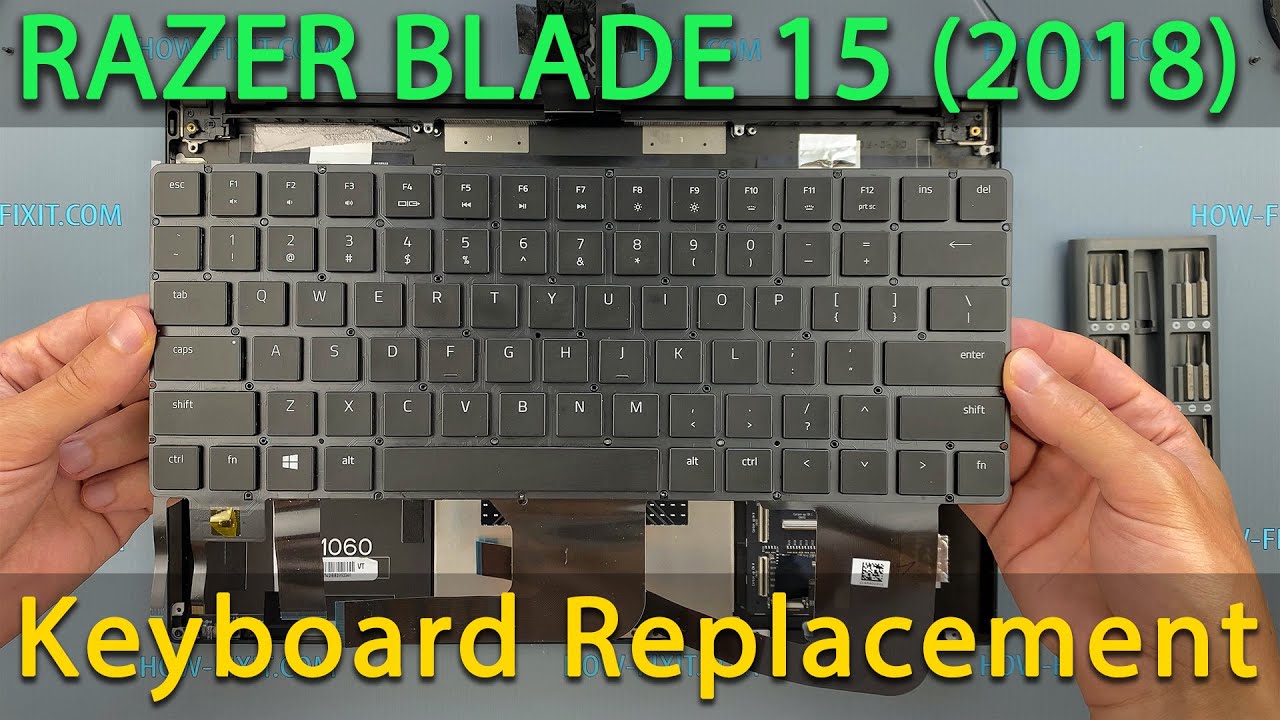
Razer Blade 15 Advanced 2018 Keyboard Replacement | Step‑by‑Step DIY Guide
Автор: How-FixIT
Загружено: 2021-01-06
Просмотров: 16568
Описание:
Learn how to fix or replace a malfunctioning keyboard on your Razer Blade 15 Advanced 2018 model RZ09-02385 with this easy, step-by-step DIY tutorial from HowFixit.
Buy tools and keyboard on AMAZON:
Screwdriver Set: https://hfixt.com/spro
Tool Kit: https://hfixt.com/pryt
Tweezers: https://hfixt.com/tzrs
Magnetic Mat: https://hfixt.com/mat
Keyboard: https://amzn.to/3T3lkW9
Buy tools and keyboard on AliExpress:
Screwdriver set: https://hfixt.com/alis
Tool Kit: https://hfixt.com/alit
Tweezers set: https://hfixt.com/altz
Magnetic Mat: https://hfixt.com/amat
Keyboard: https://s.click.aliexpress.com/e/_opU...
📌*Useful links*
Best Screwdriver Set: • How to Choose the Best Screwdriver Set for...
Repair Tools & Safety Tips: • Electronics Repair for Beginners: How to S...
Keyboard Test: https://www.how-fixit.com/kb-test
📱Follow us for more tech tips and guides!
TikTok: / howfixit
Instagram: / howfixit
Facebook: / howfixit
X: https://x.com/howfixit
DESCRIPTION
Is your Razer Blade 15 Advanced (2018) keyboard not responding, typing incorrect characters, or completely dead? This DIY repair tutorial from HowFixit will help you restore your laptop’s functionality by replacing the keyboard yourself at home.
In this video guide, we’ll walk you step-by-step through safely disassembling your Razer Blade 15 laptop. You’ll need simple tools like a Phillips 1 screwdriver, Torx T5 screwdriver, a plastic pry tool, and tweezers. A magnetic mat is highly recommended to organize screws, given the many screws of varying sizes you'll encounter during disassembly.
Links to purchase all tools and the original compatible keyboard (Part Number: 12255327-00, 2B-BBR01R100) can be found down below in this video description.
After installation, use the provided link in the description to test your keyboard thoroughly at the official HowFixit website.
✅ Don’t forget to like this video and subscribe to HowFixit for more helpful DIY electronic repair tutorials. We make fixing tech easy!
🚩 Key Takeaways:
🔹 Easily replace your Razer Blade 15 Advanced keyboard at home.
🔹 Step-by-step detailed instructions provided.
🔹 Essential tools listed clearly.
🔹 Advice on screw organization to simplify reassembly.
🔹 Recommended testing of new keyboard functionality.
⏰ Time Codes:
00:00 – Intro to Keyboard Replacement Guide
00:16 – Tools Needed
00:52 – Disassembly Steps
01:15 – Disconnecting the Battery
03:55 – Removing Old Keyboard
07:57 – Keyboard Replacement
08:14 – Installing New Keyboard
08:34 – Reconnecting Cables
17:33 – Keyboard Testing Instructions
❓ Frequently Asked Questions:
Question: Can I replace the keyboard myself without experience?
Answer: Yes! Follow the step-by-step guide closely, and it's straightforward even for beginners.
Question: Where can I find the replacement keyboard for my Razer Blade 15 Advanced?
Answer: Links to purchase compatible keyboards are provided in the video description.
Question: Do I need specialized tools to fix the keyboard?
Answer: You only need basic repair tools like a Phillips and Torx screwdriver, plastic pry tools, tweezers, and ideally, a magnetic mat.
Question: What if the new keyboard still doesn't work?
Answer: Check cable connections carefully, test individual keys, or reach out via comments for troubleshooting tips.
Question: How can I test my new keyboard?
Answer: Use the keyboard test link provided in the description at the HowFixit website.
AFFILIATE PROGRAM
We are a participant in the Amazon Services LLC Associates Program, an affiliate advertising program designed to provide a means for us to earn fees by linking to Amazon and affiliated sites.
#howfixit #laptoprepair #diy #techguide
Повторяем попытку...
Доступные форматы для скачивания:
Скачать видео
-
Информация по загрузке: