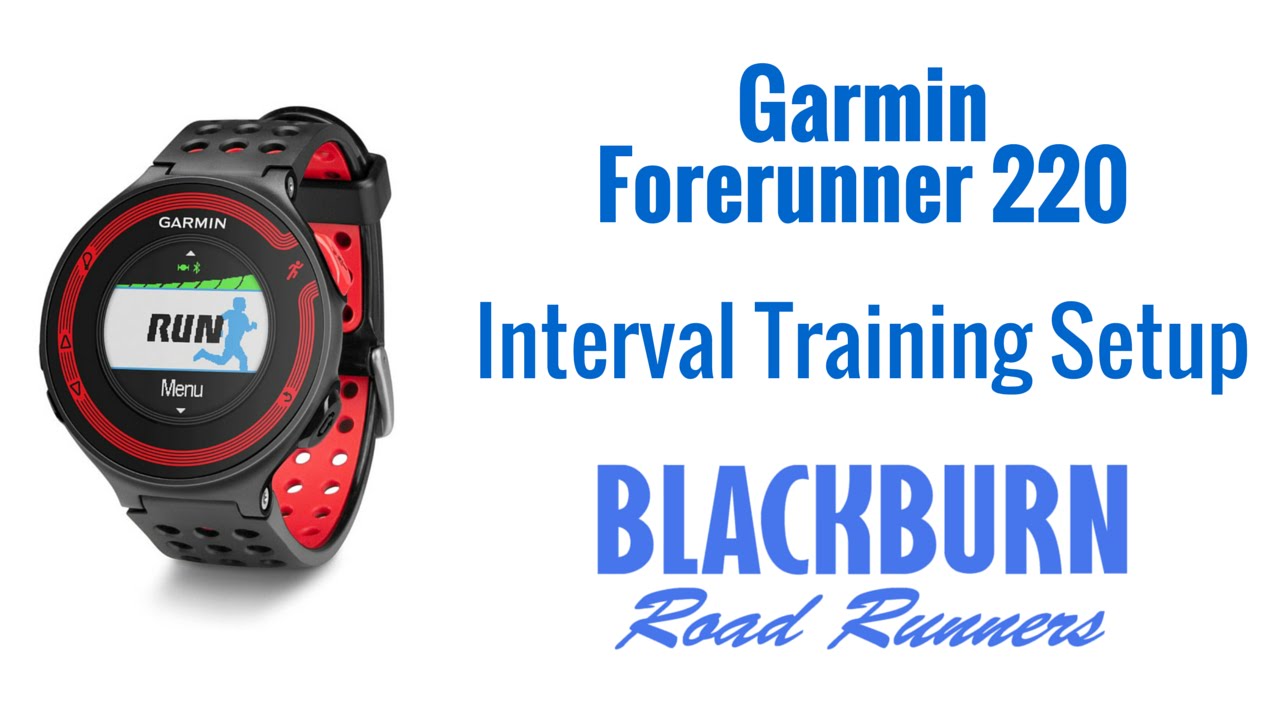
Garmin Forerunner 220 - How To Pair & Setup Heart Rate Training
Автор: Avoiding Chores
Загружено: 2014-06-19
Просмотров: 41012
Описание:
* GET THE GEAR ON AMAZON*
https://www.amazon.com/shop/jimcyr
In this video, we'll show you how to pair & setup heart rate training with your Garmin Forerunner 220.
First thing we need to do is to pair the device with the heart rate strap that came with it or one that you got from another unit or bought separately. Make sure that the strap is ANT+ compatible model.
To pair (put on the heart rate strap):
MENU | SETTINGS | SENSORS | ADD SENSOR | HEART RATE MONITOR
Take a few seconds for the device to search for the strap. You will only need to do this once.
Note that the HR screen are enabled once it detects the HR strap. So when you are in an activity, you can scroll to that page. to view BPM and HR ZONE.
With this done, we will now flip over to the computer, plug in the device via USB Cable and log into Garmin Connect to setup our Heart Rate Zones and then transfer those settings to the device.
GARMIN CONNECT | SETTINGS | TRAINING ZONES
Here we can setup our zones, but we need to specify our Max HR and resting HR. Once entered, you can see that the zones are automatically setup. If you have a specific training plan you can adjust the zones.
Once done, we click on SEND TO DEVICE (don't forget to plug in the device via USB). You should see the device listed, and click SEND NOW.
That will open GARMIN EXPRESS and transfer the settings to the device. You can verify on your device via MENU | SETTINGS | USER PROFILE | HEART RATE ZONES.
- - - - - - - - - -
SUBSCRIBE!! (new video every Sunday!) http://www.youtube.com/subscription_c...
GOOGLE+: http://profiles.google.com/jimcyr
TWITTER: / thecyr
CHECK OUT MORE VIDEOS
http://avoidingchores.com
BUY OUR eBOOK
http://goo.gl/7jJkJv
THANKS TO OUR SUPPORTERS
http://www.inreachcanada.com/
http://delorme.com
http://gpstracklog.com
- - - - - - - - - -
What better way to avoid chores than to watch videos from an array of related topics based in Nova Scotia. Starting from the outdoors with hiking, product reviews, bushcraft, outdoor skills & GPS tutorials. We even include Garmin GPS tutorials for runners. And after all that activity, you'll probably want a cool beer to quench your thirst. We also do beer reviews!
UPLOAD SCHEDULE
1st Sunday of the month = Hiking
2nd-4th Sunday of the month = Outdoor Skills, Product Demos, Product Reviews, Tutorials & Beer Reviews
Friday = Friday Night Hangout 8:30PM EST LIVE Stream
- - - - - - - - - - #avoidingchores #garmin
Повторяем попытку...

Доступные форматы для скачивания:
Скачать видео
-
Информация по загрузке: