How Do I Paste Long Text in InDesign
Автор: GalaxyonKnowledge
Загружено: 2026-02-16
Просмотров: 20
Описание:
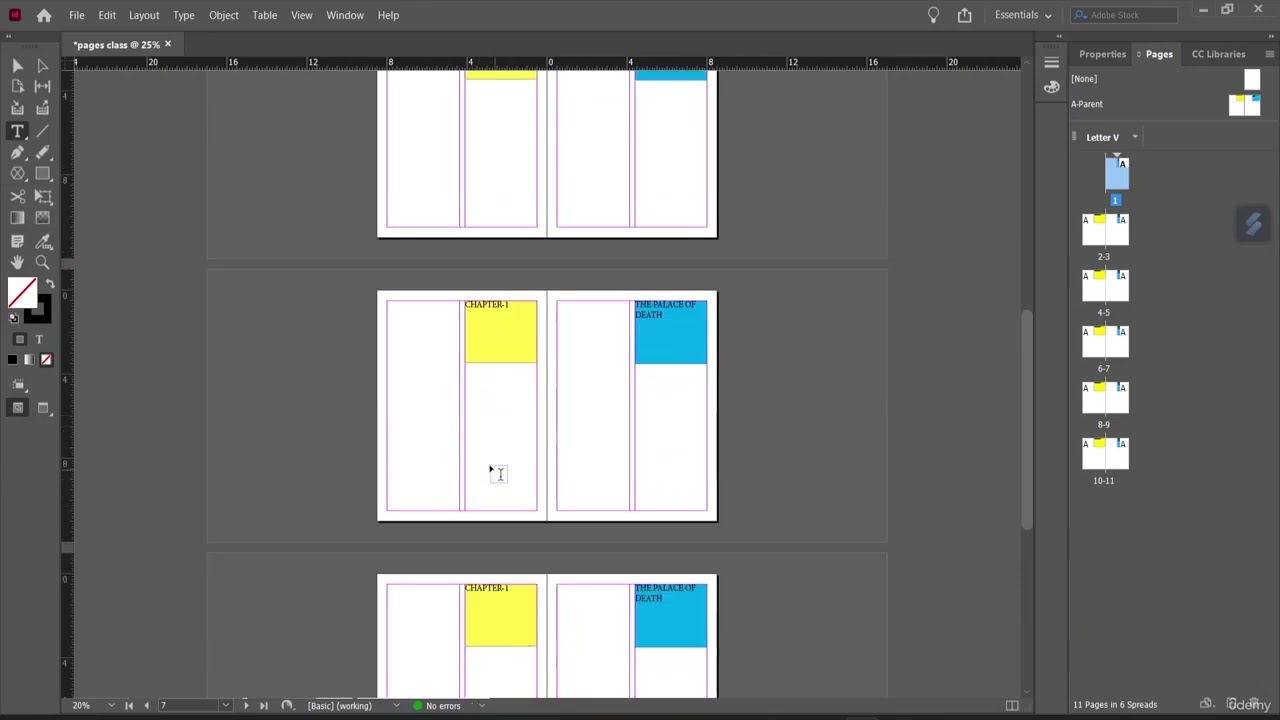
To handle long text in InDesign efficiently, use the "Primary Text Frame" option during document setup or hold Shift while placing text (File - Place) to automatically flow text across new pages. Link text boxes across pages to manage flow, utilize Paragraph Styles for consistent formatting, and use Master Pages for repeating elements.
Key Techniques for Long Documents:
Auto-Flowing Text: When placing a long document, hold down the Shift key (the cursor changes to a squiggly arrow) and click. This creates new pages and frames automatically until all text is placed.
Primary Text Frame: Enable "Primary Text Frame" in the New Document dialog. This creates a master text frame that automatically adds pages as needed.
Linking Text Frames: To manually link frames, click the small square (out port) at the bottom right of a text box and then click or drag another frame.
Managing Styles: Use Paragraph Styles for text consistency and Character Styles for specific text, avoiding local overrides for easier management.
Text Inset: For better layout, use Object - Text Frame Options to set insets, ensuring text does not touch the edges of the frame.
Performance: For extremely long documents, consider breaking the text into multiple stories to prevent sluggish performance.
For managing large documents with complex formatting, utilize features like Master Pages, Paragraph Styles, and Tables.
#AdobeInDesign #InDesignTips #LongTextInInDesign #InDesignTutorial #GraphicDesign #DesignSoftware #InDesignTricks #LayoutDesign #PrintDesign #CreativeCloud #Typography #TextFlow #InDesignSecrets #DesignTools #AdobeCreativeSuite #ProfessionalDesign #DigitalDesign #CreativeProcess #DesignInspiration #visualcommunication
Повторяем попытку...

Доступные форматы для скачивания:
Скачать видео
-
Информация по загрузке: