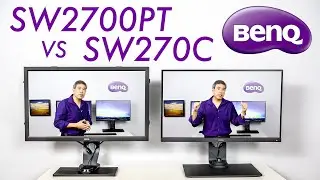
BenQ SW270C Review: The Best 2K Hardware Calibrated Display for Photographers! by Art Suwansang
Автор: ArtIsRight
Загружено: 2019-08-07
Просмотров: 15296
Описание:
Check out my latest video: Best Calibration Settings for BenQ Palette Master Element 1.3.8 here • Best Calibration Settings for BenQ Palette...
And please like and subscribe, it helps me!
BenQ SW270C Review: The Best 2K Hardware Calibrated Display for Photographers!
Art Suwansang, BenQ Global Ambassador, reviews BenQ latest SW series of display designed specifically for photographers and photo editing. BenQ SW270C is the latest BenQ Hardware Calibrated Display that is a logical upgrade to the BenQ SW2700PT, the very first in the SW Photovue Series.
This new SW270C features an entirely new and higher quality 2K panel with a resolution of 2560 x 1440 QHD, 10 BIT IPS Panel that can display 99% Adobe RGB, 100% sRGB, 97% P3.
1. It is the first BenQ SW that features a new 16 Bit LUT (Look Up Table for Color Reference), all previous model comes with 14 Bit LUT.
2. Uniformity Generation 2, which increase the panel brightness and color consistency throughout the screen, in addition to white that is more bright and neutral without color shift.
3. The second generation hockey puck is also introduced with this panel, the buttons on the hockey puck has been simplify and a new dial wheel is added along with one additional function button that can be custom program to fit the users need.
4. It comes with a few new pre calibrated color modes with the most notable one being M-Book. M-Book is a pre calibrated color mode that is turned specifically to match Apple DCI-P3 color space used on Apple MacBook, MacBook Air, MacBook Pro, iMac and iMacPro. When M-Book color mode is set the display color will close match and mimic colors display on the various Mac with build in display.
5. New USB Type - C with Power Delivery (PD) that can supply 60 watt of power. With a compatible device, 1 single cable will carrie the video signal, IO signals for the 2 USB 3 Type A ports and SD card slot, along with power your portable laptop device, which make it really convenient.
6. Like all previous BenQ SW series of display, every single one would come with its own factory report calibration sheet. All cable necessary to hook up the display and get it setup quickly. And the horizontal shading hood.
7. The panel is Pantone Validated and Verified by CalMan, 2 seals of approval that proves the quality of the panel.
To find out more about BenQ SW270C
https://www.benq.com/en-us/monitor/ph...
BenQ SW270C Unboxing
• First BenQ SW270C 2K Hardware Calibrated D...
Learn how to calibrate your BenQ SW series display using Palette Master Element:
• How to Calibrate BenQ SW Displays with Pal...
Learn how to customize your BenQ SW series display hockey puck keys.
• HOW TO customize BenQ SW Displays Hotkey P...
Learn how to use BenQ SW Displays Multiple Calibration Slots with multiple computers!
• HOW TO Setup BenQ SW Displays Calibration ...
BenQ SW2700PT
Buy: https://www.benqdirect.com/monitors/p...
BenQ SW271
Review: • BenQ SW271 Full Review! The Best Hardware ...
Buy: https://www.benqdirect.com/sw271.html
BenQ SW240
Review: • BenQ SW240 Review, The Best Budget Hardwar...
Buy: https://www.benqdirect.com/sw240.html
Director of Photography & Filming by
Ashlyn Hulin
Background music by bensound.com, "creativeminds"
Повторяем попытку...

Доступные форматы для скачивания:
Скачать видео
-
Информация по загрузке: