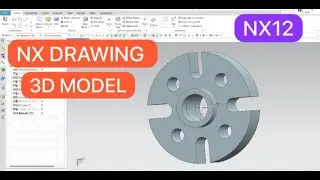
How to Create Profile and Trajectory Ribs in Creo | Step-by-Step Tutorial | AK Technology Services
Автор: CAD DESIGN TECHNOLOGY
Загружено: 2024-11-09
Просмотров: 81
Описание:
Welcome to our tutorial on creating profile and trajectory ribs in Creo! In this video, we’ll guide you through the steps to design ribs that enhance your parts for strength and stability. Ribs are essential in mechanical design to reduce weight and maintain structural integrity, especially for parts molded or machined for specific loads.
What You’ll Learn:
How to use Creo’s Rib tool to design profile ribs with precision
Step-by-step guidance for creating trajectory ribs along custom paths
Tips for adjusting parameters and dimensions for optimal results
Best practices for ensuring your ribs meet design and manufacturing requirements
Whether you’re new to Creo or refining your rib design skills, this tutorial covers everything you need to know to start adding ribs effectively to your parts. Don’t forget to like, subscribe, and hit the notification bell to stay updated with more Creo tutorials and mechanical design insights!
Повторяем попытку...

Доступные форматы для скачивания:
Скачать видео
-
Информация по загрузке: