How to Turn off Home Screen Music & Sound Effects on PS5 Console (Best Method)
Автор: YourSixStudios
Загружено: 2025-08-25
Просмотров: 2296
Описание:
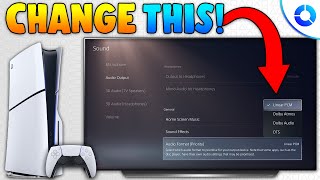
Turning off the background music and sound effects on your PS5's home screen is a simple process that can be done through the console's sound settings. This can be helpful if you find the sounds distracting or prefer a quieter experience.
Here is the best method to turn off the home screen music and sound effects:
From the PS5 home screen, navigate to the Settings menu. The icon for Settings is a gear and is located in the top-right corner of the screen.
In the Settings menu, scroll down and select Sound.
Next, choose Audio Output from the menu on the left.
On the right side of the screen, you will see a list of audio output options. Scroll down until you find the General section.
In the General section, you will see two options:
Home Screen Music: This controls the background music that plays when you are on the home screen.
Sound Effects: This controls the various clicking and navigation sounds you hear when moving through the menus.
To turn them off, simply toggle the switch next to each option to the "Off" position.
Once you have done this, the music and sound effects will no longer play as you navigate the PS5's home and menu screens.
...
Twitter: https://twitter.com/YourSixStudios?la...
Twitch: / yoursixstudios
Discord: / discord
Instagram: / yoursixstudios -
((( Subscribe to my LIVE STREAMING )))
((( Gaming Channel "YourSixGaming" )))
/ @yoursixgaming ...
((( Subscribe to my ADVENTURE CHANNEL )))
((( Travel, Cameras & More "YourSixAdventures)))
/ @yoursixadventures
Повторяем попытку...

Доступные форматы для скачивания:
Скачать видео
-
Информация по загрузке: