Extreme Fliers Micro Drone with Camera Kit
Автор: KM World News Live
Загружено: 2015-03-26
Просмотров: 6705
Описание:
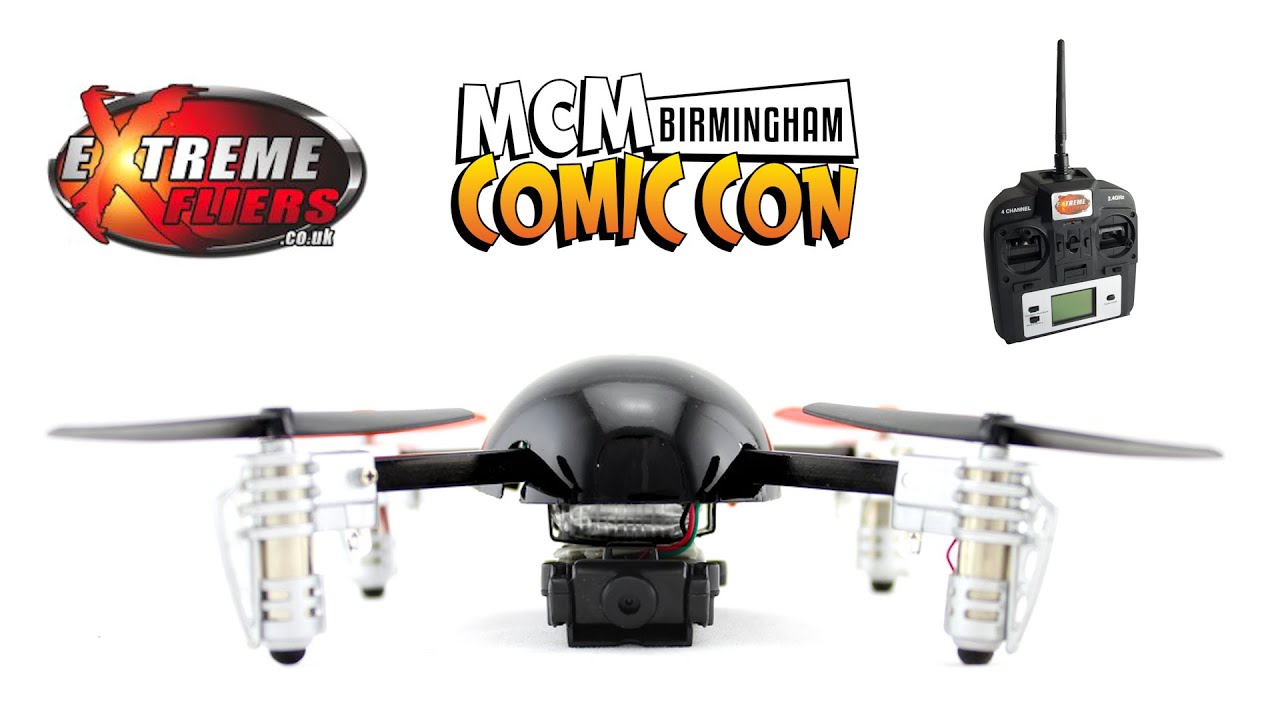
Comic-Con Birmingham Extreme Fliers Micro Drone with Camera Kit : Micro Drone 2.0 is the next iteration of the hit sensation Quad-copter, currently it's the first Mico Drone in the world that carries a camera for videography and photography function.
Extreme Fliers Micro Drone Review : Attachment to the Extreme Fliers Micro Drone 2.0, this HD camera allows videos and pictures to be taken from the air! Slide the switch between Video and Camera mode. To take a photo or start recording, press the button on the controller. When the Video is recording, the red light on the camera module will start flashing, press the controller button again to stop recording. Swivel the head of the camera to point in any direction. Replaceable Micro Drone quadcopter Parts. Test Flight
Detachable Camera Module. Operate from the Handset “Function” button, it takes photo or video at HD quality. 4 Gb micro SD included – enough for over 1 hour video Lens adjustable downward through to forward Screw set for added stability (holds without) Check your gutters and roof tiles. Informal use for Outdoor Sport, Nature, Scenery, Events
How to use the camera? Attaching the Camera Module
To attach the camera module, we recommend using double sided adhesive foam pads. Attach the camera to the bottom of the Drone, position the camera in the centre and ensure the weight is equally spread for balanced flying. Open the Drone shell and plug the Camera Module lead directly into the Camera Port. When the power is on, the Camera Module will show a green LED on the underside.
Changing between Camera and Video mode Slide the switch to the left for Video mode and right for Camera mode. Press the Function button on the controller to activate. In Video mode, a red LED light will continuously flash - this indicates it is recording, press the Function button again to stop recording. In Camera mode, press the Function button once to take a single photo, the red LED light will flash once. The Lens is mounted on a Swivel mechanism, turn this to face the angle you wish to shoot. Once you have finished shooting, disconnect the Drone's battery, remove the SD card and insert into the card reader to download to your computer.
How easy is it to learn to fly the drone? It is very simple and easy to learn, we recommend finding an open space and familiarising yourself with the controls, before going onto using the camera.
How do I operate the camera with the controller? If you want to record a video you can switch the button on the camera to the left, and if you want to take a picture you have to switch the button to the right. By pressing the ‘Function’ button on the controller activates whether you want to record a video or take a picture.
I cannot balance the drone while flying? Make sure whilst learning, to keep all 3 trims on zero. The imbalance can be due to blades because black blades and white lights are front. Please see the training tutorials and video. Check out Micro Drone 3.0. Easter gift
Best Micro Drone for Photography and video
Revolution Photography : / revolution2u
Website: http://revolution.photography/
MCM Comic Con Playlist
• MCM Birmingham Comic Con Judges vs Stormtr...
Please Subscribe :
/ @kmworldnewslive
Shop online : http://www.extremefliers.co.uk/shop/p...
• Extreme Fliers Micro Drone with Camera Kit
Повторяем попытку...
Доступные форматы для скачивания:
Скачать видео
-
Информация по загрузке:


