From First Sketch to Finished Illustration — My Storybook Procreate Workflow
Автор: Lumaluje
Загружено: 2026-01-01
Просмотров: 825
Описание:
Click ⚙️ → Quality → 1440p to see all textures clearly!
🖌️ BRUSHES USED IN THIS VIDEO:
https://payhip.com/Lumaluje
Note: This video uses an updated version of the "Favourite Pattern" brush set (January 1, 2026) with two new brushes added. If you purchased the set earlier, you can download the updated version from your Payhip account.
💌 NEWSLETTER:
https://www.lumaluje.com/newsletter
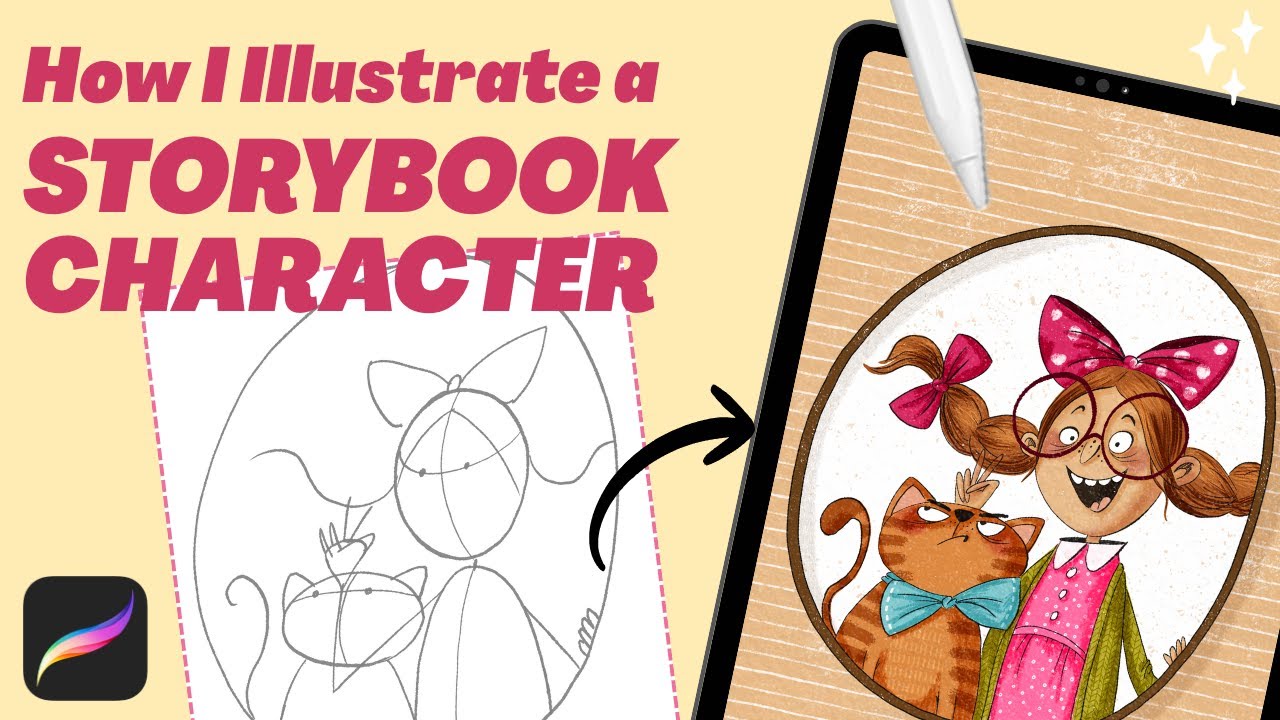
In this video, I’m sharing my full illustration process from the very first line to the final textures. You’ll watch me draw a playful portrait of a girl and her cat — step by step — using My Storybook Procreate Brushes.
This is not a tutorial, but a real, uninterrupted workflow I use when illustrating children’s books and story-driven characters.
The process is shown in Procreate, but the workflow itself can be applied in any digital drawing program.
I designed these brushes to remove hesitation, reduce endless brush switching, and help you stay focused on storytelling — not tools.
⏱️ CHAPTERS
00:00 – Finished illustration preview
00:14 – Rough sketch
00:35 – Refined sketch
01:18 – Final linework
02:13 – Characters (base colors, shadows, hair & facial details)
09:53 – Background (base colors, shadows, textures)
11:50 – Final touch - paper texture
These brushes and this workflow are part of my everyday illustration practice for storybook and children’s illustration.
If you have questions, or ideas for future videos, feel free to leave a comment 💛
Procreate illustration workflow, storybook illustration process, Procreate brushes, children’s book illustration, digital illustration process, Procreate texture brushes, cartoon illustration, playful illustration style
Повторяем попытку...
Доступные форматы для скачивания:
Скачать видео
-
Информация по загрузке: