Truck itinerary and route summary feature
Автор: Sygic a.s.
Загружено: 2016-12-08
Просмотров: 3701
Описание:
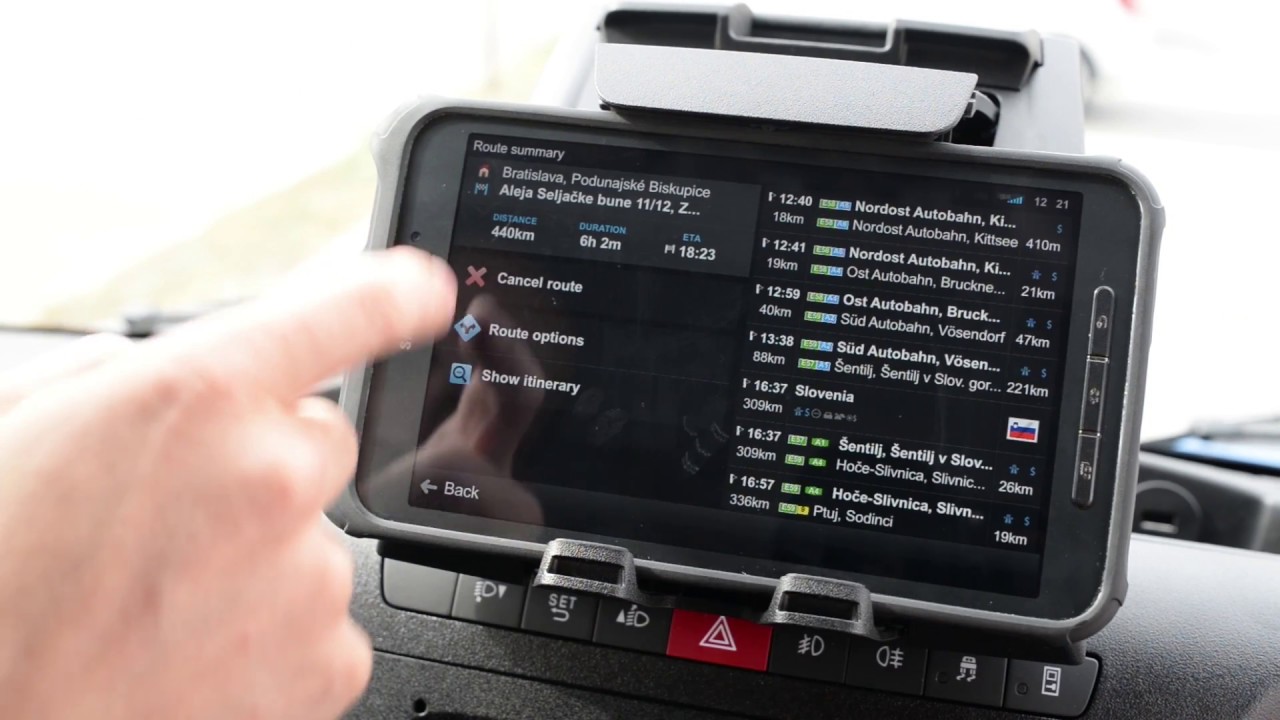
Route summary will allow you to see the details of your route
With route summary you can:
see remaining distance and the estimated time of arrival
see in detail, on which highways you will be driving, through which countries
avoid highways in some countries, or you can avoid the whole country
restore the route back by removing the avoids
Professional drivers can use itineraries for trips with multiple waypoints. These can be received from external tools or entered manually.
When entering the destination, do not start navigation to that point immediately, but add all the points of your trip. Click Navigate when you are finished. If you receive a new destination once you are driving the route, you can add it as the next destination. Once you have an itinerary computed, a new shortcut appears on the map screen. With this you can get to the Route menu faster.
Download Sygic Truck GPS Navigation on:
Apple App Store http://apple.co/2kztxSY
Android Google Play http://bit.ly/2kzA00w
Learn more at http://www.sygic.com/sk/truck-gps-nav...
Повторяем попытку...
Доступные форматы для скачивания:
Скачать видео
-
Информация по загрузке: