How to Hard Reset Samsung Galaxy A26 5G
Автор: Lab Edition
Загружено: 2026-01-08
Просмотров: 127
Описание:
1. Power off the Galaxy A26 5G completely.
2. Connect the phone to a PC (or another phone) using a USB cable.
3. Press and hold:
4. Volume Up + Power buttons together
5. Release both buttons when the Samsung logo appears.
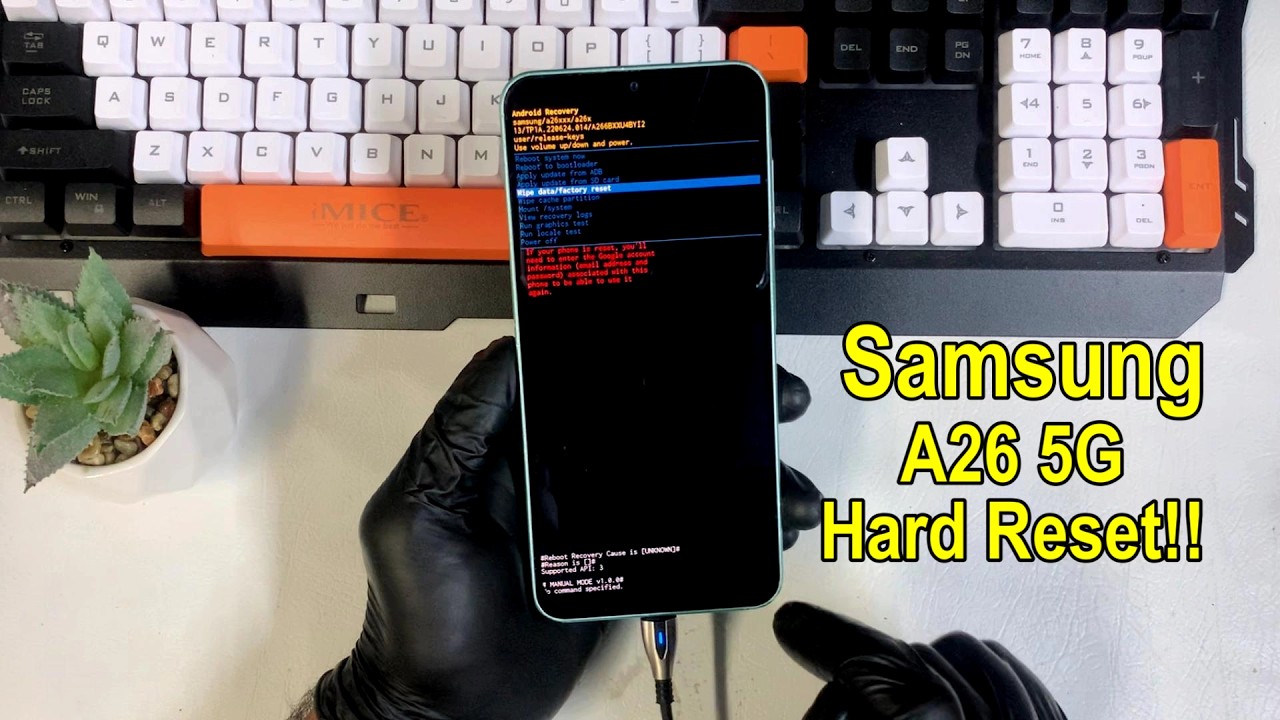
6. You will enter Android Recovery Mode.
7. Use the Volume buttons to navigate and select:
8. Wipe data/factory reset
9. Press the Power button to confirm.
10. Select Factory data reset → confirm with Power.
11. After completion, select Reboot system now.
12. The phone will restart and may take several minutes to boot.
Subscribe to Support Lab Edition:
/ @labedition3010
Thanks for watching!!❤❤❤
Повторяем попытку...
Доступные форматы для скачивания:
Скачать видео
-
Информация по загрузке:


![Видеоинструкция 2026 года - Обход FRP/Google для всех версий Android [Старый метод не работает]](https://image.4k-video.ru/id-video/3QGS-bvLSJE)


