AI Translates Your Shopify Images - Keeps Font & Style Intact
Автор: New craft Shopify Tutorials
Загружено: 2026-01-20
Просмотров: 18
Описание:
Translate your Shopify product images instantly with AI. No Photoshop, no designer needed.
🔥 What's new:
AI translation in 1 click
Keeps your original design intact
Works with all fonts
Perfect for stores selling internationally 🌍
Get the app:
👉 https://apps.shopify.com/image-transl...
Learn more:
👉 https://newcraft.dev/translate-produc...
Tags/hashtags als je wilt:
#shopify #shopifyapps #ecommerce #imagetranslation #ai #shopifytips #internationalselling #newcraftvideo
---
Hi there, I'm going to show you the Product Image Translate app for Shopify.
*Setup*
First, we need to enable the app embed so the app can translate your images. Click the black "Enable App Embed" button. This will take you to the theme editor where you can enable the app embed and click Save.
If you go back to the app and refresh the page, you'll see the banner has disappeared - the installation was successful.
*Selecting Products*
Now you need to select the products or collections you want to translate. Let's start with a collection. Click on the automated collection and select it. The app will show you this page - this is called a "selection."
If you go back to the app homepage, you'll see your selections here. These are products you've saved to translate. The nice thing is you can rename them - for example, assign it to "John" so he can handle these products. It's very handy because you don't have to recreate the selection every time you want to translate.
You can also select products one by one. Don't worry - if you don't want to use selections, you can just delete them. They won't affect your translations.
*AI Translation - The New Feature*
Let me select an individual product and upload an image I created in Canva. This is my first time testing the AI translation, so it's exciting to see how it handles this.
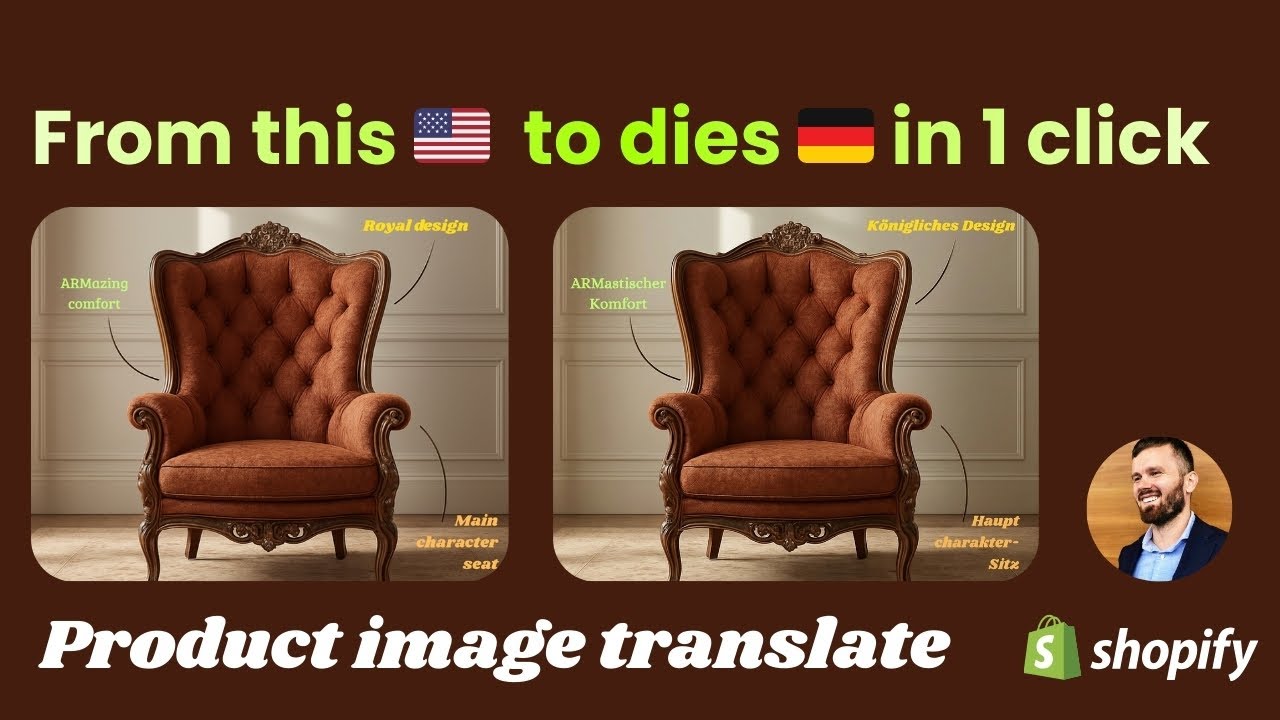
This image is in English with different fonts and different colors. Now we want to translate it to German.
You have a few options: select an existing image, upload a new image, or use our **new AI Translate option**.
Let me click the AI button. You'll see it's working now - it can take up to 90 seconds depending on the image size and the amount of text.
*The nice thing is: it's just one click.* You don't have to manually select where the text is. The AI knows what to translate and just does the job. It just works.
*And the best part: it keeps your fonts and colors intact.* It won't mess up your design - it uses the same fonts for the translation. If you've added alt text in your default language, it will translate that too.
And look at that - it's finished! Let me inspect it. If I click on the image, you'll see the German text kept all the right colors and fonts.
Amazing, isn't it?
And it only cost one credit. You can buy more credits if you need them - one credit equals one translation. But look at the quality. It's amazing.
*Frontend Preview*
Let me show you the frontend. Here's the image in English. And if you switch to German... Amazing.
*Questions?*
If you have any questions, hit the in-app chat or send me an email.
Thanks for watching and have a nice day!
---
Wil je dat ik er ook timestamps bij zet voor de video?
Повторяем попытку...
Доступные форматы для скачивания:
Скачать видео
-
Информация по загрузке: