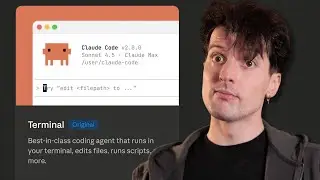
Make Your First Website With Claude Code (in Under 30 Minutes)
Автор: Aniket Panjwani
Загружено: 2026-01-08
Просмотров: 769
Описание:
Join the AI MBA to learn personally from me how to build with Claude Code ⤵️
https://www.skool.com/the-ai-mba
Summary ⤵️
Learn how to build and deploy a beautiful personal website using Claude Code—without writing a single line of code yourself. I walk through the entire process from scratch: setting up Git and GitHub, creating an Astro static site, designing with natural language, deploying to GitHub Pages, and connecting your own custom domain. Perfect for complete beginners who want their own professional website.
Links 🚀
Install Git: https://git-scm.com/install
Create a GitHub account: https://github.com
Install Node.js: https://nodejs.org/en/download
Astro framework: https://astro.build
Compound Engineering plugin: https://github.com/anthropics/claude-...
Follow me on other platforms 😈
🕊️ Twitter/X: https://x.com/aniketapanjwani
💼 LinkedIn: / aniket-a-panjwani
🤙 Work with me: https://contentquant.io
Why watch?
If this is your first view—hi, I'm Aniket! TLDR: I've worked for six years as an MLOps engineer at Zelle building financial AI models, automations and data pipelines saving consumers from tens of millions of dollars of fraud.
Now, I use my professional and academic expertise (PhD Economics from Northwestern University) to help businesses automate tedious but critical processes to drive revenue and innovation.
Hopefully I can help you improve your business, and in doing so, the rest of your life 🙏
Like, subscribe, and leave me a comment if you have a specific request! Thanks.
0:00 Build and deploy your first website with Claude Code
0:38 Concepts you need to know: Git and GitHub
1:11 Prerequisite: Installing Git
1:31 GitHub Pages and Astro framework
2:14 Writing the initial prompt for Claude Code
3:49 When to use plan mode (and when not to)
4:42 Using the front-end design skill
5:01 Claude researching about you from your links
6:40 What is Astro: static sites explained
7:50 Previewing your site: it completed!
8:19 Installing Node.js if you don't have it
9:07 First look at the generated site
9:17 Making improvements: profile picture, content tweaks
10:00 Taking screenshots of projects with Playwright
11:49 The updated site with images
12:28 Fine-tuning content and structure
13:03 Creating your first Git commit
14:09 Design iteration with the front-end design skill
15:59 Redesign complete: retro-futuristic style
16:27 Structural changes: highlighting key projects
17:37 Using plan mode for bigger changes
18:41 Fine-tuning with tabs and sections
20:06 Committing all changes
20:35 Creating a GitHub repository
21:28 Pushing your code to GitHub
21:53 Deploying to GitHub Pages
23:03 Enabling GitHub Pages in settings
23:45 Fixing broken images
24:34 Setting up your custom domain
25:22 Configuring DNS records in Namecheap
26:11 Final site live on custom domain
26:37 Outro
Повторяем попытку...

Доступные форматы для скачивания:
Скачать видео
-
Информация по загрузке:










![OpenCode: бесплатная замена Claude Code [Гайд 2026]](https://image.4k-video.ru/id-video/4pDegokkkMk)