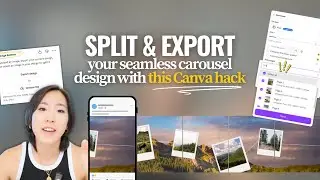
How To Create 3-Part Seamless Banner For Instagram with Canva (Easiest Way) (2026 Guide)
Автор: How To with Alex
Загружено: 2025-07-31
Просмотров: 808
Описание:
Learn how to design a stunning 3-part seamless banner for your Instagram profile using Canva! In this step-by-step tutorial, we’ll show you how to create a visually captivating panoramic grid that spans across three posts, boosting your Instagram aesthetic and engagement.
Timestamps:
00:00 - Introduction & examples
01:12 - Setting the correct Instagram dimensions
03:06 - Designing your seamless banner in Canva
07:45 - Splitting the banner into three equal parts
10:05 - Exporting and saving images for Instagram
12:30 - Uploading the banner to Instagram
14:00 - Final tips for a flawless grid
Features covered in this video:
Selecting the right canvas size for Instagram grids
Tricks for perfect alignment using Canva
Exporting high-quality images
Supported on Canva Web and Canva Desktop
If you found this tutorial helpful, don’t forget to hit like, subscribe, and turn on notifications for more social media and design tips!
#InstagramBanner #CanvaTutorial #InstagramGrid #SeamlessBanner #SocialMediaDesign #CanvaTips #InstagramTips #ContentCreation #BannerDesign #InstagramGuide
##InstagramBanner #CanvaTutorial #InstagramGrid #SeamlessBanner #SocialMediaDesign #CanvaTips #InstagramTips #ContentCreation #BannerDesign #InstagramGuide
Повторяем попытку...
Доступные форматы для скачивания:
Скачать видео
-
Информация по загрузке: