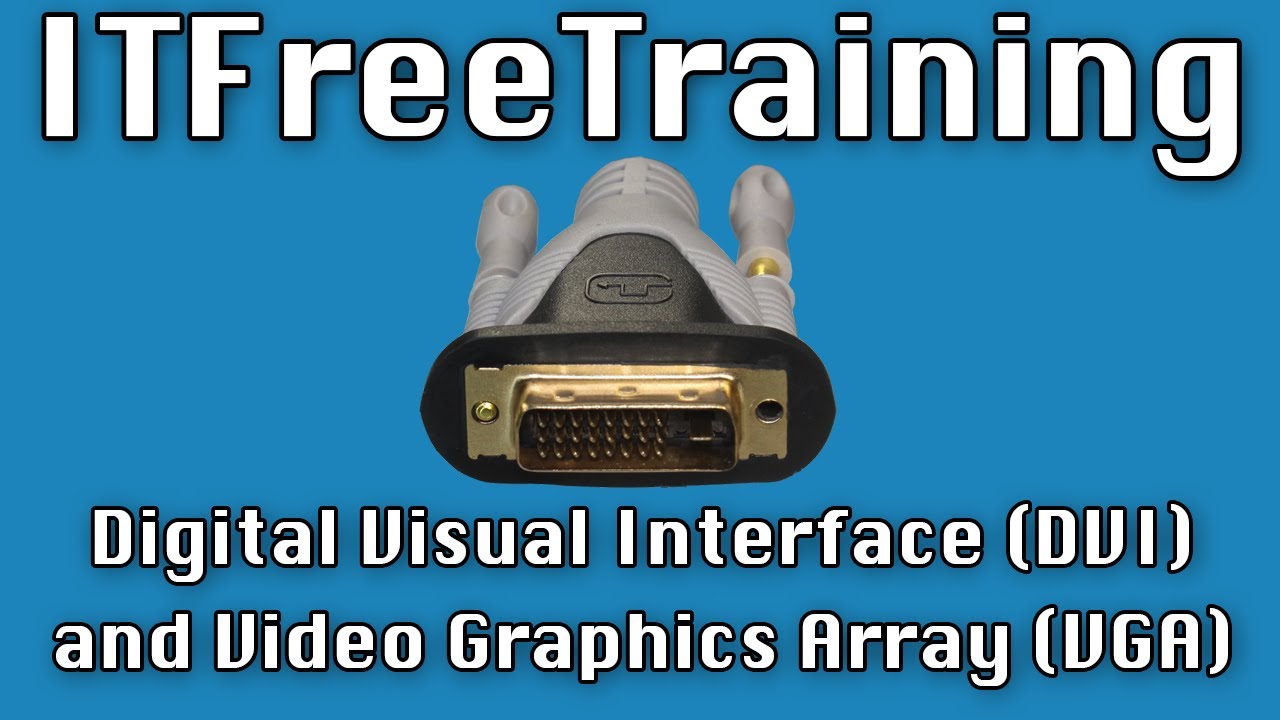
Digital Visual Interface (DVI) and Video Graphics Array (VGA)
Автор: ITFreeTraining
Загружено: 2022-02-18
Просмотров: 5298
Описание:
In this video from ITFreeTraining, I will look at the DVI and VGA connectors. These connectors are legacy connectors and generally not used any more, but you will find them on old computers and other devices like projectors.
Download the PDF handout: http://itfreetraining.com/handouts/ap...
Digital Visual Interface (DVI)
0:15 The Digital Visual Interface or DVI interface was first released in 1999. It was designed to replace the VGA connector which I will cover later in the video. The DVI connector comes in many different connector types.
DVI supports both analog and digital signals. VGA was an analog signal and thus DVI supports analog to allow it to be backwards compatible with VGA. Lastly, DVI supports both single link and dual link.
Single link means there is only the one signal in the cable. Dual link means there are two signals. Having two signals essentially means that you can double the amount of data that is sent through the cable. This is essential when you start using DVI for higher resolutions.
Connector Types
1:05 The DVI connectors can be divided into three different types. DVI is old technology so for the exam you will not be required to know too much about it. It is useful to be aware there are different types of connectors for troubleshooting purposes.
The first connector is DVI-A. The A stands for Analog. So essentially this DVI connector only supports an analog signal. The analog signal is there for VGA compatibility. You will generally see this connector on an adapter like the one shown. The adapter converts a VGA signal to a DVI signal. Since the input is VGA, only an analog signal needs to be outputted.
The next connector type is DVI-D. The D stands for digital. The digital connector comes in single link and dual link. You can see the dual link has additional pins to carry the second signal.
The last connector is the DVI-I connector. The I stands for integrated. The connector essentially supports both analog and digital signals. The connector also comes in single link and dual link. If you purchase a DVI cable it will most likely be a DVI-I connector. Also, if you were to purchase a device in the current market, considering DVI is a legacy connector, if the device has a DVI connector it is most likely to be a DVI-I connector.
A DVI-I cable will plug into a DVI-A or DVI-D connector. For this reason, you would always buy a DVI-I connector, but nowadays it would be difficult to find a cable that is not a DVI-I cable. However, not all DVI-I cables are created equal.
Not All Cables Are Created Equal
2:57 Shown here is a single link cable. If I compare this with a dual link cable that I purchased, you will notice that the same connector is used on both. If I were to take a guess, I would say that the manufacturer finds it cheaper to manufacturer the one type of plug rather than different plugs. This may make it cheaper to make but means you can’t tell if the cable is single or dual link by looking at the plug. Some single link cables will have a single link plug while others will have the dual link plug.
When you purchase a DVI cable, have a look at the packaging and see if it says dual link. If it does not say dual link, don’t assume it is, most likely it is not. A lot of cables will have writing on the cable to help identify what kind of cable it is and what it is capable of. In the case of dual link, notice that dual link is printed on the cable.
Different cables are also made of different quality. A poor quality DVI cable will have signal problems and may not be able to display higher resolutions. This becomes more problematic when the cable is longer in length. When purchasing a DVI cable, make sure you check what the specification of the cable is before you buy it, otherwise the cable may not be able to do what you want.
Max Specification (DVI)
4:26 The DVI specification supports a lot of different resolutions and timings. What resolutions are supported will be determined by your video card and your monitor. The maximum resolution supported by DVI single-mode is 2560 by 1600 at 30 hertz or 1920 by 1200 at 60 hertz.
If you are using dual mode, this essentially doubles the amount of data that can be transmitted through the video cable. This increases the maximum resolution to 3840 by 2400 at 30 hertz and 2560 by 1600 at 60 hertz.
Description to long for YouTube, please see the following link for the rest of the description. http://itfreetraining.com/ap/2a60
References
“Digital Visual Interface” https://en.wikipedia.org/wiki/Digital...
“DVI compatibility for sticklers” http://www.playtool.com/pages/dvicomp...
“VGA connector” https://en.wikipedia.org/wiki/VGA_con...
Credits
Trainer: Austin Mason http://ITFreeTraining.com
Voice Talent: HP Lewis http://hplewis.com
Quality Assurance: Brett Batson http://www.pbb-proofreading.uk
Повторяем попытку...
Доступные форматы для скачивания:
Скачать видео
-
Информация по загрузке: