The "Magic Mix" for Photo-Realistic Glass Engraving! (No Expensive Spray!) | xTool S1
Автор: Steven la Rabia
Загружено: 2025-11-30
Просмотров: 6623
Описание:
Glass engraving is usually a nightmare. It chips, the laser goes right through it, and photos look like ghosts. Not anymore.
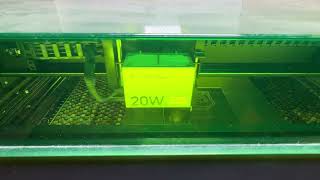
In this video, I share my "Mastered" workflow for getting crystal-clear, photo-realistic engravings on glass using the xTool S1 40W. The secret isn't expensive sprays—it's a cheap "Magic Mix" and a specific application method that changes everything.
👇 MY "MAGIC GLASS MIX" RECIPE 👇 Don't waste money on expensive marking sprays. Use this:
Tempera Paint (Black)
Water (to thin it out)
Dish Soap (1 Drop to break surface tension)
The Secret: Apply with an Airbrush for an ultra-smooth, thin coat. Use a heat gun to dry between coats (2 coats total).
⚡ MY EXACT SETTINGS (xTool S1 40W):
Material: Clear Glass (Whiskey Decanter)
Power: 30%
Speed: 100 mm/s
LPC (Lines Per CM): 160
Mode: Bi-Directional
Software Trick: Use "Auto-Adjust" in xTool Studio (It handles the invert and grayscale perfectly!)
🛠️ TOOLS USED:
Jig: The "Frankenstein Jig" (Just use the foam the bottle came in!)
Airbrush Kit: https://amzn.to/4ru8rEL
xTool S1: https://amzn.to/4ivpPoC
TIMESTAMPS: 0:00 - The Final Result (Photo Realistic!) 0:44 - The "Magic Mix" Recipe (Cheap & Easy) 1:10 - Why I Use an Airbrush (The Game Changer) 1:50 - The Heat Gun Technique (2 Coats) 2:20 - Editing the Bad Customer Photo (The Magic Hand Wave) 2:50 - The "Auto-Adjust" Secret in xTool Studio 3:20 - Exact xTool S1 Laser Settings for Glass 3:50 - The "Frankenstein Jig" Setup 4:20 - The Reveal & Cleanup 4:50 - Don't forget to Subscribe!
If this method helped you master glass, please Like & Subscribe for more laser secrets!
#xTool #LaserEngraving #GlassEtching #xToolS1 #LaserEngravingGlass #DIY
Повторяем попытку...

Доступные форматы для скачивания:
Скачать видео
-
Информация по загрузке: