Solo Operation of Full Broadcast Control Room Setup - One-Man-Band with Ross, TriCaster, Streamdeck
Автор: Jonathan Goff
Загружено: 2026-02-20
Просмотров: 12
Описание:
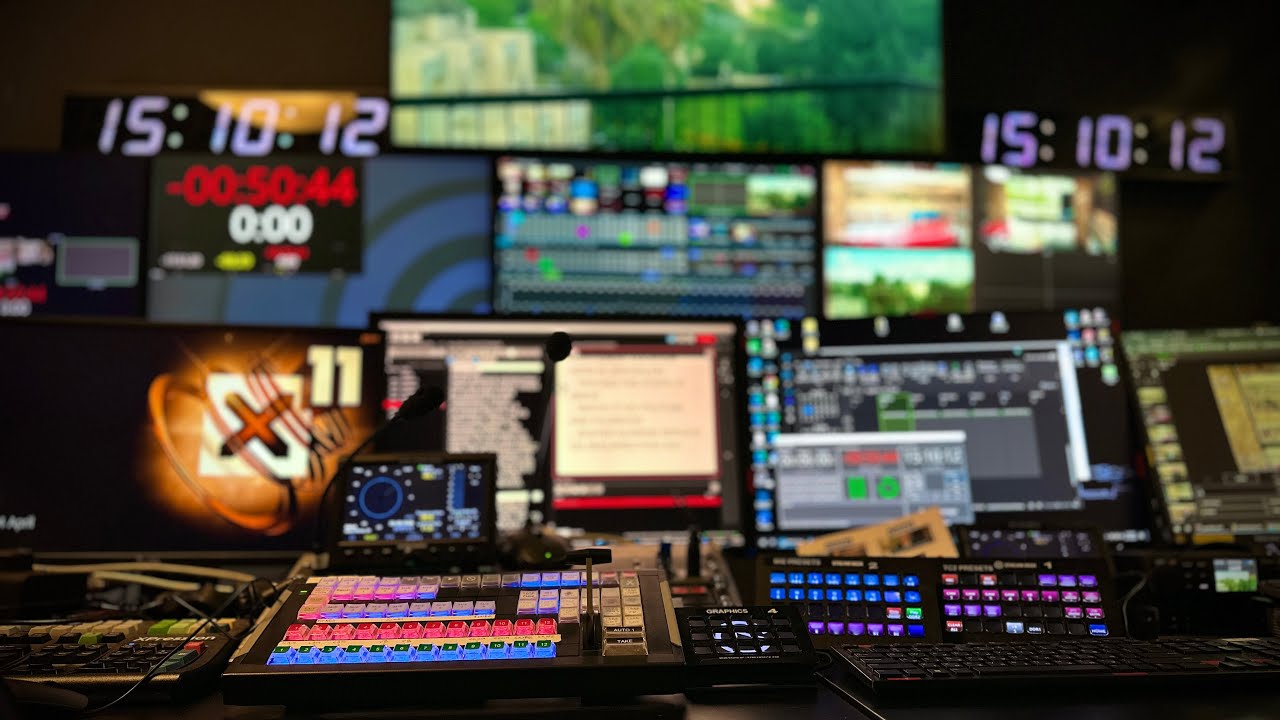
A behind-the-scenes look inside the Jerusalem Control Room reveals how the entire production can run as either a team operation or a one-operator show. From camera control and switching to graphics, audio mixing, remote guest integration, recording, lighting presets, PTZ management, and full system shutdown, the setup is designed for flexibility, redundancy, and broadcast efficiency — allowing seamless live production with built-in backups and streamlined control.
Gear Used:
TriCaster 2 Elite. Ross Xpression. StreamDecks. BMD Web Presenter. BMD Hyperdeck Mini. Behringer X32 Compact. CentralControl. QuickLink StudioEdge. Sony FR7, IP-500 Controller. Bitfocus Companion.
The control room is structured for both collaborative workflows and streamlined solo operation. Camera settings are typically preset before broadcast, but operators can adjust them live as needed. The switching panel — soon to be upgraded to a Ross switcher — integrates multiple Stream Deck controllers that manage effects, commands, and input-output routing, including DDR playback and program feeds.
Recording is built with redundancy in mind. ISOs are sent to dedicated recorders in the room, while a backup recorder captures everything directly in the control room. Operators can immediately remove the card and transfer footage to an editor, ensuring post-production efficiency and protection against data loss.
Graphics are managed through an Expression PC system, controlled locally via take, next, up, down, and clear commands. Box presets allow single or multiple on-screen layouts, with the ability to change sources and layers depending on production needs. The setup enables dynamic visual composition without complex manual adjustments mid-show.
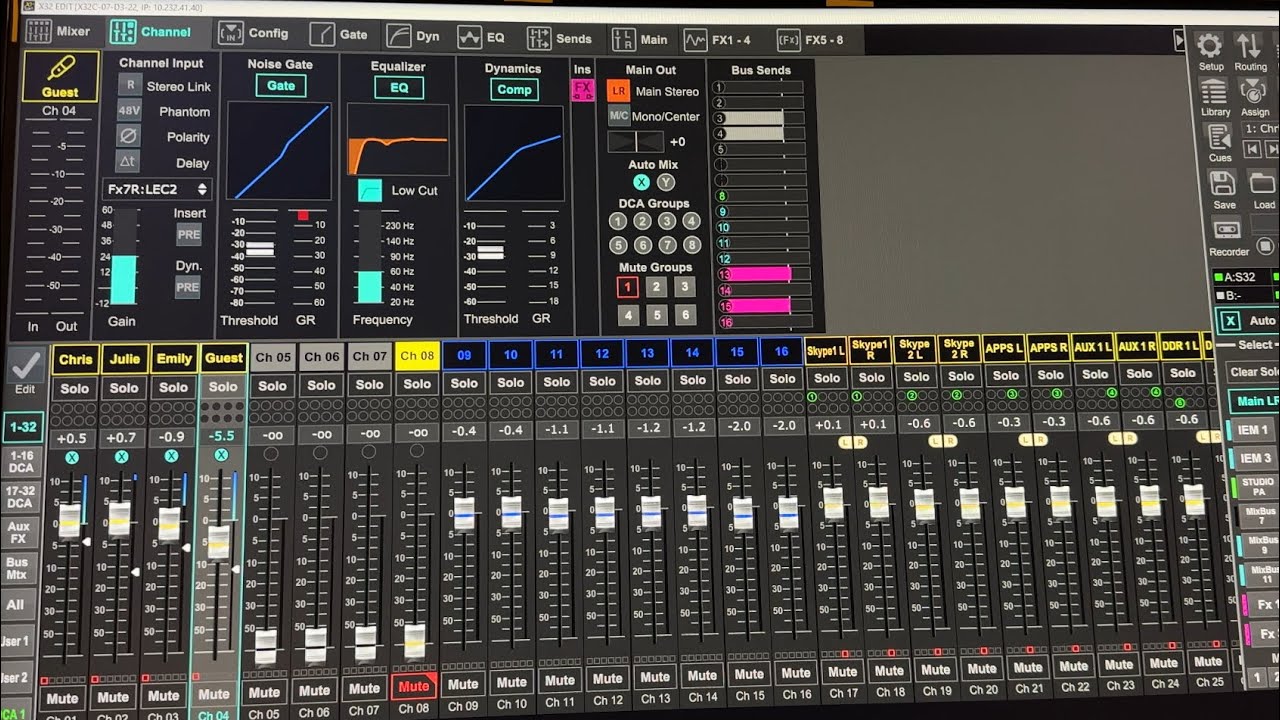
Audio control combines real-time metering with hands-on adjustments. A master preset button can instantly reset show settings. Operators can mute and unmute microphones, control volume for remote guests on Zoom or Skype, solo channels, dip mics to prevent feedback, and manage DDR playback audio — all from dedicated controls designed for quick reaction during live production.
Lighting and visual presentation are equally streamlined. Presets control various production looks, while three video wall options allow adding graphics, pairing visuals with a timer, or clearing the display entirely. PTZ camera control includes individual on/off functions and a single master shutdown button that powers down cameras, lights, and video systems at the end of production.
Remote guest integration runs through a QuickLink session on a dedicated screen, allowing seamless Zoom caller connectivity into the broadcast workflow. Together, these systems demonstrate a highly integrated control room capable of delivering professional broadcast output with either a full crew or a single operator at the helm.
Повторяем попытку...

Доступные форматы для скачивания:
Скачать видео
-
Информация по загрузке:












![ARMIA PUTINA DRUGĄ ARMIĄ ŚWIATA? PRAWDZIWA SIŁA ROSJI [WOLSKI I BOJKE]](https://imager.clipsaver.ru/-0hLR4R3gvk/max.jpg)
