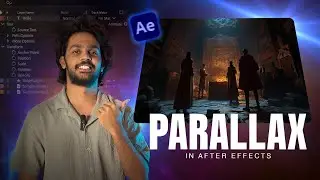
2D to 3D Parallax Animation in After Effects [TUTORIAL] | Photomotion X Series
Автор: INTEGNITY
Загружено: 2019-05-28
Просмотров: 70376
Описание:
In this After Effects tutorial Tom gives you a deep dive on parallax photo animation, how it works and how to create your own in After Effects with Photomotion X.
Final result: 0:28
Get Photomotion ® 👉 https://integn.it/photomotion
Original photo (Unsplash © Ben VanHorn) 👉
https://images.unsplash.com/photo-154...
For partnership and business enquiries: [email protected]
* TIME STAMPS*
1:22 What is Photomotion?
2:15 Parallax - Layers Explanation
2:50 Opening Photomotion
4:44 Adding Photo
6:08 Creating Clean Plate
7:31 Adding Layer 1
8:11 Masking with Pen Tool
10:19 Adding Layer 2
10:43 Masking with Rotobrush
12:38 Adding Layer 3
14:03 Photo Animation Parallax vs Simple Parallax
14:46 Preview Resolutions
15:37 Animating
17:49 Animation Settings
18:48 Boomerang
23:02 Particles
27:06 Exporting
28:16 Perfect Cut System
29:42 Adding Effects
32:10 Rendering
33:45 Additional Tips
34:03 Using Puppet Tool
37:39 Masking in Photoshop
43:32 Importing .psd
* WHAT IS PHOTOMOTION X*
Parallax animation is one of the most popular topics you encounter when starting with After Effects. There are a number of ways you can create parallax animations - some more difficult than others. When it comes down to animating static pictures (photos from your camera for example) the topic gets really complicated, really fast. That's why we have created Photomotion X - the biggest and most comprehensive photo animation toolkit for After Effects - to help you save time and give you the edge when it comes down to creating professional looking photo animations.
New 2019 Photomotion X update includes:
🚀 Portrait Projection - animate any face with the most advanced portrait projection on the market - https://integn.it/Portrait-Tutorial
🚀 Glacier Projection - create truly engaging cinemagraphs directly inside of Photomotion - https://integn.it/Glacier-Tutorial
🚀 Mirage Projection - make your skies, smoke and water move realistically
🚀 Horizon Projection - professional 3D projection for truly photorealistic results
🚀 Parallax Projection - create stunning animations by combining single parallax effect with the power of Photomotion
Have you got any questions? Hop on our live chat:
https://integn.it/YTIntegnityLiveChat
*WHO IS INTEGNITY?*
On this channel we talk about all things After Effects, motion graphics and photo animation. We create tutorials for beginners as well as advanced After Effects users.
https://integnity.com
*FOLLOW US*
🦉TWITTER: Follow us on Twitter to get updates on Integnity, our products, give us feedback and chat to us about all things After Effects
https://integn.it/ytintegnitytwitter
🦄INSTAGRAM: Follow us on Instagram to get daily After Effects tips, visual inspiration and behind the scene looks
https://integn.it/ytintegnityinsta
THANKS FOR WATCHING!
#aftereffects #parallax #photomotionX #integnity
Повторяем попытку...
![2D to 3D Parallax Animation in After Effects [TUTORIAL] | Photomotion X Series](https://imager.clipsaver.ru/x4_sdgFldig/max.jpg)
Доступные форматы для скачивания:
Скачать видео
-
Информация по загрузке:
![Real 3D Photo Animation [After Effects Tutorial] | Photomotion X Series](https://image.4k-video.ru/id-video/IgYb8TKOweI)
![2D to 3D Face Animation in After Effects [TUTORIAL] | Photomotion X Series](https://image.4k-video.ru/id-video/YIrG5oYmmVg)

![2D to 3D: Create Live 3D Photos with Photomotion X [After Effects Toolkit]](https://image.4k-video.ru/id-video/EVhjmPUlmHs)


![[2D to 3D] Realistic Photo Animation in After Effects [FULL TUTORIAL]](https://image.4k-video.ru/id-video/jBu-H9x9tlk)


![Old Footage to 4K + 60fps (Full Tutorial) 😮 [After Effects + DainApp + Gigapixel]](https://image.4k-video.ru/id-video/h-zNjxY-m90)