Interpreting Linux Process RAM dumps as wav files with Perl/Gtk2
Автор: Superkuh
Загружено: 2025-08-17
Просмотров: 61
Описание:
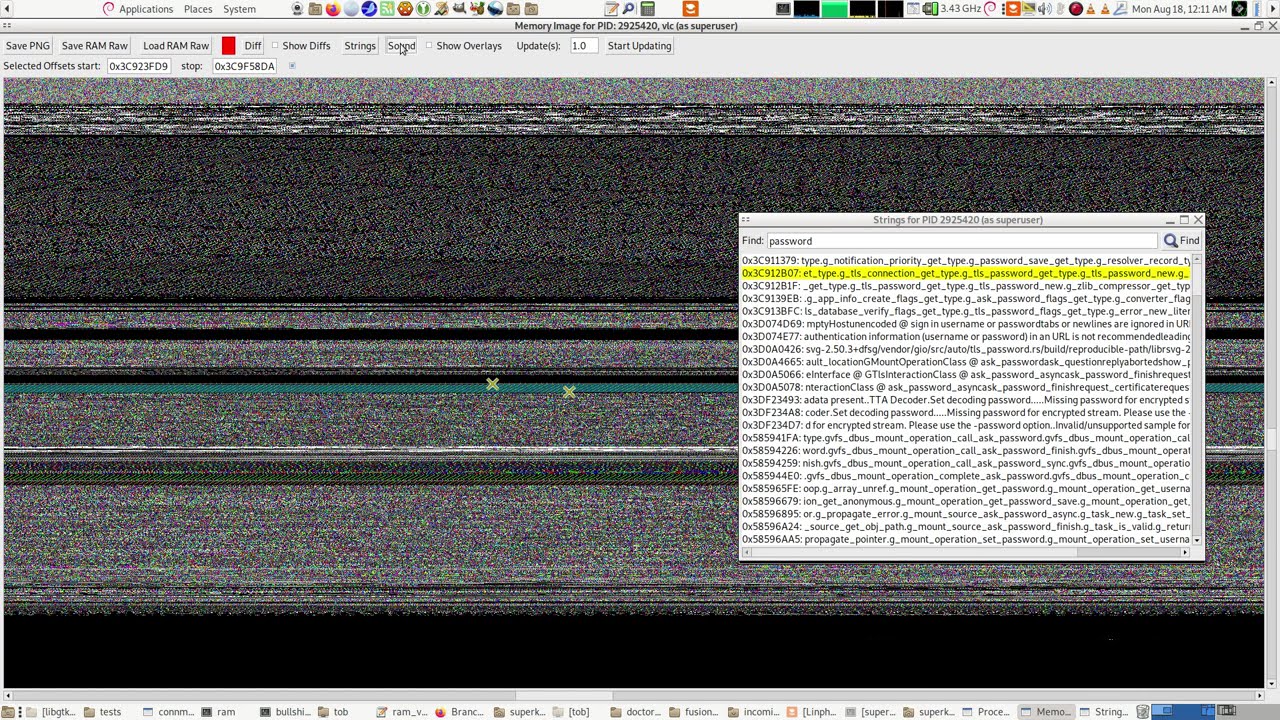
Here I play with the Linux Process RAM visualizer program I made testing out the sonification function which takes an RAM dump byte offset start and stop as set by the mouse right click on the visualization of the RAM as an image. Then it plays that bit of file as an 8KHz sample rate single channel wav file.
To make the image the program walks through massive strings of bytes, taking them three at a time to form each pixel. Each byte has a value from 0 to 255. Coincidentally, each color channel in a standard 24-bit RGB pixel is also represented by a value from 0 (no intensity) to 255 (full intensity). This allows for a perfect 1-to-1 mapping.
The 1st byte becomes the Red component of the first pixel.
The 2nd byte becomes the Green component of the first pixel.
The 3rd byte becomes the Blue component of the first pixel.
The 4th byte becomes the Red component of the second pixel.
The 5th byte becomes the Green component of the second pixel.
And so on...
For generating sound it's different.
The stream of bytes from memory is a sequence of points that define a sound wave. Each byte's value is interpreted as the amplitude (loudness or position) of the sound wave at a single, tiny moment in time.
Unlike the image which groups bytes into threes, the sound translation treats every single byte individually. For sound the RAM dump is interpreted as unsigned 8 bit values and each byte is treated as an unsigned integer from 0 to 255 .This number represents the position of the speaker cone at one instant. A value of 128 is considered the "center" or silent position. A value of 255 tells the speaker to push all the way out. A value of 0 tells the speaker to pull all the way in.
A sequence of bytes like 128, 150, 200, 255, 200, 150, 128, 100, 50, 0, 50, 100, 128... would create a simple, smooth oscillation (a pure tone).
For example a snippet of memory containing the ASCII string "Hello..." followed by some binary data.
Hex Value Decimal Value Interpretation as Sound Amplitude
0x48 72 Speaker cone is pulled in from center.
0x65 101 Speaker cone is still pulled in, but closer to center.
0x6C 108 Getting even closer to center.
0x6C 108 No change from the last sample.
0x6F 111 Still pulled in.
0x00 0 Speaker cone pulls all the way in (max negative).
0xFF 255 Speaker cone pushes all the way out (max positive).
0x7F 127 Almost perfectly centered (nearly silent).
When played back at 8,000 bytes per second, this sequence creates a series of rapid clicks and pops. The relatively smooth values of the "Hello" string would sound like a low, static-like rumble. The sudden jump from 0x00 (0) to 0xFF (255) would produce a very sharp "click" or "pop" because it's telling the speaker to move from its most retracted position to its most extended position in just 1/8000th of a second.
Повторяем попытку...
Доступные форматы для скачивания:
Скачать видео
-
Информация по загрузке: