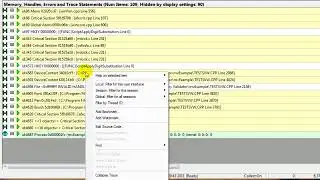
Memory Validator, how to filter the display by object type
Автор: softwareverify
Загружено: 2026-01-19
Просмотров: 0
Описание:
0:01 Hello, I'm going to show you how to use filters on the memory tab of C memory validator.
0:07 We're going to use filters to remove data based on the object type of the memory allocation in the application.
0:13 First of all, we need some data to work with, so I'm going to relaunch the example application by clicking the relaunch icon.
0:22 Example application is launched.
0:24 This example application leaks quite a bit of memory, so I'm just going to close it and we'll work with the data that it's already allocated.
0:32 We're going to filter the CString memory types, so I'm going to create a local filter, show you how to do that, local, custom filter.
0:41 To match using filter type,
0:45 make sure we have the filter type set to memory allocation.
0:49 Set the check box to match using object type, allocated using new, object type of CString, click OK
0:58 and the CString the types have been removed from the display.
1:02 Now, CStrings also use byte arrays inside them, so we'll get rid of those as well, so right-click on one of those, local filter, custom filter,
1:11 match using filter type, memory allocation for the filter type, match using object type, allocated using new,
1:20 object
1:30 type is byte array, click OK, and now it's removed as well So there you go, it's a quick and easy filtering based on data type.
1:31 Thank you very much
#memoryvalidator #filter #object #type
Повторяем попытку...

Доступные форматы для скачивания:
Скачать видео
-
Информация по загрузке: