How To Change Steam Deck Boot Video
Автор: Lemonwater
Загружено: 2022-10-10
Просмотров: 220
Описание:
Step by Step Instructions:
Open Desktop Mode on Your Steam Deck
Open Dolphin (The Steam Deck File Explorer)
Navigate to home.
Click the burger in the top right.
Ensure that "Show Hidden Files is checked"
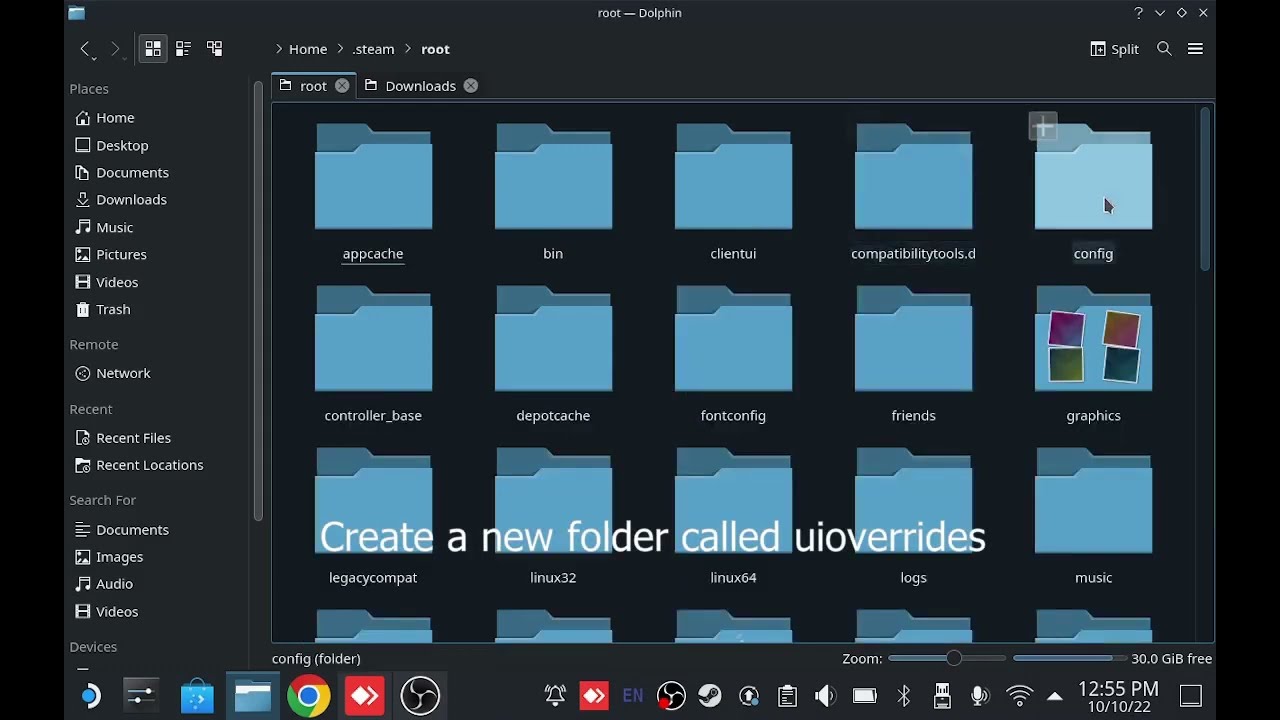
Navigate to .steam/root/config
Create a new folder called uioverrides
In the uioverrides folder create a new folder called movies
You now need to source your new boot video in .webm file format
A good source for these is https://steamdeckrepo.com/
Download the file you want and copy it to the movies folder you created.
Rename the file to deck_startup.webm
Return to gaming mode and restart your steam deck.
Your new video should now play when booting your steam deck.
Повторяем попытку...
Доступные форматы для скачивания:
Скачать видео
-
Информация по загрузке: