Invisiblock Duplication Glitch [Revised] ~ Warship Craft
Автор: Generic
Загружено: 2020-11-24
Просмотров: 14489
Описание:
Before performing the glitch, be sure you have the necessary resources to place at least one of the parts you wish to duplicate. So either you have enough currency to place it, or you already have at least one in stock.
1. In the Shop, select the part you wish to duplicate. Place it down, but do not let go.
2. Tap the Settings (top right) function, while holding your finger down.
2.5. This applies to iPad/tablet users only. While holding your finger down, also click Help, then Quick Guide. (So the sequence is Settings, Help, Quick Guide.)
3. Hit the X in the top right corner to close the settings.
4. Let go with your finger you used in step 1.
5. Switch to the Select function, and tap on any other part on the build, then tap on the part you placed in step 1, but do not let go.
6. Hit the Shop/Add function, and let go of your finger. The part will teleport somewhere on the build.
7. You will most likely get a pop-up message saying that the part is overlapped, or is not connected to other parts. Tap “Fix.”
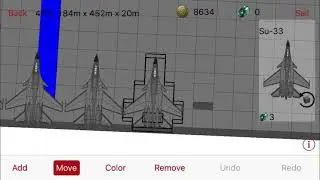
8. Find where on the build the part teleported (it should be invisible, but will have a hitbox.) Delete the part once you find it, and you should now have one more of this part than you had before, without having expended any resources.
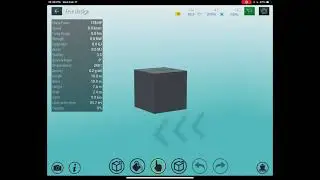
This glitch is easier to perform on a Free Design with a large block like the 6x6x2, rather than an actual ship like I used in the video. It will be easier to find where it teleported.
Thanks to Dred, Bey, Doge/Tsu, Mashed and Hal for testing and/or bringing this glitch to attention.
This is revised from the previous video in that now you can use settings, help, quick guide in step 2.5, rather than clicking shop/add (which would not work on iPad), and this version should now work on iPad. I also just wanted to make a better video than my last ones.
Повторяем попытку...
![Invisiblock Duplication Glitch [Revised] ~ Warship Craft](https://imager.clipsaver.ru/wRBbOlQbRyo/max.jpg)
Доступные форматы для скачивания:
Скачать видео
-
Информация по загрузке: